🔍 Read the full analysis: 10 Best 3D Printers For Multicolor Printing At Home In 2027 on ThorstenMeyerAI.com

Get business pricing on tech for your team
- Business-only prices and quantity discounts
- Tax-exempt purchasing
- Multiple users, one account, clear invoices
TL;DR
ThorstenMeyerAI.com’s 2027 buyer’s guide compares 10 home 3D printers, ranking the Bambu Lab P2S Combo first for its enclosed printer and included multicolor material system. The picks also cover open-frame machines, standalone enclosed printers, fast CoreXY designs and a four-toolhead alternative; buyers should weigh workflow, material needs, space and waste rather than color count alone.
ThorstenMeyerAI.com’s 2027 buyer’s guide compares 10 3D printers for home multicolor printing and ranks the Bambu Lab P2S Combo first for buyers seeking an enclosed printer bundled with a multicolor material system. The guide also distinguishes less expensive or more specialized approaches, including open-frame printers, a four-toolhead machine and standalone models without bundled multicolor hardware, as covered in the original analysis.
The guide’s leading recommendation is the P2S Combo, which pairs an enclosed printer with an included AMS material-handling system. It presents the Bambu Lab A1 Combo as a more approachable hobbyist option, while the A1’s open-frame design makes it a different fit from an enclosed CoreXY machine; readers can also compare other 3D printers for creative home printing. The guide’s recommendations are based on its assessment of design, material handling, setup, maintenance and suitability for different buyers; they are not a report of controlled testing results.
Other named models include the Bambu Lab P1S and P1S Combo, the Snapmaker U1, the Flashforge Adventurer 5M, the Anycubic Kobra X, the Flashforge AD5X and the Bambu Lab K2 Combo. The source describes the P1S as an enclosed printer sold without bundled multicolor hardware and the P1S Combo as adding AMS convenience. It identifies the U1’s four-toolhead system as an alternative to filament-switching approaches, and the Adventurer 5M as focused on fast CoreXY printing.
The source names 10 picks but the supplied material identifies only nine distinct models or packages when the P1S and P1S Combo are counted separately. It does not provide the tenth model’s name or a full ranking, nor does it give prices, detailed specifications or standardized test measurements. Those gaps limit how precisely readers can compare the complete list from the material provided.
The 10 picks
- 1
 Snapmaker U1 3D Printer with 4-Toolhead and 5-Second Tool ChangerView on Amazon →
- 2
 Bambu Lab P2S Combo – P2S 3D Printer with AMS 2 Pro (Multi‑Color)View on Amazon →
- 3
 Bambu Lab P1S Combo 3D Printer with AMS – Multi‑Color PrintingView on Amazon →
- 4
 Creality K2 Combo 3D Printer, Multicolor Printing, Max 600mm/s Speed, Auto Le…View on Amazon →
- 5
 Bambu Lab A1 Combo + LED Lamp Kit (with AMS Lite)View on Amazon →
- 6
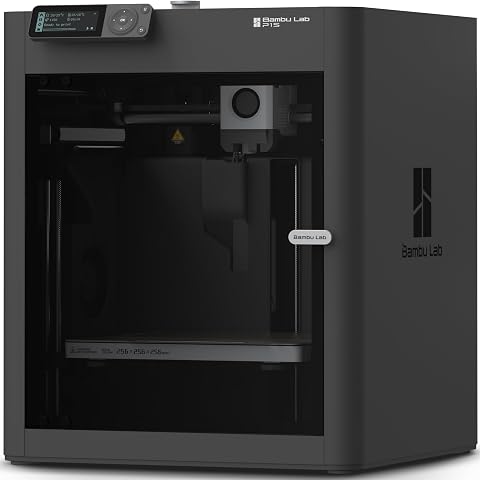 Bambu Lab P1S 3D PrinterView on Amazon →
- 7
 Anycubic Kobra X Multicolor 3D PrinterView on Amazon →
- 8
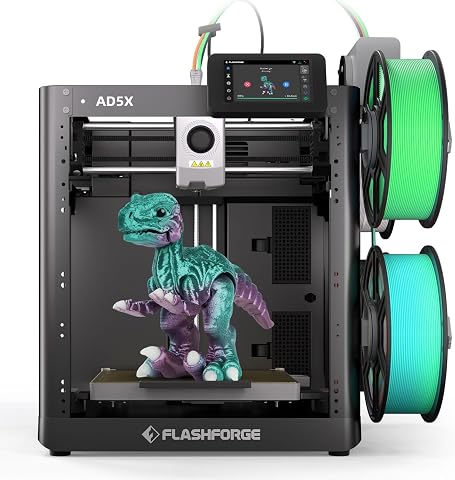 Flashforge AD5X Multi-Material 3D PrinterView on Amazon →
- 9
 Bambu Lab A1 FDM 3D PrinterView on Amazon →
- 10
 FLASHFORGE Adventurer 5M 3D Printer, All-Metal CoreXY, 600mm/s Max TravelView on Amazon →
Choosing a Multicolor Workflow
The recommendations point to a practical buying decision: multicolor printing is a workflow choice, not just a feature to count. Systems that switch filaments and machines with multiple toolheads handle material changes differently. Those differences can affect setup, print time, maintenance and material waste. The guide says frequent color changes can create purge waste, particularly when several colors appear on each layer.
That tradeoff matters because multicolor printing may be useful for labels, decorative accents or parts with different material properties, but not every household or hobby project needs it. Buyers who mostly make functional, single-color parts may find a simpler machine easier to use. The guide also cautions that advertised maximum speed does not, by itself, establish how quickly a printer will produce a particular part at acceptable quality.
Products Worth Considering

DJI Osmo Action 5 Pro 4K Waterproof Action Camera with Dual OLED Touchscreens, Froggi 47-Piece Sport Kit and SD Card

LG UltraGear 27G640A-B 27-Inch QHD IPS Gaming Monitor, 300Hz, 1ms, G-SYNC Compatible, FreeSync Premium, DisplayHDR 400, HDMI 2.1, USB-C, Adj

Bose QuietComfort Headphones (2nd Gen), Wireless Noise-Cancelling Over-Ear Headphones, Black
As an affiliate, we earn on qualifying purchases.
How the Guide Compares Printers
ThorstenMeyerAI.com says it compared the machines on print-system design, material handling, enclosure, setup, expected maintenance and versatility. It gave added weight to whether a multicolor bundle includes its material-handling hardware and separated enclosed CoreXY machines from open-frame printers instead of relying on speed claims alone. Its ranking favors broad usefulness, while recognizing that a lower-ranked machine may better suit a particular workspace or project.
The guide advises matching an enclosure to intended materials and workspace. Enclosures can help manage drafts and temperature, while open-frame printers can be easier to access and may suit everyday hobby printing. It also recommends measuring both the printer’s footprint and the space needed to load filament and reach the build plate, and comparing build volume with the largest objects a buyer expects to print.
“The P2S Combo takes the lead for buyers seeking one package that combines an enclosed printer with an included multicolor material system.”
— ThorstenMeyerAI.com buyer’s guide
Gaps in the Published Comparison
The supplied source material does not identify the complete set of 10 distinct printers: it names nine models or packages, counting the P1S and P1S Combo separately. It also does not include the missing pick’s name, the full ordered list, current prices or measured print results. The source’s recommendations should therefore be read as editorial assessments, not independently verified performance rankings.
Specific claims about speed, material compatibility, build volume, noise, maintenance and operating costs are not quantified in the supplied material. Actual print times and results vary with the model, material, settings and print geometry. Availability and specifications for products in a 2027 guide can also change, so buyers should check current manufacturer information before purchasing.
Check Models Before Buying
Readers considering a purchase should confirm the current package contents and specifications, especially whether a multicolor material system is included or sold separately. They should also compare the printer’s enclosure and material support with their intended projects, and check its footprint against available workspace.
The source offers no upcoming testing date or product announcement. The next useful step for buyers is a complete, current comparison that names all 10 picks and supplies price, specifications and test conditions. Until then, the published recommendations provide a framework for matching printer design to project needs, but not enough information for a fully quantified head-to-head decision.
Key Questions
Which printer does the guide rank first?
The guide ranks the Bambu Lab P2S Combo first, citing its enclosed printer and included multicolor material system. That is the source’s editorial recommendation, not a result from documented controlled testing in the supplied material.
What is the difference between the P1S and P1S Combo?
According to the guide, the P1S is an enclosed printer without bundled multicolor hardware, while the P1S Combo adds AMS convenience. Buyers should verify the contents of the current packages before ordering.
Does the source identify all 10 printers?
No. The supplied material names nine models or packages when the P1S and P1S Combo are counted separately. It does not provide the tenth pick’s name or the full ordered list.
Should a home user choose a multicolor printer?
It depends on the projects. Multicolor can help with labels and decorative details, but switching materials can add time and produce purge waste. The guide says users who mostly print functional, single-color parts may prefer a simpler setup.
Does a higher maximum speed guarantee faster finished prints?
No. The guide notes that geometry, layer height, material and cooling affect real print time and finish. A maximum movement-speed figure alone does not show how quickly a specific useful part will print.
Source: ThorstenMeyerAI.com