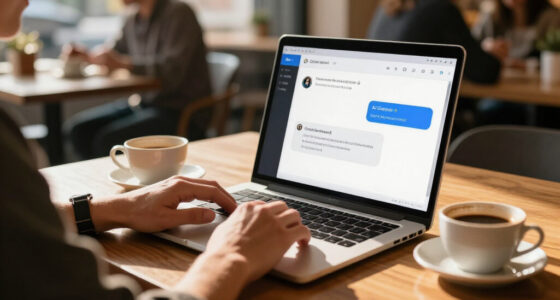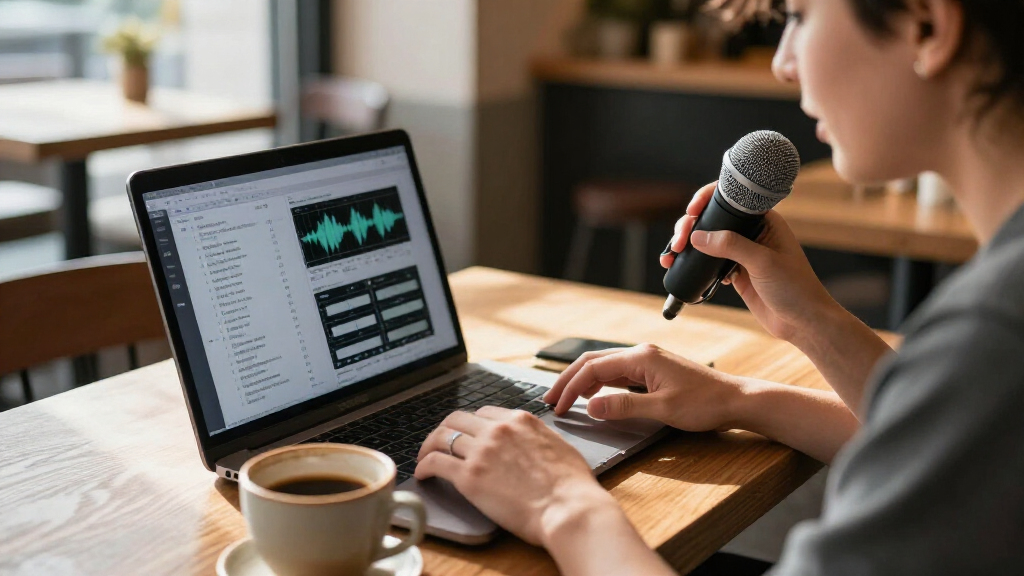
AI transcription software can turn meetings, interviews, lectures, and dictated notes into searchable text, but the products in this roundup range from dedicated recorders to traditional playback software. I’d name the HiDock H1E the best overall for people who want meeting capture paired with a useful desk hub, while the Vobot AI Voice Recorder stands out for portable recording and the Express Scribe download for hands-on transcription workflows. The main tradeoff is between automated capture and summaries versus playback control, hardware convenience, and specialized features such as translation or a foot pedal. A recorder may simplify getting audio into a transcript, while transcription software can suit people who already have recordings and prefer to control playback themselves. Read on for the full breakdown and guidance on choosing the right workflow.

Get business pricing on tech for your team
- Business-only prices and quantity discounts
- Tax-exempt purchasing
- Multiple users, one account, clear invoices
Key Takeaways
- HiDock H1E is the most rounded desk choice because transcription and meeting notes sit alongside an 8-in-1 docking station, though it is less suited to portable recording.
- Vobot combines a portable recorder with summaries and an NFC business card, making it a more specialized pick for mobile professionals than a general-purpose transcription app.
- Express Scribe is the clear workflow outlier: it is built around controlling playback, and foot-pedal versions favor transcribers who work from existing audio rather than people seeking automatic meeting capture.
- The roundup’s recorder options put different emphasis on summaries, storage, translation, and magnetic mounting; buyers should match the feature to their routine instead of assuming every AI recorder works the same way.
- The AI VoiceWriter USB dongle focuses on dictation and writing assistance, so it fits a different task from meeting recorders and playback tools.
| OLZO AI Voice Recorder with Transcription and Summaries |  | Best for Generous Monthly Transcription | Storage: 16 GB | Recording time: Up to 45 hours | Maximum single recording: Up to 10 hours | VIEW LATEST PRICE | See Our Full Breakdown |
| Express Scribe Pro Transcription Software for PC and Mac (CD-ROM) |  | Best for Desktop Transcription Workflows | Platform: PC and Mac | Delivery format: CD-ROM | Supported media: Audio and video | VIEW LATEST PRICE | See Our Full Breakdown |
| Express Scribe Transcription Software with Foot Pedal Support (Download) |  | Best Downloadable Tool for Manual Transcription | Delivery format: Download | Supported media: Audio and video | Playback: Variable speed with constant pitch | VIEW LATEST PRICE | See Our Full Breakdown |
| Vobot AI Voice Recorder with Transcription, Summaries, and NFC Business Card |  | Best for Recording Calls and Meetings on the Go | Microphone system: Bone-conduction call mic and dual HD noise-reduction meeting mics | Microphone pickup range: Up to 16 ft | Transcription languages: 145 | VIEW LATEST PRICE | See Our Full Breakdown |
| AI VoiceWriter Dictation and AI Writing Assistant with USB Dongle |  | Best for Live Dictation and Editing | Compatible computers: Windows 10 or above; macOS 13 or above | Mobile compatibility: iOS 15 or above; Android 9.0 or above | Hardware interface: USB | VIEW LATEST PRICE | See Our Full Breakdown |
| HiDock H1E AI Meeting Note-Taker and 8-in-1 Docking Station |  | Best for a Desk-Based Meeting Setup | Transcription languages: 75 | Storage: 32 GB | Battery life: 4 hours | VIEW LATEST PRICE | See Our Full Breakdown |
| AI Voice Recorder Note Taker Unlimited Transcription, 64GB |  | Best for Multilingual Features | Transcription and translation languages: 255 listed | Storage: 64 GB | Display: 1.3-inch OLED | VIEW LATEST PRICE | See Our Full Breakdown |
| Express Scribe Professional Transcription Software with Infinity IN-USB-3 USB Foot Pedal |  | Best for Manual Transcription Workflows | Included software: Express Scribe Professional user license | Included pedal: Infinity IN-USB-3 USB foot pedal | Hardware interface: USB 3.0 | VIEW LATEST PRICE | See Our Full Breakdown |
| AI Voice Recorder with Automatic Transcription and Real-Time Translation |  | Best for Long Recording Sessions | Storage: 32 GB | Recording time: Up to 50 hours | Microphones: 1 bone-conduction and 4 omnidirectional microphones | VIEW LATEST PRICE | See Our Full Breakdown |
| AI Voice Recorder with Magnetic Back, Transcription, Summaries, and Translation |  | Best Compact Magnetic Recorder | Recording format: WAV | Storage: 32 GB | Continuous recording time: Up to 8 hours | VIEW LATEST PRICE | See Our Full Breakdown |
More Details on Our Top Picks
OLZO AI Voice Recorder with Transcription and Summaries
The OLZO stands out for buyers who want recorder hardware and a substantial monthly AI allowance in one package. Its 1,200 transcription and summary minutes per month exceed the Vobot’s introductory 600-minute allowance, making it a better fit for regular meetings and interviews—though the Vobot adds call recording and mind maps. OLZO’s dual microphones reach up to 20 feet, and its 16 GB storage and up-to-45-hour recording capacity support longer stretches away from a computer. Wi-Fi and Bluetooth syncing plus several export formats make transcripts easier to move into other workflows. The tradeoff is that it does not record calls directly, so phone conversations are outside its strongest use case. It also lacks a headphone jack, and the monthly allowance still sets a limit for heavy transcription workloads.
Pros:- Includes 1,200 transcription and summary minutes per month without a subscription.
- Dual microphones capture audio from up to 20 feet, with AI noise reduction.
- Provides 16 GB of storage and up to 45 hours of recording.
- Supports Wi-Fi and Bluetooth syncing, Notion integration, and multiple export formats.
Cons:- Does not support direct call recording.
- No headphone jack for wired monitoring or playback.
Best for: People who regularly record in-person meetings or interviews and want up to 1,200 AI transcription minutes each month without a subscription.
Not ideal for: People who need direct phone-call recording or routinely transcribe more than the monthly allowance.
- Storage:16 GB
- Recording time:Up to 45 hours
- Maximum single recording:Up to 10 hours
- Monthly transcription minutes:1,200
- Microphones:Dual built-in ECM microphones; stereo
- Microphone pickup range:Up to 20 ft (6 m)
- Wireless connectivity:Wi-Fi 802.11 b/g/n and Bluetooth 5
- Export formats:.txt, .srt, .pdf, .md, .m4a, .mp3
Our verdict“Choose the OLZO for frequent in-person recording and a larger monthly transcription allowance, but look elsewhere if direct call capture is a requirement.”
Express Scribe Pro Transcription Software for PC and Mac (CD-ROM)
Express Scribe Pro is a playback and control tool, not an AI transcription service. It helps a typist work through existing recordings with variable-speed playback that maintains pitch, support for audio and video, and controls from hotkeys or a compatible USB foot pedal. That makes it more suited to a human transcription workflow than the OLZO or Vobot, which focus on generating AI transcripts and summaries. It can accept files through FTP, email, or a local network, with file management and support for many formats, including encrypted dictation files. The main tradeoff is that the software does not supply the transcript itself; the transcriber still does the listening and typing. This edition also arrives on CD-ROM, which is less convenient than the downloadable Express Scribe option, and pedal control requires a compatible pedal purchased separately.
Pros:- Variable-speed playback maintains constant pitch to make speech easier to follow.
- Plays audio and video, including encrypted dictation files.
- Supports hotkeys and compatible professional USB foot pedals.
- Accepts files through FTP, email, or a local computer network.
Cons:- Does not provide AI transcription or automatically generate text.
- A compatible professional USB foot pedal is required for pedal control and is not stated to be included.
- CD-ROM delivery may not suit computers without an optical drive.
Best for: Transcriptionists and office teams who manually transcribe audio or video on a PC or Mac and want hands-free playback control.
Not ideal for: Buyers seeking automatic speech-to-text, AI summaries, or a setup that does not require installing software from a CD-ROM.
- Platform:PC and Mac
- Delivery format:CD-ROM
- Supported media:Audio and video
- Playback:Variable speed with constant pitch
- Playback controls:Compatible USB foot pedals or keyboard hotkeys
- File compatibility:Most formats, including encrypted dictation files
- File delivery:FTP, email, or local computer network
- Additional features:Multi-channel control and file management
Our verdict“Pick Express Scribe Pro if you transcribe recordings yourself and value playback control over automatic AI-generated text.”
Express Scribe Transcription Software with Foot Pedal Support (Download)
Compared with the CD-ROM Express Scribe Pro, this version’s clearest advantage is download delivery, which avoids needing an optical drive. Its core job is still manual transcription: it plays audio and video at variable speeds without changing pitch, and hotkeys let a typist control playback while entering text in another application. Support for encrypted dictation files and professional USB foot pedals gives it a practical role in established transcription workflows. Unlike the AI-focused OLZO recorder, it does not generate transcripts or summaries; it helps a person work through source audio more efficiently. That distinction makes it a poor match for buyers expecting speech recognition. The product also does not state that a foot pedal is included, so hands-free control may require a separate compatible device.
Pros:- Download delivery avoids reliance on a CD-ROM drive.
- Variable-speed playback maintains constant pitch.
- Supports audio and video, including encrypted dictation files.
- Hotkeys and professional USB foot-pedal support help control playback while typing.
Cons:- Does not automatically convert speech to text or create summaries.
- A compatible USB foot pedal is not stated to be included.
- The listing does not specify file-delivery options such as FTP or email.
Best for: Independent transcribers and office staff who want downloadable playback software for manually converting recordings into text.
Not ideal for: People who want automatic transcription, AI summaries, or a ready-to-use foot-pedal bundle.
- Delivery format:Download
- Supported media:Audio and video
- Playback:Variable speed with constant pitch
- File compatibility:Most formats, including encrypted dictation files
- Foot pedal support:Professional USB foot pedals
- Playback controls:Hotkeys
Our verdict“Choose this downloadable Express Scribe edition for hands-on transcription work, not for AI-generated transcripts.”
Vobot AI Voice Recorder with Transcription, Summaries, and NFC Business Card
Vobot earns its place through call-and-meeting capture in a compact recorder. Its three-microphone setup includes a bone-conduction mic for calls and dual noise-reduction mics for meetings, giving it a broader recording role than the OLZO, which does not support direct call recording. The AI can produce transcripts, summaries, action items, and mind maps across 145 languages, while the NFC feature lets users share contact details from the device. Its thin aluminum body and magnetic accessories suit mobile work, though 8 GB of storage and up to 30 hours per charge give it less recording capacity than OLZO’s 16 GB and 45 hours. The main limitation is the 600 monthly bonus minutes for the first year; ongoing AI use depends on plan limits, so frequent transcription may call for a paid plan or add-on.
Pros:- Three-microphone system supports separate call and meeting recording modes.
- AI features include transcripts, summaries, action items, and mind maps.
- Supports transcription in 145 languages.
- Compact aluminum body, magnetic accessories, and NFC contact sharing suit mobile use.
Cons:- The 600 bonus AI minutes per month apply for the first year; continued use is subject to plan limits.
- 8 GB storage and up to 30 hours of recording are less than the OLZO’s stated capacity.
- Call audio is captured through phone vibrations with the bone-conduction microphone, rather than the meeting microphones.
Best for: Mobile professionals who record both calls and in-person meetings and want AI summaries or action items alongside transcripts.
Not ideal for: Heavy transcription users who need a large ongoing monthly allowance, or buyers who prefer a recorder with clearly specified long-term AI access.
- Microphone system:Bone-conduction call mic and dual HD noise-reduction meeting mics
- Microphone pickup range:Up to 16 ft
- Transcription languages:145
- Storage:8 GB
- Recording time per charge:Up to 30 hours
- AI allowance:600 bonus minutes per month for the first year
- Dimensions:0.16 x 2.15 x 3.37 in
- Weight:33.4 g
- NFC feature:Tap to share contact details with NFC-enabled phones
Our verdict“Choose Vobot if call recording and mobile AI summaries matter more than storage capacity or a larger monthly transcription allowance.”
AI VoiceWriter Dictation and AI Writing Assistant with USB Dongle
VoiceWriter takes a different path from recorders like the OLZO: it focuses on dictating text directly into desktop applications, then refining that text with AI proofreading, rewriting, and formatting. Its USB dongle supports use with Windows and Mac computers, and the mobile app can turn a phone into a microphone. Dictation is available in 33 languages, while the AI assistance tools cover a smaller set of nine languages. That makes it more useful for people composing documents than for those who need to record meetings and later receive a transcript. By comparison, the Vobot is built to capture calls and meetings and produce summaries, while VoiceWriter is aimed at real-time writing and revision. The listed digital recording time is less than an hour, and the setup requires compatible devices; buyers seeking a standalone recorder should choose a different option.
Pros:- Dictates in real time into text fields across desktop applications.
- AI tools can proofread, rephrase, and format dictated text.
- A mobile app can use a phone as the microphone.
- Supports dictation in 33 languages and includes lifetime software updates.
Cons:- Requires a compatible computer and mobile device for the described setup.
- AI assistance supports fewer languages than dictation: nine versus 33.
- Listed digital recording time is less than one hour, limiting its use as an audio recorder.
Best for: Writers and office professionals who dictate directly into desktop text fields and want AI help polishing the resulting text.
Not ideal for: People who need a standalone meeting recorder, long-form audio storage, or AI writing support in all 33 dictation languages.
- Compatible computers:Windows 10 or above; macOS 13 or above
- Mobile compatibility:iOS 15 or above; Android 9.0 or above
- Hardware interface:USB
- Dictation languages:33
- AI assistance languages:Chinese, English, Japanese, Korean, French, German, Spanish, Italian, Swedish
- Digital recording time:Less than 1 hour
- Storage capacity:4 GB
- Software updates:Lifetime updates
- Warranty:1 year
Our verdict“Choose VoiceWriter for live multilingual dictation and AI-assisted editing, but choose a dedicated recorder for capturing full meetings.”
HiDock H1E AI Meeting Note-Taker and 8-in-1 Docking Station
The HiDock H1E is the most integrated desk option here: it combines a meeting recorder with an eight-in-one dock, so one device can support calls and connect a computer to a monitor, Ethernet, and peripherals. Its 75-language transcription and summaries are included without a recurring plan, which gives it a clearer baseline than the tupuniu recorder’s tiered minutes after its first year. VoiceMarks can make it easier to flag moments for review, while two-way noise cancellation is aimed at clearer calls. The tradeoff is that this is a substantial desktop accessory, not a pocket recorder, and automatic recording needs to be enabled in the HiNotes app. Some useful functions, including speaker identification and customized summaries, sit behind Pro membership. I’d choose it for a fixed workstation, not for frequent on-the-go interviews.
Pros:- Transcription and summaries cover 75 languages without a paid plan
- HDMI, Ethernet, USB-C, and USB-A ports add practical workstation connectivity
- VoiceMarks and two-way noise cancellation support meeting review and call clarity
- Includes an open-ear earphone for hands-free calls
Cons:- Automatic recording must be activated in the HiNotes app
- Speaker identification and customized summaries require Pro membership
- Its 520 g dock form and four-hour battery life are less suited to mobile recording
Best for: Remote workers who want meeting transcription alongside a monitor, Ethernet, and USB connections at a permanent desk
Not ideal for: Traveling interviewers or buyers who need a small standalone recorder and access to speaker identification without a paid membership
- Transcription languages:75
- Storage:32 GB
- Battery life:4 hours
- Recording capacity:Up to 1,000 hours
- Audio format:MP3
- Ports:1 HDMI, 1 DC-In, 1 Ethernet, 3 USB-C 3.2, 2 USB-A 3.2
- Display output:Single display, up to 4K at 60 Hz
- Weight:520 g
Our verdict“Choose the HiDock H1E if you want transcription built into a well-connected desk setup and can accept app-dependent automation and paid advanced features.”
AI Voice Recorder Note Taker Unlimited Transcription, 64GB
The tupuniu 64GB recorder is the most language-focused option in this group, pairing transcription with real-time translation, live interpretation subtitles, and photo translation across a listed 255 languages. Its 600 free transcription minutes per month during the first year give students and international users room to try those tools before choosing a later plan. Compared with the HiDock H1E, this is a portable recorder rather than a desktop dock; compared with the InnAIO recorder, its standout is the broader advertised language set and extras such as mind maps and AI chat. The tradeoffs are a service allowance that changes after year one and a short listed recording time of 10 hours, despite a promotional claim of far greater storage duration. I’d verify the current plan terms and recording limits before relying on it for continuous capture.
Pros:- Lists transcription and translation support for 255 languages
- Offers live interpretation subtitles, photo translation, summaries, and mind maps
- Provides 600 transcription minutes per month during the first year
- 64 GB storage and USB-C or Bluetooth transfer support portable use
Cons:- The free monthly allowance and available plans change after the first year
- Listed digital recording time is 10 hours, limiting long continuous sessions
- Specialized dictionaries and unlimited transcription require a paid plan
Best for: International students, travelers, and professionals who need live translation and transcription across many languages
Not ideal for: People who need predictable unlimited transcription from the outset or long unattended recording sessions
- Transcription and translation languages:255 listed
- Storage:64 GB
- Display:1.3-inch OLED
- Battery life:10 hours
- Digital recording time:10 hours listed
- Connectivity:Bluetooth 5 and USB-C
- Audio export formats:PDF, TXT, DOCX, and SRT listed
- First-year transcription allowance:600 minutes per month
Our verdict“Pick tupuniu for its broad multilingual toolkit and first-year allowance, but check the ongoing plan and recording limits if it will become a daily work recorder.”
Express Scribe Professional Transcription Software with Infinity IN-USB-3 USB Foot Pedal
This kit is a different kind of transcription tool from the AI recorders in this roundup: Express Scribe Professional helps a typist control existing audio, rather than generating an AI transcript or summary. The Infinity USB foot pedal lets a transcriber pause, replay, and manage playback without moving hands away from the keyboard, while variable-speed and multichannel controls suit work with longer recordings. Unlike the HiDock H1E or tupuniu recorder, it does not depend on an AI service plan, and the included professional license requires no subscription. That makes it a better fit for people who prefer to produce or correct transcripts manually. The central drawback is also clear: buyers still need to do the transcription themselves, and the software requires a computer. License and download details are supplied inside the box, so setup is less direct than a ready-to-use app.
Pros:- Foot pedal controls playback while the user types
- Variable-speed playback and multichannel controls support detailed audio work
- Supports MP3, WAV, and WMA files, plus video playback
- Professional license is included with no subscription required
Cons:- Does not provide AI transcription or automatic summaries
- Requires a computer to install and operate the software
- Download and license instructions are provided inside the box
Best for: Transcriptionists, researchers, and office staff who manually type from recorded audio and want hands-free playback controls
Not ideal for: Buyers seeking automatic speech-to-text, AI summaries, or a self-contained recording device
- Included software:Express Scribe Professional user license
- Included pedal:Infinity IN-USB-3 USB foot pedal
- Hardware interface:USB 3.0
- Compatible device:Personal computer
- Supported audio formats:MP3, WAV, WMA
- Subscription:Not required
- Foot pedal weight:2.3 lb
- Warranty:1 year
Our verdict“Choose this kit if you want hands-free control for manual transcription, not if you expect AI to create the transcript for you.”
AI Voice Recorder with Automatic Transcription and Real-Time Translation
For buyers who want a compact recorder that can capture audio away from a phone, this card-sized model pairs 32 GB of local storage with up to 50 hours of listed recording time. Its multi-microphone array includes a bone-conduction microphone and four omnidirectional microphones, giving it a more elaborate capture setup than the ZKEagle recorder’s listed built-in microphone modes. After recording, the InnAIO Pro app adds transcription, summaries, and translation in more than 140 languages; the product also lists translation latency of 0.5 seconds. That mix makes it more compelling for multilingual conversations than the transcription-focused Express Scribe kit, which requires manual typing. The tradeoff is app reliance: recording can happen offline, but the AI work depends on the app. Voice cloning and other voice-based features may also involve supplying voice samples, so I wouldn’t buy it solely for offline AI processing.
Pros:- Records independently of Wi-Fi or a smartphone connection
- Offers 32 GB storage and up to 50 hours of listed recording time
- App supports transcription, summaries, and translation across more than 140 languages
- Slim 40 g body includes Bluetooth and Wi-Fi connectivity
Cons:- Transcription, summaries, and some translation features rely on the InnAIO Pro app
- Voice cloning and related functions may require voice samples
- The listed 50-hour figure is a maximum, not a stated continuous AI-processing duration
Best for: Travelers, interviewers, and multilingual teams who need long local recordings and app-based translation afterward
Not ideal for: Buyers who need transcription and summaries to run without a smartphone app or who want clear details on voice-sample handling before purchase
- Storage:32 GB
- Recording time:Up to 50 hours
- Microphones:1 bone-conduction and 4 omnidirectional microphones
- Pickup range:Up to 5 m
- Supported languages:More than 140
- Translation latency:0.5 seconds listed
- Connectivity:Bluetooth and Wi-Fi
- Dimensions and weight:54 × 86 × 5.3 mm; 40 g
Our verdict“Choose this recorder for lengthy local capture and multilingual app tools, but skip it if you require offline transcription rather than offline recording.”
AI Voice Recorder with Magnetic Back, Transcription, Summaries, and Translation
The ZKEagle magnetic recorder suits buyers who want a slim device that can attach to a compatible surface and hand recordings off to an app for transcription. Its 32 GB storage, WAV recording, and Bluetooth or USB-C transfers provide straightforward ways to keep and move source audio; the app adds transcript editing, summaries, and translation. Compared with the InnAIO recorder, it emphasizes a magnetic back and encrypted storage rather than a stated five-microphone setup, long recording endurance, and more than 140 supported languages. Its noise-reduction and selectable microphone modes may help with varied recording situations, but AI features depend on the ZKEagle app. Battery life is listed at up to eight hours of continuous recording, so it is less suited to extended sessions than the InnAIO’s stated 50-hour maximum. I’d treat the separate 1,000-hour figure as storage capacity, not a single-charge recording claim.
Pros:- Slim 4 mm profile and magnetic back suit compact everyday carry
- 32 GB storage and WAV recording preserve source audio locally
- Bluetooth and USB-C provide two ways to transfer recordings
- App includes transcription, summaries, translation, editing, and sharing
Cons:- AI transcription and related tools require the ZKEagle app
- Continuous recording is limited to up to 8 hours per charge
- Supported language count is not specified in the supplied product data
Best for: Commuters and meeting attendees who want a thin magnetic recorder with app-based transcription and easy file transfer
Not ideal for: People who need long continuous recording sessions, independent AI transcription, or a clearly stated language count
- Recording format:WAV
- Storage:32 GB
- Continuous recording time:Up to 8 hours
- Microphone modes:Noise cancellation, omnidirectional, and unidirectional
- Connectivity:Bluetooth, BLE, and USB Type-C
- App compatibility:iOS and Android
- Dimensions:55 × 82 × 4 mm
- Battery capacity:160 mAh
Our verdict“Pick the ZKEagle for a slim magnetic recorder and app-based transcript tools, but favor the InnAIO model for longer recording sessions.”
How We Picked
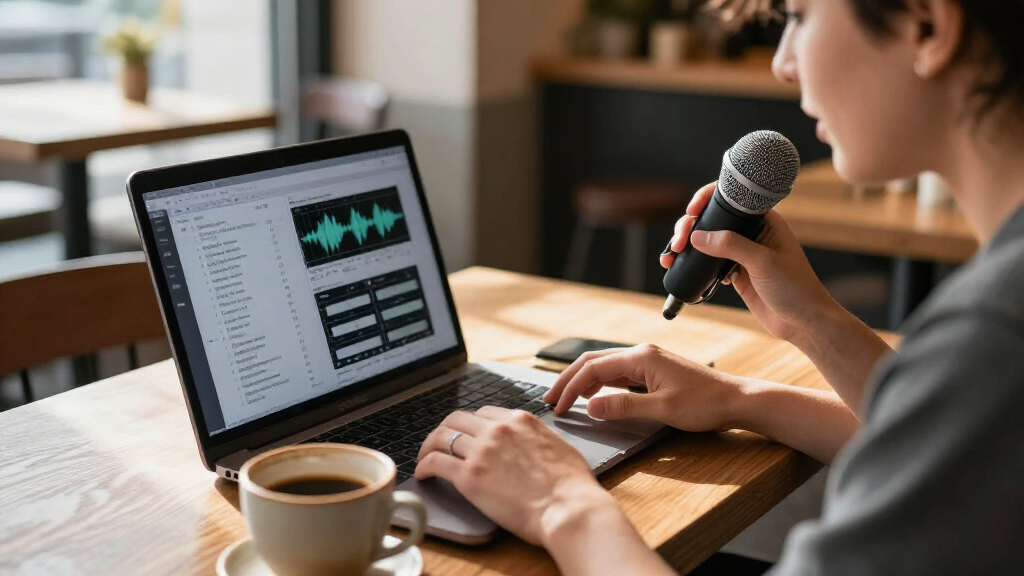
I compared these products by the job they help a buyer complete: capturing live audio, turning an existing recording into text, dictating new material, or managing meeting notes. I gave more weight to a clear, useful workflow than to a long feature list, and looked at how each product’s hardware or controls fit its intended setting. Portability, storage, foot-pedal support, summaries, translation, and added desk or business-card functions mattered when they changed who would benefit from the product.
The ranking favors tools with a clearly differentiated use and a broad, practical fit. That puts the HiDock H1E first for its meeting-focused combination of note-taking and desk utility, followed by portable recording options and then tools aimed at narrower workflows. Express Scribe remains a strong specialist rather than a universal pick: its playback and pedal focus can suit transcription work, but it does not fill the same role as an AI recorder. Product names and feature descriptions alone do not establish transcription accuracy, language coverage, subscription terms, or compatibility, so buyers should verify those details with the seller before choosing.
Factors to Consider When Choosing AI Transcription Software
Before choosing a tool, I’d start with the moment when transcription enters your workflow. Recording a conversation, processing an audio file later, and dictating a draft are different tasks, even when each product uses AI somewhere in the process. These factors help separate tools that sound similar on a feature list but behave differently day to day.
Start With Live Recording or Existing Audio
Decide whether you need to capture audio directly or convert files you already have. A recorder-first device can reduce the steps between a conversation and a transcript, while playback software is better matched to someone who receives recordings from other people. Buying a recorder when your work starts with uploaded interviews can add hardware you rarely use. Choosing playback software for live meetings may leave you needing a separate way to capture clean audio. Map your current process from recording to finished text before comparing feature lists.
Check What AI Does After Capture
“AI transcription” can refer to more than one task: converting speech to text, producing a summary, translating speech, or helping turn dictation into written material. Those outputs are not interchangeable. A summary can speed up meeting review, but it is not a substitute for a complete transcript when exact wording matters. Translation may help with multilingual conversations, though language availability and quality need checking for your specific pair of languages. Confirm which functions run on the device, which require an app or internet connection, and whether the workflow supports the kind of audio you actually handle.
Treat Accuracy as a Workflow Question
Transcription accuracy depends on recording conditions as well as software, including distance from the speaker, background noise, overlapping voices, and specialist vocabulary. A product description cannot tell you how well a tool handles your meeting room or accent mix, so look for a way to test it with representative audio before relying on it. Ask whether the software supports speaker labels, editing, and exporting, since correcting a transcript can take longer than generating one. Do not assume a summary preserves every detail or decision. For legal, medical, research, or other high-stakes work, plan on human review.
Match the Controls to Your Working Style
People who type while listening may benefit from playback controls that let them pause, rewind, and adjust speed without breaking focus. A compatible foot pedal can make repeated playback easier when both hands are occupied, but it adds setup and desk-space considerations. By contrast, a recorder with automatic capture may suit people who want to stay present during a meeting rather than operate playback controls. Think about how often you correct audio, not just how often you create transcripts. A specialized control system is useful when it removes repeated friction; otherwise, it can be extra equipment to maintain.
Check Storage, Portability, and Mounting
Hardware features matter only when they fit where and how you record. Built-in storage can be useful when sessions are long or connectivity is unreliable, but it does not answer how files are transferred, backed up, or deleted. A magnetic back may help with a particular mounting setup, yet it is not a substitute for checking microphone placement and recording distance. Desk-oriented products can combine useful workspace functions with note-taking, though they are less convenient to carry between locations. Before buying, confirm capacity, file access, battery needs, and whether the device suits your typical recording environment.
Review Privacy, Compatibility, and Ongoing Access
Meetings and interviews can contain confidential information, so find out where audio and transcripts are stored and who can access them. Check whether transcription requires an account, an internet connection, or an ongoing service plan, and review what happens if you stop using that service. Compatibility deserves equal attention: confirm your operating system, file formats, phone or computer connection, and any pedal requirements. A product that works smoothly with one platform may create extra steps on another. Compare the full operating workflow—not just the initial setup—before committing important recordings to it.
Frequently Asked Questions
Should I choose a dedicated AI recorder or Express Scribe?
Choose a dedicated recorder if you need to capture meetings or conversations and want transcription to follow that recording workflow. Express Scribe is more appropriate when you already receive audio files and want playback controls for transcribing them. Its foot-pedal options can suit repetitive listening work, but they do not make it the same kind of meeting recorder. If your work includes both live capture and file transcription, check whether you need one tool for each job or can handle both through your existing setup.
Do I need the foot pedal bundle, or is the software version enough?
The pedal bundle makes the most sense when you regularly pause, rewind, or replay audio while typing, and pedal control fits your desk setup. If you only transcribe occasionally, use keyboard controls, or already own compatible hardware, the software-only download may be a simpler fit. Confirm pedal compatibility with your computer and the exact software version before choosing the bundled option. The pedal is a workflow aid, not a way to improve the recording or automate transcription by itself.
Is a meeting summary enough, or should I keep the full transcript?
A summary is useful for recalling main points and locating follow-up items, but it may omit qualifications, exact wording, or less prominent comments. Keep a full transcript when you need a searchable record, detailed notes, or a way to check what a speaker said. For high-stakes records, retain the source audio as well when your policies allow it and review the generated text. Check each product’s export and retention options before treating its output as an archive.
What should I verify before relying on automatic translation?
Confirm that the product supports both the spoken language and the language you want as output; a general translation feature does not guarantee every language pair. Test it with the accents, terminology, and recording conditions you expect to encounter. Ask whether the result is translated from the audio directly or from a generated transcript, since errors in transcription can carry into translation. For sensitive or consequential communication, have a qualified person review the translated text.
Can these products replace manual review of a transcript?
They can reduce typing and help organize recordings, but buyers should not assume generated text is error-free. Background noise, overlapping speakers, names, technical vocabulary, and unusual phrasing can all call for corrections. A playback-focused tool may make those corrections easier, while recorder-first products may save time at capture and summarization. If accuracy affects a decision or formal record, include human review in the workflow and check whether the product makes editing and exporting straightforward.
Conclusion
For most buyers who want meeting capture plus desk utility, I’d start with the HiDock H1E as the best overall. The best value in workflow flexibility is the Express Scribe download for people who already have audio and want playback controls without a pedal bundle; I’d treat that as a fit-based value pick, not a claim about price. The best premium-style desk setup is also the HiDock H1E, while the best choice for beginners is a straightforward recorder-first option such as the OLZO, provided its app and service requirements suit your needs. For mobile professionals, the Vobot adds a business-card function; for hands-on transcription, choose Express Scribe with a compatible foot pedal; for dictation and writing assistance, look at AI VoiceWriter. If translation, larger onboard storage, or magnetic mounting is your priority, compare the dedicated recorder models around that specific need and verify their language, compatibility, and data-handling details before buying.