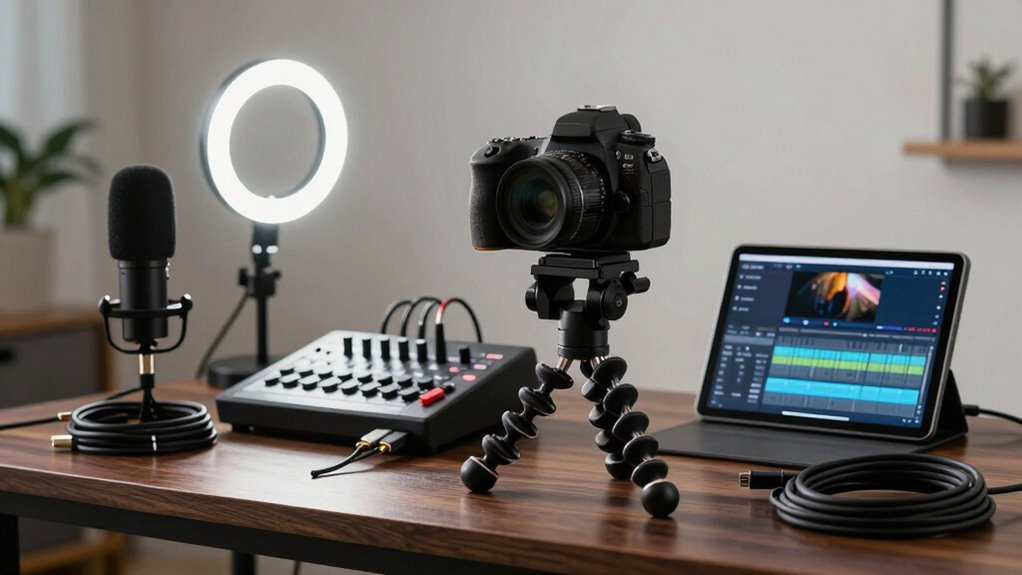
To make your webinar content reusable, invest in a solid video gear stack that includes proper lighting, a good-quality camera or webcam, and a reliable microphone. Use a softbox or ring light for even illumination, a tripod for stability, and noise-canceling tools for clear audio. Combining these elements creates a polished, professional look that stands out and can be easily repurposed. Keep exploring to discover how a cohesive setup boosts your content’s impact and sustainability.

Get business pricing on tech for your team
- Business-only prices and quantity discounts
- Tax-exempt purchasing
- Multiple users, one account, clear invoices
Key Takeaways
- Use high-quality, consistent lighting setups like ring lights or softboxes for professional, flicker-free footage.
- Invest in a reliable camera and tripod to ensure steady, high-resolution recordings.
- Incorporate crisp audio equipment, such as USB microphones with pop filters, for clear sound quality.
- Maintain cohesive framing at eye level to create natural engagement and enhance viewer trust.
- Combine lighting, sound, and camera gear for a polished, reusable presentation that boosts credibility and content longevity.
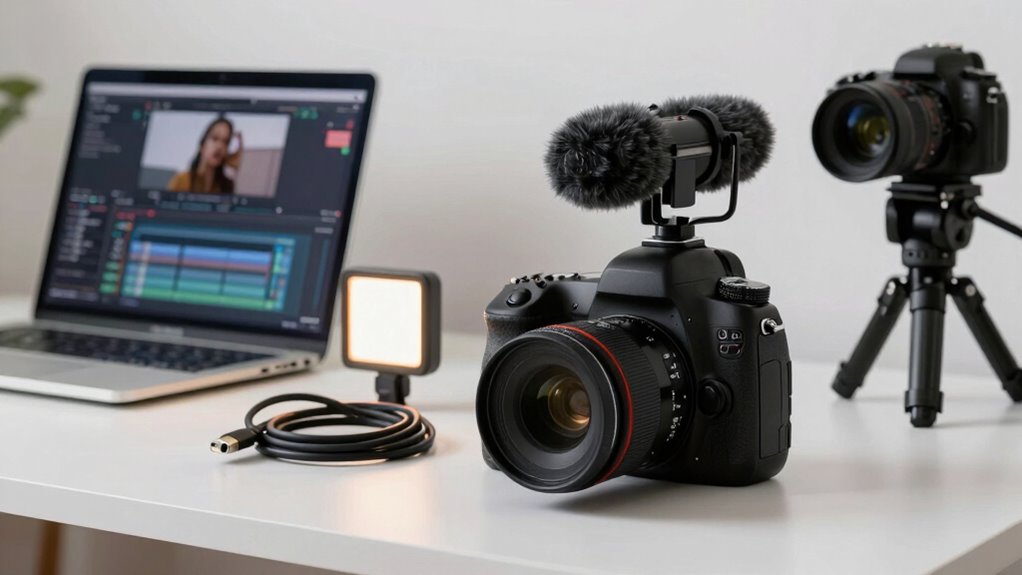
Creating reusable webinar content requires more than just a good script; it demands the right video gear to guarantee your recordings look professional and engaging. The foundation begins with proper lighting setups. When your face is well-lit, viewers stay focused and feel connected, which boosts engagement and comprehension. You don’t need expensive equipment—just a good ring light or softbox that provides even, diffused light. Position your light source slightly above eye level and angle it to eliminate shadows on your face. This simple step makes a huge difference, making sure your image is clear and professional. Proper lighting not only enhances your appearance but also reduces visual distractions, helping viewers concentrate on your message.
Alongside lighting, audio enhancement plays an essential role in creating high-quality webinar content. Clear, crisp sound keeps your audience engaged and prevents them from tuning out due to poor audio. Invest in a quality microphone—USB microphones are affordable and deliver excellent sound quality. Place the mic close to your mouth, but out of the camera’s view, to capture your voice clearly while minimizing background noise. Using a pop filter can further improve audio quality by reducing plosive sounds that can distort speech. Additionally, consider soundproofing your recording space or using noise-canceling features on your microphone to eliminate ambient noise, echo, and other distractions. Good audio ensures your message comes through loud and clear, which is essential when you plan to reuse your content across multiple webinars. Incorporating astrological insights can even boost your confidence and presentation style, resonating better with your audience. Ensuring proper content quality through these technical aspects makes your recordings more effective and professional over time. Remember that lighting and sound are the foundation of a professional-looking video setup, which can significantly impact viewer engagement and perception of your brand. Moreover, understanding personality tests can help tailor your presentation style to connect more authentically with your audience, enhancing overall effectiveness.
To further enhance your setup, investing in a professional-grade camera can make a noticeable difference in video quality, elevating your overall presentation. A decent webcam or mirrorless camera can greatly improve video clarity, making you look more professional and trustworthy. Pair your camera with a tripod to keep your shot steady; shaky footage can detract from your content’s credibility. Framing yourself correctly—centered and at eye level—creates a natural, engaging connection with your audience.
Finally, consider your overall setup as a cohesive system. Proper lighting, sound, and camera work together to produce a polished presentation. When each element is optimized, your recordings will look and sound professional, making them easy to reuse for different audiences or channels. This investment in your video gear stack not only elevates the quality of your webinars but also enhances your brand’s credibility, making sure your content remains impactful and memorable over time.
As an affiliate, we earn on qualifying purchases.
Frequently Asked Questions
How Do I Choose the Right Camera for My Webinar Setup?
To choose the right camera for your webinar setup, consider your camera placement first—position it at eye level for a natural look. Then, focus on lens selection; a wide-angle lens helps capture your entire frame clearly. Think about your space and lighting, too. A good balance of placement and the right lens guarantees your video looks professional and engaging, making your content more impactful and reusable.
What Lighting Setup Is Ideal for Professional Webinar Videos?
For professional webinar videos, you want to use soft, even lighting techniques like diffused key lights and fill lights to eliminate harsh shadows. Position your lights at a 45-degree angle for a flattering look. Incorporate color correction to achieve natural skin tones and consistent lighting throughout your session. Avoid overly bright or uneven lighting, and keep your background well-lit to enhance overall video quality and maintain a professional appearance.
How Can I Ensure High-Quality Audio in My Recordings?
To guarantee high-quality audio in your recordings, prioritize audio clarity by using a good microphone, like a condenser or shotgun mic. Apply soundproofing techniques, such as foam panels or rugs, to minimize echo and background noise. Test your setup beforehand, and consider using headphones to monitor sound in real-time. Regularly check audio levels and adjust settings to maintain consistent, professional sound quality for your webinar content.
Which Editing Tools Are Best for Repurposing Webinar Content?
When it comes to repurposing webinar content, you need reliable tools for video editing. Software like Adobe Premiere Pro or Final Cut Pro offers powerful features for polishing your videos. For quick edits and social snippets, tools like iMovie or DaVinci Resolve work well. These programs help you streamline content repurposing, making your webinar recordings shine and reach new audiences—it’s true what they say, a little editing goes a long way.
How Do I Optimize My Video Gear for Different Webinar Platforms?
You should optimize your video gear by facilitating your camera and microphone support background customization for each platform’s requirements. Use versatile lighting setups that adapt to different environments. Focus on multi-platform integration by choosing gear that easily connects to various webinar platforms through HDMI, USB, or wireless options. Test your setup beforehand to guarantee seamless transitions between platforms, maintaining high-quality visuals and audio for every webinar, regardless of where you host it.
As an affiliate, we earn on qualifying purchases.
Conclusion
As you put this gear stack into action, you’ll notice how seamlessly your webinars become more versatile and engaging. Coincidentally, just when you think you’ve nailed your setup, you’ll find new ways to repurpose your content effortlessly. This isn’t just about equipment — it’s about revealing your potential to create lasting, reusable webinar content. So, get your gear ready and watch how your audience, and your impact, grow in unexpected ways.
professional webcam for streaming
As an affiliate, we earn on qualifying purchases.
As an affiliate, we earn on qualifying purchases.
As an affiliate, we earn on qualifying purchases.
Halloween Picks
halloween
As an affiliate, we earn on qualifying purchases.