
🔍 Read the full analysis: How To Choose Among The 10 Best Drawing Tablets For Digital Art In 2027 on ThorstenMeyerAI.com

Get business pricing on tech for your team
- Business-only prices and quantity discounts
- Tax-exempt purchasing
- Multiple users, one account, clear invoices
TL;DR
ThorstenMeyerAI.com compares ten drawing tablets and writing boards, led by the Wacom Intuos Pro Medium for computer-connected desktop art and the HUION Kamvas 13 (Gen 3) for drawing on-screen. The guide stresses that buyers should match the device type, usable drawing area and computer or standalone requirements to their workflow; the TQU LCD boards are for casual writing, not full digital-art work.
ThorstenMeyerAI.com’s 2027 buyer’s guide, the original analysis, compares ten tablets and writing boards, recommending the Wacom Intuos Pro Medium for many computer-based artists and the HUION Kamvas 13 (Gen 3) for those who want to draw directly on a screen. The comparison matters because the products serve different jobs: some require a computer, one is presented as standalone, and the LCD writing boards are not substitutes for pressure-sensitive art tablets.
ThorstenMeyerAI.com names the Wacom Intuos Pro Medium as its top pick, describing it as a screen-free pen tablet that connects to a computer and highlighting its larger work area, wireless connection and Pro Pen 3. For a screen-based setup, the guide points to the HUION Kamvas 13 (Gen 3); it says users can draw on the display, while still relying on a connected computer. The guide frames the HUION Inspiroy H1060P as a desktop option with a generous active area and multiple shortcut controls.
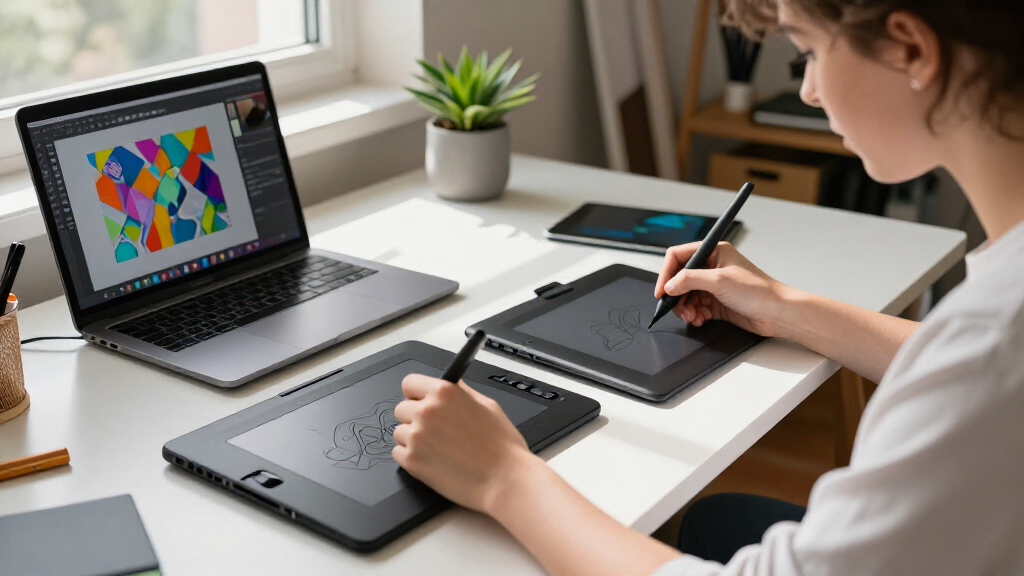
According to the guide, the ten products are not all direct alternatives. It groups the Wacom Intuos Pro Medium, Wacom Intuos Small, and HUION Inspiroy H1060P and H640P among screen-free pen tablets; the HUION Kamvas and XP-Pen Artist models are pen displays. The Frunsi RubensTab T11 Pro is included for buyers seeking a standalone format. The guide also lists TQU LCD writing tablet sets in four- and 12-pack versions, describing them as tools for notes and children’s doodling rather than digital illustration.
The source says its selection criteria include usable drawing area, screen type, pen controls, portability, connection needs and intended use. It argues that size and workflow should carry more weight than a long specification list. The guide does not provide a uniform benchmark, test protocol or detailed evidence for comparing drawing performance across all ten products.
The 10 picks
- 1
 Wacom Intuos Pro Medium Bluetooth Drawing Tablet with Pro Pen 3View on Amazon →
- 2
 HUION Kamvas Pro 16 Drawing Tablet with ScreenView on Amazon →
- 3
 HUION Kamvas 13 (Gen 3) Pen Display Drawing Tablet, 13.3-inch, BlackView on Amazon →
- 4
 XP-Pen Artist 13.3 Pro Drawing Tablet with ScreenView on Amazon →
- 5
 Frunsi RubensTab T11 Pro Standalone Drawing TabletView on Amazon →
- 6
 HUION Inspiroy H1060P Graphics Drawing Tablet, 10 × 6.25 in, 12 Press Keys an…View on Amazon →
- 7
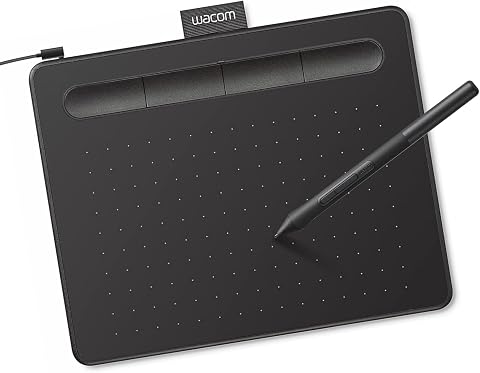 Wacom Intuos Small Wired Drawing Tablet with PenView on Amazon →
- 8
 HUION Inspiroy H640P 6 x 4 Inch Drawing TabletView on Amazon →
- 9
 TQU 8.5-Inch LCD Writing Tablets for Kids, 12-PackView on Amazon →
- 10
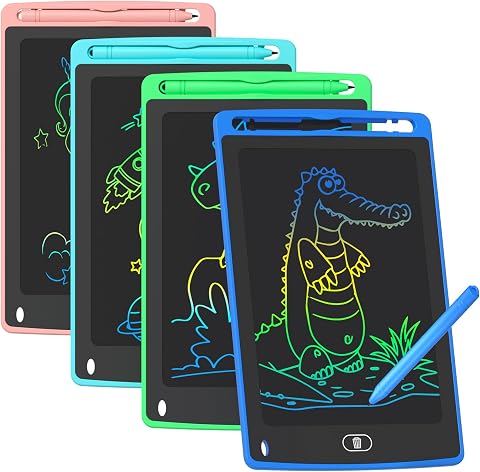 TQU 8.5-Inch LCD Writing Tablets for Kids, 4-PackView on Amazon →
Match the Tablet to Your Workflow
The guide’s main practical distinction is whether the user wants to draw while looking at a separate monitor, work directly on a pen display, or use a device that can operate without a computer. A screen-free tablet can keep the drawing surface simple, but requires the artist to coordinate hand movement with a separate screen. A pen display puts the image under the pen, while adding a display and connection requirements to the desk setup.
That distinction can help shoppers avoid an expensive mismatch. A small tablet may be easier to carry but offer less room for broad strokes; a larger active area can suit desktop work but take up more space. Buyers should also confirm that their computer ports, operating system and drawing software work with the selected product. Pen pressure, tilt and shortcuts are useful only when they fit the artist’s tools and routine.
Products Worth Considering

Amazon Kindle Scribe (64GB) with Premium Pen, Metallic Jade

Samsung Galaxy Tab A11+ 11-Inch Tablet, 6GB RAM, 128GB Storage, Expandable, Gray

Bose QuietComfort Headphones (2nd Gen), Wireless Over-Ear Noise-Cancelling Headphones, Black
As an affiliate, we earn on qualifying purchases.
Three Types, Different Setups
ThorstenMeyerAI.com separates the products into three broad formats. Pen tablets have no built-in screen and generally connect to a computer. Pen displays show the artwork beneath the user’s hand, but the guide says the models it describes still need a connected computer. A standalone tablet can reduce that dependence, though its software and operating system shape which applications and file workflows it supports.
The guide also includes products aimed at uses outside professional illustration. It presents compact models such as the Wacom Intuos Small and HUION Inspiroy H640P as trading workspace for a smaller footprint, and positions the TQU LCD sets for simple writing and doodling. The source does not give model-by-model pricing, detailed compatibility tables or performance testing, so readers should verify those details before purchase.
Product Details Still Need Checking
ThorstenMeyerAI.com does not state when the guide was published, whether every model remains available in 2027, or how prices compare. It also does not identify a formal test method or provide controlled results for latency, pen accuracy, durability or software performance. The rankings should therefore be read as the publisher’s recommendations, not as independently verified product measurements.
Some specifications and compatibility details may vary by model version, computer and region. Although the guide describes the Frunsi RubensTab T11 Pro as standalone, it does not establish which apps, operating-system version or file-transfer options it supports. Buyers should check current manufacturer information for connections, included accessories, driver support and software compatibility.
Verify Fit Before Buying
Shoppers can use the guide’s categories as a starting point, then check each candidate against the software and workspace they plan to use. Confirm whether it requires a computer, how much of its surface is active, what cables and ports are needed, and whether the pen features work in the intended applications. For a display or standalone device, review the operating system and supported apps as well.
ThorstenMeyerAI.com does not announce a follow-up test or update schedule. Availability, pricing and specifications may change, so current product listings and manufacturer support pages are the best places to confirm details before purchase. In particular, buyers should distinguish pressure-sensitive art tablets from LCD writing boards designed for notes or casual drawing.
Key Questions
Which tablet does the guide recommend for most digital artists?
ThorstenMeyerAI.com names the Wacom Intuos Pro Medium, citing its larger work area, wireless connection and Pro Pen 3. It is a computer-connected tablet without a built-in display.
Which pick lets artists draw directly on a screen?
The guide recommends the HUION Kamvas 13 (Gen 3) for a screen-based setup. It is a pen display and, according to the source, still depends on a connected computer.
Are the TQU LCD writing boards full drawing tablets?
No. The source describes the four- and 12-pack TQU sets as suitable for simple writing and children’s doodling, not as replacements for pressure-sensitive digital-art tablets.
What should buyers check before choosing a model?
Check the device format, active drawing area, portability, computer and port requirements, operating-system support, drawing-app compatibility and pen controls. The guide does not provide current pricing or a uniform independent test, so verify specifications with the manufacturer.
Source: ThorstenMeyerAI.com