
📊 Full opportunity report: Quiet GPUs for Local AI: Acoustic and Thermal Roundup on ThorstenMeyerAI.com — validation score, market gap, and execution plan.

Get business pricing on tech for your team
- Business-only prices and quantity discounts
- Tax-exempt purchasing
- Multiple users, one account, clear invoices
TL;DR
This article reviews the most silent and cool-running GPUs suitable for local AI workloads in 2026, emphasizing cooling, undervolting, and partner card choices. The RTX 5090 stands out as the top single-GPU option, but effective power management and cooling are key to quiet operation.
In 2026, the most effective GPUs for local AI are those that balance high VRAM capacity with low noise and heat output, achieved primarily through undervolting and superior cooling solutions. The RTX 5090 with 32GB VRAM is the top performer, provided it is paired with a quality cooler and power-capped for quieter operation, making it the best single-GPU choice for demanding inference tasks.
This roundup evaluates GPUs based on their thermal and acoustic performance under sustained AI inference loads, and discusses quiet GPU options. The RTX 5090, with 32GB of GDDR7 VRAM and high bandwidth, is identified as the best overall for local AI, especially when undervolted and cooled effectively. It is notably the hottest consumer card, with a 575W TDP, but power-capping to around 70% significantly reduces heat and noise, enabling a quieter operation.
For those seeking a more budget-friendly or lower-power option, the RTX 4090 and used RTX 3090 with 24GB VRAM offer solid performance with less heat and noise, especially when paired with good cooling and undervolting. The mid-tier choices, such as the RTX 5080 and RTX 4060 Ti, excel in efficiency, producing less heat and noise at the expense of smaller model capacity. The RTX PRO 6000 Blackwell with 96GB VRAM caters to professional environments requiring maximum VRAM with efficient thermal management.
Quiet GPUs
for local AI.
The GPU makes ~70% of your heat and most of your noise. But here’s the secret: the chip doesn’t decide how loud your card is — the cooler design and your power settings do. Match your VRAM tier in Part 2, then make it quiet.
Capping to 70–80% sheds a huge amount of heat for almost no inference loss — because inference is memory-bound. A capped 5090 is dramatically cooler & quieter than stock. Do this first.
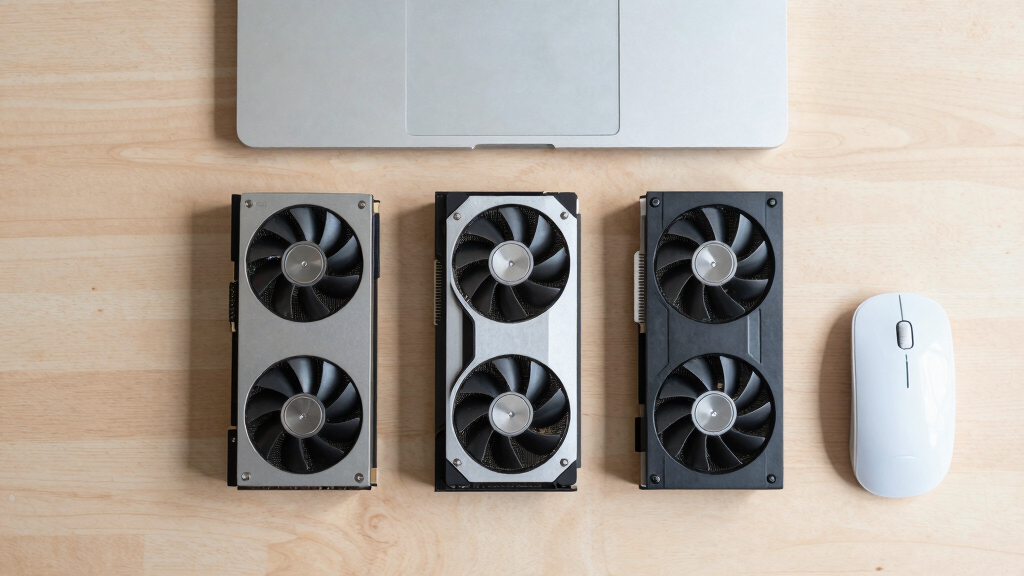
Within one GPU model, partner cards differ enormously. For a single card, a large triple-fan open-air with zero-RPM idle runs slow & quiet. For multi-GPU, the calculus flips →
With room to breathe, a large triple-fan open-air cooler spreads heat across a big fin stack and runs its fans slowly. The quietest choice — what most people should buy.
Why Quiet GPU Operation Matters for Local AI
Reducing noise and heat in local AI setups is crucial for practical, long-duration use. Excessive heat increases power consumption and risks hardware failure, while loud operation can be disruptive in office or home environments. This review highlights how undervolting and choosing the right cooling solutions can make high-performance GPUs suitable for continuous inference workloads, broadening accessibility for users who need quiet, reliable AI hardware.
As an affiliate, we earn on qualifying purchases.
Evolution of GPU Cooling and Power Management for AI
Historically, high-performance GPUs have been associated with loud fans and high heat output, especially under sustained inference loads common in local AI applications. Recent developments emphasize undervolting and improved cooling designs, allowing GPUs like the RTX 5090 to operate quietly while maintaining peak performance. For more details, see best thermal paste and pads for high-TDP GPUs. The trend reflects a shift toward more user-friendly, energy-efficient AI hardware tailored for extended use in quieter environments.
"Our partner cards with large triple-fan coolers and zero-RPM modes are designed specifically for quiet, sustained workloads."
— GPU manufacturer representative
As an affiliate, we earn on qualifying purchases.
Remaining Questions About GPU Quieting Strategies
While undervolting and high-quality cooling significantly improve noise levels, the actual acoustic performance varies by partner card and user setup. It is not yet clear how these configurations perform over very long periods or in multi-GPU environments, where cooling complexity increases. Additionally, the impact of emerging VRAM compression techniques on heat and noise remains to be seen.
GPU cooling solutions for AI workloads
As an affiliate, we earn on qualifying purchases.
As an affiliate, we earn on qualifying purchases.
Next Steps in Low-Noise GPU Development for AI
Manufacturers are expected to release more partner cards optimized for silent operation, with enhanced cooling solutions and firmware for better power management. Future research will likely focus on integrating more efficient cooling designs and adaptive undervolting algorithms, making high-performance, quiet GPUs more accessible. Users should monitor upcoming releases and firmware updates to optimize their setups for minimal noise and heat.
As an affiliate, we earn on qualifying purchases.
Key Questions
Can I make any GPU run quietly with undervolting and better cooling?
Yes, most high-performance GPUs can be significantly quieter when undervolted and paired with a high-quality cooling solution, especially with power capping and fan control settings.
Is the RTX 5090 suitable for continuous AI inference in a home or office environment?
Yes, if paired with a good cooler and power-capped to reduce heat and noise, the RTX 5090 can operate quietly for long inference sessions, making it suitable for such environments.
How much does cooling design impact GPU noise levels?
Cooling design is a critical factor; larger, well-ventilated coolers with zero-RPM modes can drastically reduce fan noise during sustained workloads. Learn more about quiet GPU cooling solutions.
Will future GPUs improve in noise and heat management?
Manufacturers are actively developing more efficient cooling and power management solutions, so future GPUs are expected to be quieter and cooler, especially tailored for AI workloads.
What are the trade-offs of undervolting GPUs for quieter operation?
Undervolting can slightly reduce maximum performance, but in inference workloads, the impact is minimal, while the benefits in noise and heat reduction are substantial.
Source: ThorstenMeyerAI.com
Fall Picks
fall essentials
As an affiliate, we earn on qualifying purchases.