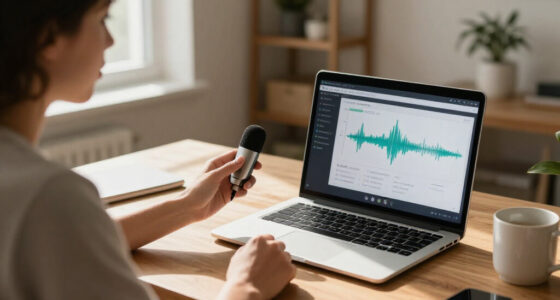

Choosing AI meeting assistant software is not just about getting a transcript. I’d first decide whether I need a standalone recorder, an everyday wearable, or a tool that turns speech into desktop text. The viaim NoteKit is my strongest all-around fit for meeting notes because it pairs broad language support with summaries, action lists, and mind maps. The Philips VoiceTracer DVT8115 is the better choice when dependable, high-quality room audio matters more than built-in AI access, while the viaim RecDot earbuds suit people who want recording and listening in one device.

Get business pricing on tech for your team
- Business-only prices and quantity discounts
- Tax-exempt purchasing
- Multiple users, one account, clear invoices
The main tradeoff is software capability versus recording control. NoteKit and RecDot connect recordings to app-based transcription and summaries, but access to AI features can depend on plan limits. Philips puts more emphasis on dedicated recording hardware and includes a Sembly trial rather than a permanent software entitlement. VoiceWriter sits apart: it is primarily a dictation and writing assistant, so it is useful for turning speech into polished text but is less directly suited to summarizing group meetings. I ranked these options by how well their stated features support meeting capture, useful follow-up, and realistic day-to-day use.
Key Takeaways
- Best meeting-notes workflow: viaim NoteKit combines recording with summaries, to-do lists, and mind maps, though some AI access depends on app plans.
- Best dedicated audio recorder: Philips VoiceTracer offers a 360° stereo microphone and high-resolution recording, but its Sembly access is a trial.
- Best wearable option: viaim RecDot combines earbuds, call and sound recording, transcription, and translation, with a 600-minute monthly transcription allowance.
- Best for spoken desktop writing: AI VoiceWriter supports dictation across desktop apps and AI editing, but it is not as meeting-summary-focused as the viaim devices.
- Privacy and practical limits vary: NoteKit lists AES-256/TLS encryption, RecDot uses an audible recording alert, and Philips uses a nonstandard battery.
| viaim NoteKit AI Meeting Assistant and Voice Recorder |  | Best Overall for Meeting Notes | Transcription languages: 78 languages, 145 dialects | Microphones: Dual built-in microphones | Pickup range: Up to 16.4 ft (5 m) | VIEW LATEST PRICE | See Our Full Breakdown |
| Philips VoiceTracer DVT8115 Meeting Recorder with Sembly AI Transcription Trial |  | Best Dedicated Meeting Recorder | Microphone: Built-in 360° stereo microphone | Maximum recording quality: Up to 24-bit/96 kHz | Storage: 8 GB | VIEW LATEST PRICE | See Our Full Breakdown |
| viaim RecDot AI Voice Recorder Earbuds (Renewed), Silver |  | Best Wearable Meeting Assistant | Product type and condition: AI voice recorder earbuds; renewed | Translation support: 78 languages; 145 with dialects | Noise cancellation: 48 dB hybrid ANC | VIEW LATEST PRICE | See Our Full Breakdown |
| AI VoiceWriter Dictation and AI Writing Assistant with USB Dongle and Mobile App |  | Best for Dictation and Meeting Follow-Up | Dictation languages: 33 | AI writing languages: 8 listed languages | Desktop compatibility: Windows 10 or later; macOS 13 or later | VIEW LATEST PRICE | See Our Full Breakdown |
| AI meeting assistant software | Recording format | Connectivity | Digital recording time |
|---|---|---|---|
| viaim NoteKit AI Meeting Assis | WAV | Bluetooth 5.3 | — |
| Philips VoiceTracer DVT8115 Me | — | USB 2.0; smartphone app for remote audio control | Up to 320 hours |
| viaim RecDot AI Voice Recorder | WAV | — | — |
| AI VoiceWriter Dictation and A | — | — | Less than 1 hour |
More Details on Our Top Picks
viaim NoteKit AI Meeting Assistant and Voice Recorder
The NoteKit is my best overall meeting-focused pick because its workflow goes beyond recording and transcription. It can turn speech into summaries, to-do lists, and mind maps, giving teams more ways to review a discussion and carry decisions into follow-up work. Its stated support for 78 languages and 145 dialects also makes it more adaptable than the Philips recorder, whose AI benefit comes through a Sembly trial rather than the same described set of built-in outputs.
Its dual microphones and stated pickup range of up to 16.4 feet suit shared rooms and laptop-based meetings better than a device designed mainly for a person to wear. One-press controls reduce the friction of starting or pausing a recording, and support for Windows 10+ and macOS gives it a clear desktop role. Compared with RecDot, NoteKit is less of an everyday listening accessory but more directly shaped around a meeting capture and notes workflow.
There are limits to that advantage. The product information says AI features and some language models depend on app plans, so buyers should check what access their intended workflow requires. Its listed recording time is eight hours, and its dimensions are inconsistent across the supplied details. That uncertainty is a small but real drawback for anyone choosing based on a precise fit or carrying footprint. I’d choose NoteKit when summaries and action items matter more than using the same hardware as headphones.
Pros:- Creates summaries, to-do lists, and mind maps from recordings.
- Supports transcription across 78 languages and 145 dialects.
- Dual microphones have a stated pickup range of up to 16.4 feet.
- One-press controls and Windows/macOS compatibility support quick meeting capture.
Cons:- Access to AI features and some language models depends on app plans.
- The listed dimensions conflict across product details.
- Listed recording time is eight hours.
Best for: People who want one compact recorder for computer and in-person meetings, with summaries and action lists available through the app.
Not ideal for: Buyers who want AI features with clearly stated permanent access, or who need a product with consistent published dimensions and no plan-dependent tools.
- Transcription languages:78 languages, 145 dialects
- Microphones:Dual built-in microphones
- Pickup range:Up to 16.4 ft (5 m)
- Recording time:8 hours
- Recording format:WAV
- Connectivity:Bluetooth 5.3
- Compatibility:Windows 10+ and macOS
- Security:AES-256/TLS encryption
Our verdict“I’d pick NoteKit first for an integrated meeting-notes workflow, provided its app-plan requirements suit the way I expect to use its AI tools.”
Philips VoiceTracer DVT8115 Meeting Recorder with Sembly AI Transcription Trial
The Philips VoiceTracer is the most recorder-first option here. Its 360° stereo microphone is designed to capture people around a table, and recording up to 24-bit/96 kHz offers more audio detail than the basic meeting-capture description provided for NoteKit. That makes the Philips a strong fit for buyers who want a purpose-built device to collect room audio and prefer a physical recorder over wearing earbuds or relying on a computer-centered workflow.
The included smartphone app supports remote audio control, which can help when the recorder is placed in the middle of a meeting rather than within easy reach. It also includes a Sembly AI trial for multi-speaker transcription and automatic meeting minutes. Compared with NoteKit, though, Philips has a less clearly continuous AI proposition: the Sembly access is explicitly a trial, while NoteKit’s app-plan dependence is a different kind of limitation. Buyers should distinguish a useful introduction to AI notes from an included long-term service.
Its 8 GB storage and stated maximum of 320 hours of digital recording time give it a different strength from the eight-hour recording figure listed for NoteKit, though actual use will depend on recording settings and storage. The tradeoffs are its nonstandard battery and the fact that the AI assistant is not the whole product. RecDot is more convenient for someone who wants wearable listening and recording, while Philips is better suited to placing a recorder in a shared space. I’d choose it when audio capture is the priority and treat the trial as an added way to explore transcription, not the sole reason to buy.
Pros:- 360° stereo microphone is designed to capture discussion from around a room.
- Records at up to 24-bit/96 kHz.
- Smartphone app allows remote audio control.
- Includes a Sembly trial for multi-speaker transcription and automatic minutes.
Cons:- Sembly AI access is provided as a trial.
- Uses a nonstandard battery.
- AI meeting tools are less central than the dedicated audio-recording function.
Best for: People who want a standalone room recorder with a 360° microphone, substantial stated recording capacity, and a trial of AI meeting minutes.
Not ideal for: Buyers who need an ongoing AI transcription service included, or who prefer a wearable device with listening and recording in one.
- Microphone:Built-in 360° stereo microphone
- Maximum recording quality:Up to 24-bit/96 kHz
- Storage:8 GB
- Digital recording time:Up to 320 hours
- Audio format:MP3
- Display:2 inches
- Connectivity:USB 2.0; smartphone app for remote audio control
- Included AI access:Sembly AI transcription trial
Our verdict“I’d choose the VoiceTracer when room-audio capture matters most, but I would not treat its Sembly trial as a permanent AI subscription.”
viaim RecDot AI Voice Recorder Earbuds (Renewed), Silver
RecDot stands out by combining earbuds and a voice recorder, rather than asking buyers to carry a separate tabletop device. It supports audio, call, and video-sound recording through FlashRecord, and the product description says recording can be started from the charging case without a phone or app. That gives it a more mobile role than Philips, which is built around placing a dedicated recorder in a room, and a more personal listening role than NoteKit.
After capture, the viaim app can transcribe and translate in 78 languages and generate summaries and to-do lists. It lists 600 free transcription minutes per month, a more specific allowance than the general plan-dependent AI access described for NoteKit. That figure makes it easier to understand the stated free usage boundary, but it may not stretch far for someone who records frequent, long meetings. The earbuds also offer 48 dB hybrid ANC and up to 36 hours of total use with the charging case, features that matter to buyers who will wear them for listening as well as recording.
RecDot is not the safest default for every workplace. It is a renewed product, and recording includes an audible alert tone to notify others, which affects discreet use and can be helpful for transparent recording. Its eight-hour digital recording time and monthly transcription allowance also call for realistic expectations. Compared with NoteKit, it offers more wearable convenience but less of a meeting-room recorder format. I’d shortlist it for mobile professionals who already want earbuds and accept the usage allowance and renewed condition.
Pros:- Combines audio playback with recording for audio, calls, and video sound.
- App supports transcription and translation in 78 languages and generates summaries and to-do lists.
- Up to 36 hours of total battery use with the charging case.
- FlashRecord can capture without a phone or app, according to the product description.
Cons:- Free transcription is limited to 600 minutes per month.
- Recording uses an audible alert tone.
- This listing is for a renewed product.
Best for: Mobile professionals who want wireless earbuds for everyday listening as well as transcription, summaries, and recording on the go.
Not ideal for: People who need an unobtrusive recorder, record more than the stated monthly transcription allowance, or prefer a new standalone meeting device.
- Product type and condition:AI voice recorder earbuds; renewed
- Translation support:78 languages; 145 with dialects
- Noise cancellation:48 dB hybrid ANC
- Battery life:Up to 9 hours per earbud; up to 36 hours with case
- Recording modes:3
- Recording format:WAV
- Monthly transcription allowance:600 free minutes
- Bluetooth:Bluetooth 5.2; supports two-device pairing
Our verdict“I’d choose RecDot for wearable recording and listening, as long as its renewed condition, alert tone, and monthly transcription limit fit my routine.”
AI VoiceWriter Dictation and AI Writing Assistant with USB Dongle and Mobile App
VoiceWriter is the least conventional meeting assistant in this lineup. Its main strength is real-time dictation across desktop apps, followed by AI proofreading, rephrasing, and formatting. That can help an individual turn spoken thoughts or rough meeting notes into usable prose, but the supplied features do not describe the same group-meeting workflow as NoteKit’s summaries and action lists or the Philips recorder’s multi-speaker meeting minutes. I’d treat it as a voice-to-writing tool, not a replacement for a dedicated meeting transcription system.
The USB dongle and mobile app create a desktop-oriented setup, with the phone able to serve as a microphone for voice input. It supports 33 dictation languages, while the writing tools support eight listed languages. That split may be fine for multilingual dictation, but buyers should not assume that every supported dictation language also receives AI editing. Compared with RecDot, VoiceWriter is less suited to mobile listening and recording; compared with NoteKit, it puts more emphasis on editing the words the user dictates than extracting meeting decisions automatically.
A notable distinction is its stated lifetime software updates without a subscription. That avoids the specific app-plan dependency noted for NoteKit and the trial-only AI access included with Philips, although the product information does not spell out every condition of the software features. It also records for less than an hour according to the supplied specification, so it should not be selected as a long-session audio archive. I’d recommend VoiceWriter to people who want speech input and polishing tools for their own writing, with meeting assistance as a secondary benefit rather than the core job.
Pros:- Provides real-time dictation across desktop applications.
- Includes AI proofreading, rephrasing, and formatting tools.
- Mobile app can use a phone as a microphone for desktop input.
- Supports 33 dictation languages and lists lifetime software updates.
Cons:- AI writing features support fewer languages than dictation.
- Enhanced phone-microphone input requires a compatible mobile device and app.
- Listed digital recording time is less than one hour.
Best for: Desktop users who want to dictate notes or drafts across apps and then use AI tools to proofread, rephrase, or format the text.
Not ideal for: Teams seeking automatic multi-speaker transcripts, meeting summaries, or long-duration meeting recordings from a dedicated recorder.
- Dictation languages:33
- AI writing languages:8 listed languages
- Desktop compatibility:Windows 10 or later; macOS 13 or later
- Mobile compatibility:Android 9.0 or later; iOS 15 or later
- Hardware interface:USB dongle
- Microphone form factor:Lavalier
- Digital recording time:Less than 1 hour
- Software updates:Lifetime updates listed; no subscription stated
Our verdict“I’d pick VoiceWriter for dictating and polishing individual text, not as my first choice for automatic transcripts and follow-up from group meetings.”

How We Picked
I ranked these products by their usefulness as AI meeting assistants, not by how many features appear on a product page. My central question was whether each option can help a buyer capture a conversation and turn it into something useful afterward: a transcript, summary, action list, or organized record. That puts NoteKit ahead for an integrated notes workflow, while it leaves room for Philips to lead in dedicated recording hardware and for VoiceWriter to serve a different, speech-to-text purpose.
I also compared the recording approach. A dedicated recorder can be easier to place in a room and can prioritize audio capture; earbuds make more sense for a person who also wants playback and mobile use; a small computer-connected assistant favors quick capture at a desk. I considered the stated pickup range, recording formats, battery or recording limits, and compatibility where the supplied details identify them. These specifications describe different use cases rather than a single universal measure of recording quality.
Software access and practical limitations matter just as much as microphones. I noted when AI functionality is trial-based, plan-dependent, or limited by a monthly transcription allowance. I also considered language support, security details, controls, and compatibility because they affect whether the assistant fits a particular team or routine. I did not assume that a broad language list guarantees equally strong results in every language, or that a listed feature makes an assistant appropriate for every meeting.
Finally, I separated meeting assistance from general dictation. VoiceWriter offers transcription-style input and AI writing tools, but the supplied product details emphasize composing and editing text rather than meeting minutes or group follow-up. I included it because voice-based productivity can be a valid alternative for individual note creation, while ranking it below tools with more explicit meeting workflows. Each pick has a different role, and my ranking reflects that distinction along with the stated drawbacks.
| AI meeting assistant software | Connectivity | Digital recording time |
|---|---|---|
| viaim NoteKit AI Meeting Assis | Bluetooth 5.3 | — |
| Philips VoiceTracer DVT8115 Me | USB 2.0; smartphone app for remote audio control | Up to 320 hours |
| viaim RecDot AI Voice Recorder | — | — |
| AI VoiceWriter Dictation and A | — | Less than 1 hour |
Factors to Consider When Choosing AI Meeting Assistant Software
I’d choose an AI meeting assistant by starting with the work I need it to do after the conversation. The right fit depends on whether I need a clear room recording, searchable multilingual notes, a wearable recorder, or hands-free dictation for my own writing.Decide whether you need meeting notes or dictation
The first distinction is between capturing a group conversation and speaking text into an app. NoteKit explicitly generates summaries, to-do lists, and mind maps from meetings, while Philips includes a Sembly trial for multi-speaker transcription and meeting minutes. RecDot also links recording with transcription, translation, summaries, and to-do lists. VoiceWriter instead focuses on dictation and rewriting, which can help after a meeting but does not make it the closest match for automatic group follow-up.
If the main goal is leaving a meeting with owners and next steps, I’d favor NoteKit or RecDot and check how their app access works. If the main goal is having a clean audio file to review later, Philips gives the strongest dedicated recorder case. If I mostly need to compose notes, emails, or documents by voice, VoiceWriter’s desktop dictation tools may matter more than a meeting-specific feature list.
Match the hardware to the room and routine
Microphone placement affects how a tool fits a meeting. The VoiceTracer’s 360° stereo microphone is designed for shared-room capture; NoteKit’s dual microphones and stated pickup range of up to 16.4 feet also point toward computer and in-person meetings. RecDot is worn as earbuds and is more personal and mobile. VoiceWriter’s dongle-and-app setup is geared toward desk-based dictation. The stated microphone formats and pickup details are not directly comparable tests, so I would use them to narrow the intended setup, not to promise identical results across different rooms.
Think about whether the meeting is around a table, at a laptop, or on a call while moving between locations. A dedicated recorder is easier to position centrally, while earbuds can serve both listening and recording needs. A desktop dictation tool can reduce typing without replacing a room recorder. If sessions are long, also check the listed recording limit: NoteKit and RecDot list eight hours, Philips lists up to 320 hours of digital recording time, and VoiceWriter lists less than one hour.
Check the real limits on AI access
AI transcription and summaries can depend on a service allowance, subscription, trial, or app plan. Philips includes a Sembly trial, so I would verify what happens after that trial before relying on it for regular minutes. NoteKit says some AI features and language models depend on app plans. RecDot states a free allowance of 600 transcription minutes per month. VoiceWriter lists lifetime software updates without a subscription, but its central benefits are dictation and writing tools rather than a broad meeting-minutes service.
Before choosing, estimate how many hours of meetings I expect to process and whether I need exports, speaker identification, translation, or summaries on every session. The supplied product details do not establish that every feature is available in every plan or language. I would confirm the current app terms and supported workflow, especially when a recurring process depends on notes being generated after each meeting.
Use language support as a filter, not a guarantee
Language counts help shortlist options, particularly for multilingual teams: NoteKit lists 78 languages and 145 dialects, RecDot lists 78 languages and dialect support, and VoiceWriter lists 33 dictation languages. Philips’ included AI trial is described as supporting multi-speaker transcription, but the supplied information does not give a language count. These figures refer to different functions, so they should not be treated as equivalent measures of transcription quality.
I’d check whether the specific languages, dialects, and mixed-language conversations used by my team are supported by the exact feature I need. VoiceWriter’s dictation language support is broader than its eight listed AI writing languages. A buyer who needs translation and meeting summaries should compare those functions directly rather than relying on a headline language count.
Consider recording transparency, security, and upkeep
Recording policies belong in the buying decision. RecDot uses an audible alert tone, which can make recording more transparent but may rule it out for someone hoping to record quietly. I would follow workplace rules and get any required consent regardless of which device I use. NoteKit lists AES-256/TLS encryption, a specific security detail that may matter to organizations handling sensitive discussions; the supplied descriptions do not provide equivalent security claims for every product.
Physical upkeep also varies. Philips uses a nonstandard battery, while RecDot is a renewed listing and therefore differs from the other products by condition. NoteKit’s published dimensions conflict, which makes precise pocket-fit expectations less certain. These are not reasons to dismiss a product automatically, but they should be weighed alongside the software workflow and hardware role rather than discovered after choosing.
Choose what happens after the recording
A transcript alone may not be enough. If I need a quick account of decisions, summaries and action lists are more directly useful than raw recording time. NoteKit offers summaries, to-do lists, and mind maps; RecDot lists summaries and to-do lists; Philips pairs its recorder with a Sembly trial for multi-speaker transcription and automatic minutes. VoiceWriter offers proofreading, rephrasing, and formatting, which can polish dictated notes but requires a different approach to producing meeting outcomes.
My final check would be the handoff: Can I find the recording later, retrieve the transcript, and share the right notes with colleagues? The product details supplied here do not establish every export or integration capability, so I would verify those requirements before purchasing for a team. For individual use, simple controls and a comfortable capture method may matter more; for a team workflow, repeatable access and clear AI limits are harder to ignore.
Frequently Asked Questions
Which of these products is the closest fit for automatic meeting notes?
I’d start with the viaim NoteKit because its listed outputs include summaries, to-do lists, and mind maps, alongside transcription. RecDot also offers summaries and to-do lists, but its wearable form and monthly transcription allowance make it a more specialized mobile option. Philips can provide multi-speaker transcription and automatic meeting minutes through a Sembly trial, so I would check the trial terms before choosing it as a long-term notes system.
Is Philips VoiceTracer software or recording hardware?
The Philips VoiceTracer is primarily a dedicated meeting recorder with a 360° stereo microphone, high-resolution recording, storage, and app-based remote audio control. It includes a Sembly AI trial for transcription and meeting minutes, but that trial is not the same as a permanent AI service. I’d choose it when physical audio capture is the priority and confirm the ongoing software arrangement separately.
How do NoteKit and RecDot differ?
NoteKit is a compact meeting assistant intended for computer and in-person capture, with dual microphones and outputs such as summaries, action lists, and mind maps. RecDot is a set of earbuds that adds recording to listening, with app-based transcription, translation, summaries, and to-do lists. I’d choose NoteKit for a more meeting-centered workflow and RecDot when wearable convenience matters, while keeping RecDot’s renewed condition, audible alert, and 600-minute monthly allowance in mind.
Can AI VoiceWriter replace a meeting transcription assistant?
Not for every meeting workflow. VoiceWriter is designed around desktop dictation and AI writing, with tools to proofread, rephrase, and format text. That makes it useful for speaking personal notes or drafting follow-up material, but the supplied details do not describe automatic multi-speaker meeting minutes and action extraction in the way NoteKit and the Philips/Sembly combination do. I’d select it for voice-led writing rather than as my primary group-meeting recorder.
What should I check before relying on AI meeting summaries?
I’d verify the exact languages and dialects needed, the app plan or trial rules, monthly transcription limits, recording duration, and whether the product creates the outputs my team expects. I would also check workplace recording consent requirements and confirm any needed security or sharing features. A broad language list or a headline AI feature does not by itself establish how well a product handles a particular meeting, so I’d confirm those specifics before building a routine around it.
Conclusion
For most buyers who want meeting recordings turned into summaries and follow-up tasks, I’d begin with the viaim NoteKit, while confirming which app-plan features are available. Choose the Philips VoiceTracer if a dedicated recorder and room-wide audio capture matter more than permanent included AI access. Pick viaim RecDot if earbuds are already part of your day and its renewed condition, audible alert, and transcription allowance suit your needs. Choose AI VoiceWriter for desktop dictation and text editing, not as a substitute for a meeting-focused summary workflow. The best fit comes down to where I record, what I need afterward, and how much ongoing AI access my routine requires.