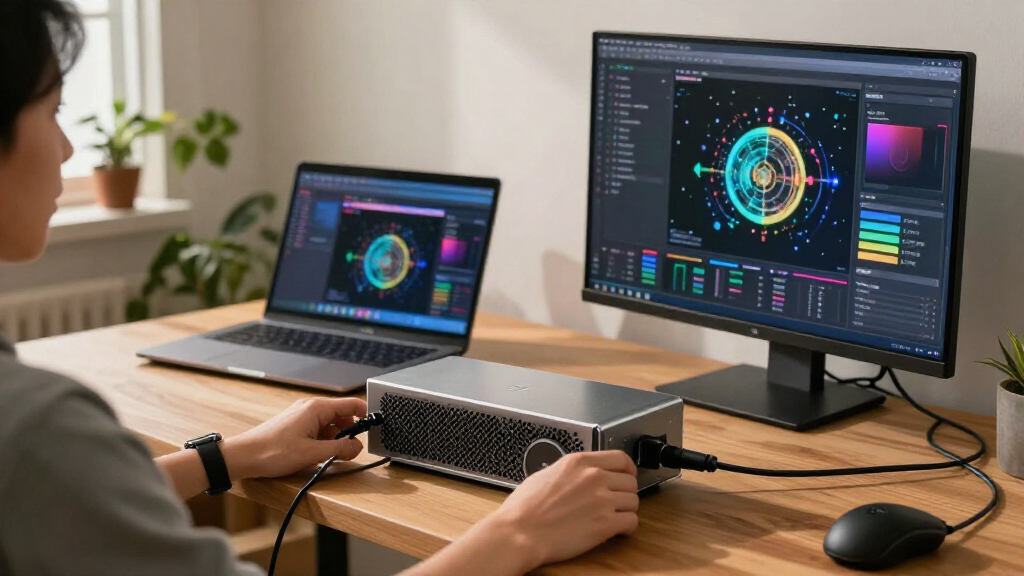

🔍 Read the full analysis: 10 Best External GPUs For AI Performance In 2027 on ThorstenMeyerAI.com

Get business pricing on tech for your team
- Business-only prices and quantity discounts
- Tax-exempt purchasing
- Multiple users, one account, clear invoices
TL;DR
This is a buying guide, not a report of a new 2027 product launch or independent benchmark. The supplied source favors the Razer Core X V2 for broad Thunderbolt 4 compatibility, while OCuLink docks such as the MINISFORUM DEG1 offer more bandwidth for compatible systems; actual AI performance depends on the GPU, software, host computer and workload.
A 2027 buying guide from ThorstenMeyerAI.com compares 10 external GPU options for users considering AI workloads, but it does not report a new product launch or publish controlled AI benchmark results, as discussed in the original analysis. Its main finding is that buyers must match the enclosure or dock to their computer: Thunderbolt 4 offers wider compatibility, while OCuLink can provide more bandwidth on systems equipped with the less common port.
The guide ranks the Razer Core X V2 as its overall pick for most users, citing Thunderbolt 4 compatibility and a robust enclosure. Buyers comparing options can also review how to choose an external GPU. It requires a separate desktop graphics card, so the listed enclosure is not a complete GPU system. The source says Thunderbolt 4 has a 40Gbps link rate and a lower effective data rate, which can limit some high-end GPU workloads compared with an internal connection.
For compatible mini PCs and laptops, the guide highlights the MINISFORUM DEG1 as a lower-cost OCuLink dock and the ASUS ROG XG Mobile as a compact, integrated option, among the external GPUs for laptop graphics buyers may consider. It describes the ASUS unit as using proprietary connectivity and an NVIDIA RTX 5090, but gives no test methodology or comparable AI performance figures. OCuLink’s stated bandwidth advantage is useful only if the host has a compatible port.
The guide also includes the NIMO RX 7600M XT, an integrated AMD-based unit, and DIY docks from OwlTree and RGEEK. Its top-10 premise is not fully supported by the supplied source text: beyond these named products, it does not provide the other selections, model-specific specifications or a complete ranked list. Buyers should treat the guide as a framework for comparing connection type and ownership costs, not a verified performance table.
The 10 picks
- 1
 GIGABYTE AORUS RTX 5090 AI Box External GPUView on Amazon →
- 2
 ASUS ROG XG Mobile (2025) External Graphics Card with NVIDIA GeForce RTX 5090View on Amazon →
- 3
 NIMO External Graphics Card Enclosure with AMD Radeon RX 7600M XTView on Amazon →
- 4
 NIMO External GPU Docking Station with AMD Radeon RX 7600M XT 8GB GDDR6View on Amazon →
- 5
 Razer Core X V2 External Graphics Enclosure (eGPU)View on Amazon →
- 6
 MINISFORUM DEG1 OCuLink eGPU DockView on Amazon →
- 7
 RGEEK PCIe 5.0 OCuLink eGPU Dock for External Graphics CardsView on Amazon →
- 8
 OCuLink PCIe 4.0 x4 eGPU Dock with 19.7-Inch CableView on Amazon →
- 9
 OwlTree PCIe 4.0 x4 eGPU Dock with OCuLink CableView on Amazon →
- 10
 OwlTree PCIe 3.0 x16 eGPU Dock with Thunderbolt 4 CableView on Amazon →
Why the Connection Shapes AI Performance
External GPU performance depends on more than the graphics processor. The connection moves data between the host computer and GPU, so a fast card may not deliver its full potential when paired with a narrower link. For AI tasks, results also vary by model size, memory capacity, software stack, precision settings and whether work is limited by data transfer or compute. The source does not test those factors, so its bandwidth comparisons should not be read as measured AI speed rankings.
The choice also changes the total cost. An enclosure such as the Razer Core X V2 or a bare OCuLink dock generally requires a separately purchased GPU and possibly a power supply. An integrated unit is simpler to set up but may offer fewer upgrade options. Checking host-port support, GPU memory, power requirements and total price can prevent buyers from paying for capacity their computer cannot use.
Products Worth Considering

Samsung Galaxy Tab A11+ Tablet, 6GB RAM, 128GB Storage, Expandable Storage, Gray

LG UltraGear 32-inch QHD Curved Gaming Monitor, 180Hz, 1ms, AMD FreeSync

Amazon Kindle Paperwhite (2024, 16 GB) – 7-inch Display, Black
As an affiliate, we earn on qualifying purchases.
Thunderbolt, OCuLink and Ownership Costs
The source contrasts Thunderbolt 4, which it says supports a 40Gbps link, with an OCuLink direct PCIe 4.0 x4 connection that it lists at up to 63Gbps. These figures describe connection bandwidth, not a guarantee of proportional gains in AI throughput. The guide also claims that Thunderbolt can constrain high-end graphics cards in some CPU-bound scenarios, but the supplied material does not identify test systems or data behind its stated estimate.
External GPU products fall into two broad groups. A chassis or open dock lets buyers select and replace a desktop GPU, but adds component and setup costs. An integrated box arrives with its GPU installed and is generally simpler, though upgrades may be restricted. Thunderbolt is more widely supported than OCuLink, according to the guide; OCuLink’s potential advantage is relevant only to a narrower set of compatible machines.
““The Razer Core X V2 stands out as the best overall choice for most users.””
— ThorstenMeyerAI.com guide
Benchmark and Compatibility Gaps
The supplied material does not contain controlled AI benchmarks, detailed test methods, prices, or a complete list of 10 distinct products. It also does not establish whether every named product will be available in the same configuration in 2027. Claims about relative bandwidth and performance should be checked against current manufacturer specifications and independent tests before purchase.
Compatibility varies by computer, port implementation, operating system, power delivery and driver support. The source does not name specific laptop models or report measured AI tasks, so readers cannot infer a particular speedup or determine whether an individual setup will work from the guide alone. Its claims about graphics-card bottlenecks are not quantified with reproducible test data in the supplied text.
Check Models Before Buying
Before choosing a setup, confirm the computer’s exact Thunderbolt, USB4 or OCuLink support, then check the dock’s GPU dimensions, power supply needs and charging behavior. Compare the full system cost, including the GPU and any required PSU, rather than the dock’s price alone. For AI use, verify GPU memory and application support against the models and tools intended for the workload.
For a useful 10-product ranking, the guide would need to identify all 10 models and compare them under consistent AI workloads on specified host systems. Until such data is available, its recommendations are best treated as a shortlist of product types and tradeoffs, not a definitive performance ranking.
Key Questions
Which external GPU does the guide recommend for most users?
It names the Razer Core X V2 as its overall pick, citing Thunderbolt 4 compatibility. The enclosure requires a separate graphics card, and the source does not supply independent AI benchmarks.
Is OCuLink faster than Thunderbolt 4 for every AI workload?
No such universal result is established. The guide lists higher connection bandwidth for OCuLink, but actual performance depends on the host, GPU, software and workload, and the source provides no comparable AI test results.
Does the MINISFORUM DEG1 include a graphics card?
The source describes it as a dock, not an integrated GPU system. Buyers should confirm the current package contents and account for a separate GPU and power requirements.
Are all 10 picks and their 2027 specifications confirmed?
No. The supplied source names several products but does not provide a complete set of 10 distinct selections or verify future availability and specifications. Check manufacturer listings and independent reviews before purchasing.
Source: ThorstenMeyerAI.com