
The biggest mistake you can make with RAID and backups is relying solely on one method for data protection. RAID offers redundancy but doesn’t guard against data corruption, malware, or accidental deletion. Backups protect against mistakes but need proper management and regular updates. Overlooking their limitations leaves you vulnerable to hardware failures, disasters, or malware attacks. To truly safeguard your data, it’s essential to combine multiple layers of protection and stay proactive—continue to discover how to build a solid strategy.

Get business pricing on tech for your team
- Business-only prices and quantity discounts
- Tax-exempt purchasing
- Multiple users, one account, clear invoices
Key Takeaways
- Relying solely on RAID or backups without regularly testing or verifying their effectiveness.
- Overlooking the need for offsite or cloud backups alongside local storage solutions.
- Ignoring the importance of automated, scheduled backups to prevent data gaps.
- Believing RAID prevents data corruption or malware, which it does not.
- Failing to implement a layered, comprehensive backup strategy for full data protection.
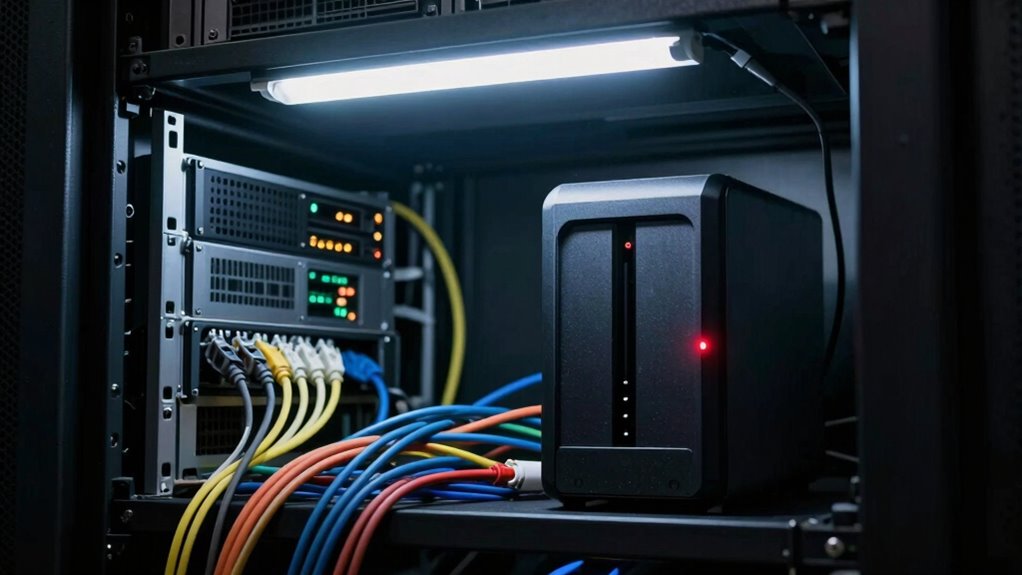
Many people believe that setting up RAID or backups alone is enough to protect their data, but that’s a major mistake. While RAID can offer redundancy and backups can safeguard against accidental deletion, neither is a foolproof solution on its own. For example, if your data is stored solely on local drives, a hardware failure or disaster like fire or flood can wipe everything out. That’s where cloud integration comes into play. By linking your local storage with cloud services, you create a layered defense that markedly reduces the risk of total data loss. Cloud backups ensure that even if your hardware fails or your physical devices are compromised, your data remains accessible and secure in remote servers.
But relying solely on cloud storage isn’t enough either. Many overlook that hardware failure isn’t always limited to physical drives. Network components, NAS devices, and other hardware can malfunction, corrupt data, or become inaccessible. Without a thorough backup strategy that includes cloud integration, you risk losing valuable information if your local hardware fails. Plus, cloud solutions aren’t immune to outages, so it’s essential to have an offline or local backup as part of your plan.
Another common mistake is thinking that once you’ve set up RAID or a cloud backup, your data is protected forever. Unfortunately, both methods have limitations. RAID, especially levels like RAID 5 or 6, can protect against drive failure but doesn’t defend against data corruption, malware, or accidental deletions. Cloud backups, if not properly managed with versioning and regular updates, can also become outdated or corrupted. Regularly verifying your backups and performing test restores to confirm everything works as expected is crucial for maintaining data integrity. Implementing comprehensive backup checks ensures ongoing protection against emerging threats.
Additionally, many underestimate the importance of a well-structured backup schedule. Relying on manual backups or infrequent updates leaves gaps that can be exploited by ransomware or hardware degradation. Automated, incremental backups stored both locally and in the cloud ensure your data stays current and protected. Setting up multiple backup points across different storage mediums creates a resilient safety net.
Furthermore, incorporating proper redundancy into your backup strategy enhances data resilience and minimizes downtime during failures. Regularly reviewing your backup procedures and understanding the limitations of each method helps prevent complacency and ensures your data protection plan is comprehensive. In essence, the biggest mistake is thinking that a single solution, like RAID or cloud storage, is enough. Combining local hardware with cloud integration offers a thorough safety strategy. It accounts for hardware failure, accidental errors, and malicious attacks, giving you peace of mind that your data is resilient against the unexpected. The key is to implement layered, automated backups and regularly test your recovery process—because in data protection, complacency can be costly.
As an affiliate, we earn on qualifying purchases.
Frequently Asked Questions
Can RAID Replace the Need for Backups Entirely?
No, RAID can’t replace backups entirely. While RAID offers data synchronization and hardware compatibility for redundancy, it mainly protects against hardware failure. It doesn’t guard against data corruption, accidental deletion, or malware. Relying solely on RAID leaves you vulnerable to data loss. You still need regular backups stored separately to guarantee thorough protection, especially for critical data and recovery options beyond hardware issues.
What Is the Most Overlooked RAID Configuration Mistake?
You often overlook hardware compatibility, risking data integrity in your RAID setup. It’s a common mistake to assume all drives or controllers work seamlessly together, but mismatched components can cause unexpected failures or degraded performance. Double-check that your hardware is compatible and supports your chosen RAID level. Ignoring this can lead to costly data loss or corruption, undermining your entire backup strategy and putting your data at unnecessary risk.
How Often Should I Test My Backup Recovery Process?
You should test your backup recovery process at least quarterly to guarantee data encryption works smoothly and that hardware compatibility remains intact. Regular testing helps identify any encryption issues or hardware conflicts that could delay recovery when needed. Don’t wait until disaster strikes—schedule routine checks, verify backup integrity, and confirm that your recovery plan is effective, keeping your data protected and accessible.
Are There Risks With Cloud Backups Alongside RAID?
Yes, there are risks with cloud backups alongside RAID. You need to take into account cloud security, as sensitive data could be exposed if not properly protected. Make sure your data is encrypted both during transfer and at rest, reducing the risk of breaches. While RAID offers redundancy locally, cloud backups add an extra layer of protection, but only if you implement strong security measures. Always review your cloud provider’s security protocols to stay safe.
Which RAID Level Offers the Best Balance of Speed and Redundancy?
You should consider RAID 10 for the best balance of speed and redundancy. It combines mirroring and striping, offering excellent data redundancy and quicker read/write speeds. This level guarantees that if one drive fails, your data stays protected, and performance remains high. Just make sure your hardware supports RAID 10, as hardware compatibility is essential for peak operation. Overall, it’s a solid choice for reliable, speedy data storage.
As an affiliate, we earn on qualifying purchases.
Conclusion
Don’t let your data’s safety be like a house built on shifting sand. Relying solely on RAID or backups is like putting all your eggs in one fragile basket. To truly protect your digital life, think of your backup strategy as a sturdy fortress—layered, resilient, and ready to withstand any storm. Remember, in the world of data, complacency is the silent thief. Stay vigilant, diversify your defenses, and keep your digital world safe from the unexpected.
automated external hard drive backup
As an affiliate, we earn on qualifying purchases.
As an affiliate, we earn on qualifying purchases.
NAS device with cloud integration
As an affiliate, we earn on qualifying purchases.
As an affiliate, we earn on qualifying purchases.
Fall Picks
fall essentials
As an affiliate, we earn on qualifying purchases.