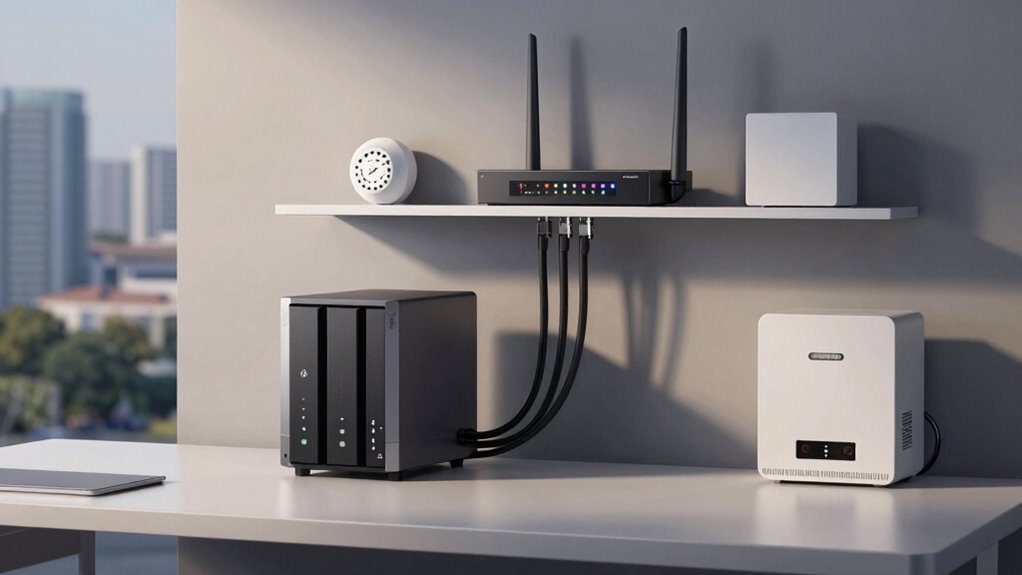

To protect your NAS and router from a major outage, start by using an uninterruptible power supply (UPS) to keep devices running during power failures and allow proper shutdowns. Install surge protectors to prevent damage from electrical spikes. Enable automatic cloud backups for quick data recovery and regularly update your device firmware for security. Segment your network to isolate critical devices. For more detailed steps, you’ll find valuable tips further below.

Get business pricing on tech for your team
- Business-only prices and quantity discounts
- Tax-exempt purchasing
- Multiple users, one account, clear invoices
Key Takeaways
- Implement cloud backups to ensure data recovery regardless of hardware failure.
- Use surge protectors to shield devices from electrical spikes and damage.
- Install an uninterruptible power supply (UPS) to maintain power during outages.
- Regularly update router firmware and segment the network to contain potential issues.
- Develop a disaster recovery plan with tested procedures for quick data restoration.

Experiencing a single major outage can disrupt your entire network and risk losing valuable data. When your NAS and router go offline unexpectedly, the consequences can be severe—interrupting your work, delaying projects, and potentially causing irreversible data loss. To shield yourself from such setbacks, proactive measures are critical. One of the best strategies is to implement a reliable cloud backup system. Cloud backup automatically copies your important files and configurations to a secure remote server, ensuring that even if your local hardware fails or gets damaged, your data remains safe and accessible. Regular backups to the cloud help minimize downtime and eliminate concerns about data corruption or hardware failure.
Implementing reliable cloud backups safeguards your data during outages and hardware failures.
Power surges are another common cause of outages that can damage your network equipment, including your NAS and router. A sudden spike in electrical voltage can fry delicate internal components, rendering devices inoperable and leaving you vulnerable to data loss. To prevent this, investing in a high-quality surge protector is essential. It acts as a buffer, absorbing excess voltage and preventing it from reaching your sensitive devices. For added protection, consider using an uninterruptible power supply (UPS). A UPS provides backup power during outages, giving you enough time to save your work and shut down your devices properly, rather than risking sudden shutdowns that could corrupt data.
Beyond hardware safeguards, setting up your network with resilience in mind can make a significant difference. Ensure your router has the latest firmware updates, which often include security patches and stability improvements. This reduces the risk of bugs that could cause outages or security vulnerabilities during a power surge or network attack. Additionally, segment your network to isolate critical devices like your NAS from less secure parts of your network. This way, if an outage or attack occurs, the damage won’t necessarily extend to all your devices. Implementing network segmentation can further improve your setup’s resilience against outages.
Finally, plan for disaster recovery by establishing clear procedures. In the event of an outage, knowing how to quickly restore data from your cloud backup and reset your hardware can save valuable time. Regularly testing your backup and recovery process ensures you’re prepared before a crisis hits. Incorporating hardware maintenance routines and staying informed about home network technology can help you optimize your setup for greater reliability and security. Combining cloud backup, surge protection, a UPS, and good maintenance practices creates a comprehensive safety net, helping you keep your NAS and router setup safe—even when facing unexpected outages or power surges.
Uninterruptible Power Supply (UPS) for NAS and router
As an affiliate, we earn on qualifying purchases.
As an affiliate, we earn on qualifying purchases.
Frequently Asked Questions
What Are the Best Backup Strategies for NAS Data?
You should implement a combination of backup strategies for your NAS data, such as regular cloud synchronization and off-site backups. Cloud synchronization ensures your data stays updated and accessible from anywhere, while off-site backups protect your information from local disasters. Automate these processes to minimize manual effort and guarantee your data is consistently protected. This layered approach provides robust security and peace of mind in case of hardware failure or other issues.
How Can I Detect Early Signs of Network Outages?
To detect early signs of network outages, you should set up network monitoring tools that track your connection’s health and performance. These tools can send outage alerts when they notice unusual activity, high latency, or packet loss. Regularly review your network logs and use real-time monitoring dashboards to spot potential issues before they become full outages. Staying proactive helps you address problems quickly and keeps your NAS and router protected.
What Are Effective Ways to Prevent Router Overloads?
Think of your router as a busy highway; overloads cause traffic jams. To prevent this, implement network segmentation to distribute data loads efficiently, and guarantee a reliable power backup so it doesn’t shut down unexpectedly. Regularly update firmware, monitor bandwidth usage, and limit connected devices. These steps keep your network flowing smoothly, reducing the risk of overloads and keeping your data moving seamlessly without congestion.
How Often Should I Update Firmware on NAS and Router?
You should update firmware on your NAS and router at least once a month. Regular firmware updates include essential security patches that protect your devices from vulnerabilities. Keeping your firmware current also guarantees you benefit from the latest features and performance improvements. Don’t wait for notifications; set a reminder to check for updates regularly. Staying proactive with firmware updates helps maintain your network’s security and reliability.
Are There Specific Hardware Brands Better for Redundancy?
Think of choosing hardware brands like picking sturdy bridges for your data highway. Brands like Synology and QNAP excel in hardware compatibility and reliability, acting as reliable anchors in your network. They’re known for consistent performance and solid build quality, reducing the risk of outages. While no brand is perfect, sticking with well-established names guarantees your setup has a strong backbone, giving you peace of mind during storms and sunny days alike.
Surge protector for network equipment
As an affiliate, we earn on qualifying purchases.
As an affiliate, we earn on qualifying purchases.
Conclusion
To truly safeguard your NAS and router setup, always have a backup plan in place. Imagine losing everything during a power surge, just like Sarah did when her entire family’s photos vanished overnight. But if she had invested in a UPS and off-site backups, she could’ve prevented that heartbreak. Don’t wait for disaster to strike—take proactive steps now. Protect your data, your memories, and your peace of mind before one bad outage turns into a permanent loss.
As an affiliate, we earn on qualifying purchases.
As an affiliate, we earn on qualifying purchases.
Fall Picks
fall essentials
As an affiliate, we earn on qualifying purchases.