
To encourage repeat visits, send personalized push notifications that are timely and relevant, ideally during afternoons or evenings when engagement doubles. Limit the frequency to 2-5 messages per week to avoid user fatigue, and use rich media and dynamic content to boost open rates. Segment your audience based on preferences and behavior, and include geotargeting for better results. Staying strategic with timing and personalization can markedly improve retention, and there’s more to discover in the details ahead.
Key Takeaways
- Personalize notifications based on user behavior and preferences to increase engagement and encourage repeat visits.
- Send 2 to 5 well-timed notifications weekly during receptive periods like afternoons or evenings.
- Use rich media and dynamic content to make notifications more attractive and boost open rates.
- Segment audiences and utilize targeted messaging to enhance relevance and drive recurring visits.
- Maintain consistent, relevant, and non-intrusive messaging to build trust and foster long-term user retention.
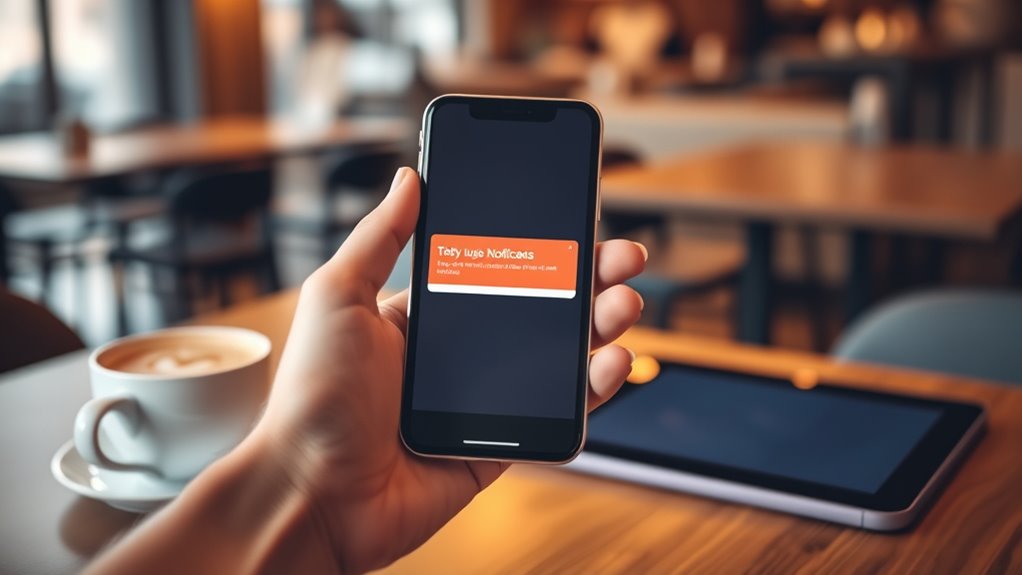
Push notifications are a powerful tool to encourage users to return to your app more frequently. When used effectively, they substantially boost retention rates. Data shows that nearly half of users who enable push notifications stay engaged beyond 11 sessions, whereas users who opt out tend to leave after just two sessions. This highlights how essential notifications are in keeping users invested. Targeted push notifications outperform broadcast messages, with about 39% of recipients remaining active over 11 sessions compared to only 21% of those receiving generic messages. When you personalize content based on user behavior or preferences, you double app retention rates, with engagement soaring to approximately 88%. Receiving notifications within the first three months of user onboarding can triple retention, emphasizing the importance of timely engagement. Even a modest 5% increase in user retention through push notifications can translate into a 50% boost in overall business value, making it a highly cost-effective tactic.
However, frequency and timing are vital. Users prefer fewer notifications; sending 2 to 5 per week can lead up to 43% of subscribers to disable notifications. Sending too many—more than six per week—causes 46% of users to turn off notifications and 32% to uninstall the app. Timing matters too. Afternoon and evening notifications double the view rate compared to night or early morning messages, indicating that users are more receptive during these periods. Campaigns with a Time-To-Live (TTL) longer than six hours perform better, increasing the likelihood that users will see and engage with your message. Generally, sticking to one push notification per week is ideal, as 87% of users don’t disable notifications at this frequency, and only 6% abandon the app altogether.
The type of notifications you send also influences engagement. Rich media notifications, especially those with images, have a 56% open rate—yet only 8% of marketers leverage this format. Rich push notifications are seven times more effective than simple text-based ones. Incorporating dynamic content and segmentation can further increase engagement by around 6.5% and boost open rates to nearly 9%. Geotargeted notifications also enhance performance, raising open rates from 4.2% to nearly 8%, and conversion rates from 1.5% to about 3.8%. Targeted campaigns using custom tags perform twice as well as generic messages, with click-through rates reaching 5% versus 2.5%. Understanding user preferences is crucial for optimizing notification strategy and ensuring messages are well-received. Additionally, considering the timing of physical and emotional changes during pregnancy can help tailor messages that resonate more effectively with users, increasing engagement and fostering loyalty.

AlKOR USB Document Camera for Teaching & Distance Learning,Manual Focus Webcam with Mic, Foldable Design for Mac/Windows/Chromebook-Online Classes, Web Conferencing & Live Demos,Remote Work
AIKOR 2MP 3-in-1 USB Webcam, Document Camera and Visualiser: It can be used as a webcam for video...
As an affiliate, we earn on qualifying purchases.
Frequently Asked Questions
How Can I Personalize Push Notifications for Better Engagement?
To personalize push notifications for better engagement, you should leverage user data like browsing history, purchases, and location. Use this info to send timely, relevant messages that match their routines and preferences. Incorporate rich media, emojis, and clear calls-to-action to make your notifications more appealing. Optimize send times around peak activity hours, and adjust frequency to prevent fatigue, ensuring your messages feel personalized, useful, and non-intrusive.
What Are the Best Times to Send Push Notifications?
You ask about the best times to send push notifications. Based on data, you should target peak engagement windows like late morning (10 am to 12 pm), lunchtime (around noon), and early evening (8 pm to 11 pm). Consider your audience’s routines and industry-specific patterns, and avoid early mornings or late nights when activity drops. Personalizing timing and testing different slots will help you maximize open rates and user interaction.
How Do I Avoid Annoying Users With Too Many Notifications?
To prevent pestered users, prioritize personalized, pertinent, and punctual notifications. Pause to analyze user activity and preferences, adjusting frequency accordingly. Practice prudence—limit promotional pushes, especially if users seem overwhelmed. Use automation to target timely triggers, and track engagement metrics to tweak tactics. By balancing relevance with restraint, you’ll build trust, prevent irritation, and encourage ongoing interaction without annoying your audience.
Can Push Notifications Be Targeted Based on User Behavior?
You can definitely target push notifications based on user behavior. By analyzing past interactions, preferences, and in-app actions, you can segment your audience effectively. This way, your messages become more relevant and personalized, increasing engagement. Timing notifications around user routines and interests guarantees they’re helpful rather than intrusive. Using behavioral data helps you refine your approach, leading to higher open rates, better response rates, and a more satisfying user experience overall.
What Metrics Should I Track to Measure Notification Success?
You should track key metrics like click-through rate (CTR) to see how many users engage with your notifications, and open rate to measure immediate interest. Additionally, monitor conversion rate to understand how many users complete desired actions afterward. Retention rate reveals long-term engagement, while delivery and failed delivery rates show your campaign’s technical effectiveness. Opt-in and opt-out rates help you gauge user relevance and satisfaction, ensuring your notifications are well-received.

Mirabox 4K Ultra HD 3-in-1 15MP USB Document Camera/Webcam/Visualizer,Compatible with Mac OS,Windows,Chromebook for Live Demo,Web Conferencing,Distance Learning,Remote Teaching,Object Viewing
【15 Megapixel camera for superior image clarity】the 15 MP Sony Sensor captures real-time 4K Ultra High Definition images...
As an affiliate, we earn on qualifying purchases.
Conclusion
Think of push notifications as the lighthouse guiding your visitors home. Each alert is a beacon that draws them back, illuminating the path through the fog of forgetfulness. When you craft your messages with care, you turn fleeting moments into lasting bonds—like a lighthouse standing firm against the storm. By consistently shining your light, you guarantee your audience always finds their way back, turning one visit into a steady voyage of loyalty.

INSWAN INS-3 Detachable Handheld USB Document Camera – Flexible Multi-Angle, Perfect for Hands-on Teaching & 3D Object Demo, Mic, LED, Auto Focus, Compatible with Windows/Mac/iPad/Chromebook, White
[Super High-Definition Imaging] INS-3 takes crisp 2560x1920p live images and videos at up to 30fps, delivering stunning visual...
As an affiliate, we earn on qualifying purchases.

Mirabox 4K Ultra HD Document Camera for Teachers - 10MP 3-in-1 USB Document Camera Work with Mac OS,Windows,Chromebook for Live Demo,Web Conferencing,Distance Learning,Remote Teaching,Object Viewing
【10 Megapixel camera for superior image clarity】the 10 MP Sony Sensor captures real-time 4K Ultra High Definition images...
As an affiliate, we earn on qualifying purchases.