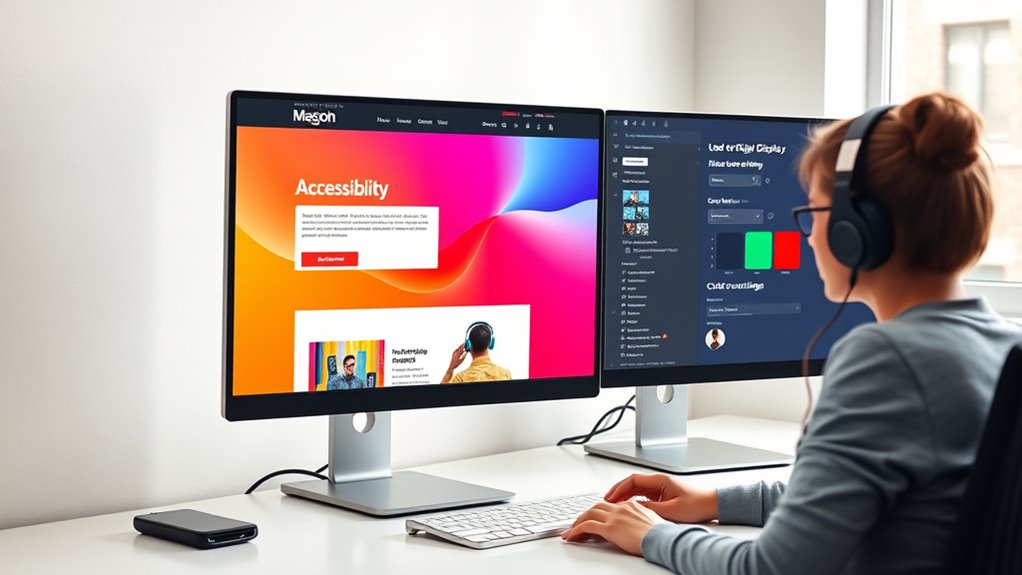

To make your automated content ADA compliant, focus on ensuring it’s accessible for all users. Use semantic HTML, clear headings, and descriptive alt text for images to support screen readers. Make sure all interactive elements can be navigated with a keyboard, with logical tab orders and focus indicators. Regular testing with assistive technologies helps catch issues early. Keep these practices in mind to create inclusive content, and you’ll discover more ways to enhance accessibility as you continue.

Get business pricing on tech for your team
- Business-only prices and quantity discounts
- Tax-exempt purchasing
- Multiple users, one account, clear invoices
Key Takeaways
- Use semantic HTML tags and descriptive alt text to ensure screen readers can interpret automated content effectively.
- Implement keyboard navigation and logical focus order for users relying on keyboard controls.
- Incorporate adjustable text sizes and high-contrast options to improve readability for all users.
- Regularly test automated content with assistive technologies to identify and fix accessibility issues.
- Follow established accessibility standards (like WCAG) to maintain compliance and enhance user experience.

Are you aware of how ADA compliance affects your business or organization? Ensuring your digital content is accessible isn’t just about avoiding legal issues—it’s about creating an inclusive environment that welcomes everyone. One essential aspect is making sure your website and online resources support screen reader compatibility. Screen readers are indispensable tools that convert text into speech or braille, allowing users with visual impairments to navigate and understand your content.
Creating an inclusive website means ensuring screen reader compatibility for all users.
If your site isn’t compatible, these users can struggle to access critical information, which can lead to frustration and exclusion. To improve screen reader compatibility, you need to use semantic HTML tags, clear headings, and descriptive alt text for images. These elements help screen readers interpret and present your content accurately, so users get the full experience without confusion or gaps.
Another key component of ADA compliance is keyboard navigation. Many people with disabilities rely solely on keyboard inputs to browse websites, especially those with motor impairments or who can’t use a mouse. If your site isn’t designed with keyboard navigation in mind, it can be nearly impossible for these users to move through your pages or complete tasks.
To address this, you should ensure that all interactive elements—buttons, links, forms—are accessible via keyboard commands. This means users should be able to tab through your site logically and reach every feature without encountering dead ends or confusing navigation. Proper focus indicators, such as visible outlines or highlights, also help users understand where they’re on the page, reducing frustration and improving overall usability.
Making your website compatible with screen readers and ensuring smooth keyboard navigation demonstrates your commitment to accessibility. It improves user experience for a broader audience, including those with disabilities, and aligns with legal standards set by the ADA. To achieve this, test your website regularly using assistive technologies, and consider involving users with disabilities in your testing process.
This way, you gain valuable insights into real-world usability and can address issues before they become legal or reputational problems. Remember, accessibility isn’t a one-time effort; it requires ongoing attention to keep your content inclusive and compliant. Incorporating high contrast and text resizing options can further enhance accessibility for users with visual impairments, ensuring your content remains usable for everyone.
screen reader compatible HTML validator
As an affiliate, we earn on qualifying purchases.
As an affiliate, we earn on qualifying purchases.
Frequently Asked Questions
How Often Should Automated Content Accessibility Be Reviewed?
You should review automated content accessibility at least annually, or more often if you notice issues. Regular reviews help guarantee content remains accessible amid evolving standards and content diversity.
Pay close attention to user feedback, which can highlight accessibility barriers you might overlook. Frequent assessments guarantee your automated content stays compliant, accessible, and inclusive for all users, maintaining a positive user experience and demonstrating your commitment to accessibility.
What Tools Assist in ADA Compliance for Automation?
Did you know that 71% of website visitors with disabilities leave if content isn’t accessible?
You can guarantee ADA compliance by using tools like WAVE, Axe, and Lighthouse, which assist in testing accessibility standards and identifying issues.
These assistive technology tools help you streamline the process of making automated content accessible, ensuring your site meets legal requirements and provides an inclusive experience for all users.
Are There Legal Penalties for Non-Compliance?
Yes, there are legal repercussions for non-compliance, and penalty enforcement can be quite strict. If you don’t meet ADA standards, you risk lawsuits, fines, and damage to your reputation.
Authorities actively enforce penalties to guarantee accessibility laws are followed, so it’s essential you prioritize ADA compliance.
How Can Small Businesses Ensure Accessibility?
Your small business can become a fortress of accessibility by embracing assistive technologies like screen readers and keyboard navigation. Prioritize creating a seamless user experience by designing content that’s easy to navigate and understand for everyone.
Regularly test your website with accessibility tools and gather feedback from users with disabilities. This proactive approach not only meets legal standards but also broadens your reach, making your business welcoming to all.
What Steps Are Involved in Auditing Automated Content?
To audit automated content, you start with content evaluation to identify accessibility issues.
Then, perform accessibility testing using tools like screen readers and contrast analyzers to check if your content is usable for everyone.
You should review all automated elements, including captions, forms, and navigation, ensuring they meet ADA standards.
Document your findings and create a plan to fix any issues, maintaining ongoing accessibility checks.
keyboard navigation assistive technology
As an affiliate, we earn on qualifying purchases.
As an affiliate, we earn on qualifying purchases.
Conclusion
Making your content ADA compliant might seem like a hassle, but it’s worth it. Imagine reaching a wider audience, including those with disabilities, and showing you care about accessibility. It’s not just about avoiding legal trouble; it’s about creating an inclusive experience for everyone. So, don’t let fears hold you back. Take small steps today—your efforts will make a big difference and demonstrate your commitment to equal access for all.
high contrast accessibility browser extension
As an affiliate, we earn on qualifying purchases.
As an affiliate, we earn on qualifying purchases.
text resizing accessibility tools
As an affiliate, we earn on qualifying purchases.
As an affiliate, we earn on qualifying purchases.
Fall Picks
fall essentials
As an affiliate, we earn on qualifying purchases.