AI spreadsheet automation tools can help with formula creation, data cleanup, analysis, reporting, and workflow design, but the right learning resource depends on which spreadsheet environment you use. My best overall pick is Learn Claude Code for Excel for its focused automation and analysis scope, while Learning Generative AI Tools for Excel suits readers seeking broader AI guidance and The Complete Microsoft 365 and Copilot Handbook, Volume I fits people who want Copilot across core apps. The main tradeoff is focus: a specialized Excel or Claude guide may offer a clearer path for one workflow, while broader references cover more ground but may provide less depth on spreadsheet automation. These are books and reference guides rather than automation software, so readers should match the instruction to the tools they can access. Continue reading for the full breakdown and a guide to choosing the right learning resource.

Get business pricing on tech for your team
- Business-only prices and quantity discounts
- Tax-exempt purchasing
- Multiple users, one account, clear invoices
Key Takeaways
- Focused workflow instruction leads the shortlist: Learn Claude Code for Excel earns the top position because its stated scope connects Claude directly to formulas, reports, and data analysis.
- Claude-focused titles serve different jobs: Claude for Finance Automation targets finance workflows, while Claude AI for Excel centers on cleaning, analysis, and reporting for beginners.
- Broader coverage trades depth for range: From Excel to AI Tools spans analysis, report writing, and workflow automation, while the Microsoft 365 handbook expands beyond spreadsheets to Copilot-enabled core apps.
- Not every pick is an Excel automation guide: The Smartsheet beginner guide and the Power BI accounting title make more sense for readers whose work crosses into project tracking or finance reporting.
- Quick references and full guides solve different learning problems: The laminated Copilot and prompting guide is geared toward fast reminders, while longer books are better suited to building understanding from the ground up.
| Learn Claude Code for Excel: Automate Formulas, Reports, and Data Analysis |  | Best for Claude Code–Driven Excel Automation | Platform: Microsoft Excel | AI tool: Claude Code | Topics: Formulas, reports, and data analysis | VIEW LATEST PRICE | See Our Full Breakdown |
| AI-Powered Accounting with Excel and Power BI | 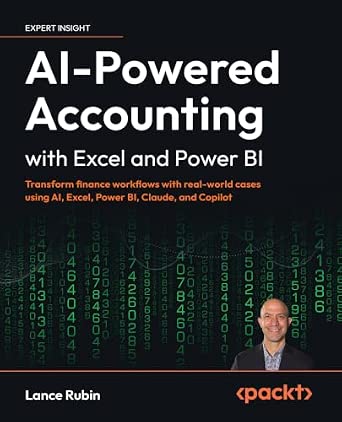 | Best for Finance and Accounting Workflows | Format: Book | Primary focus: AI-powered accounting | Workflow topics: Finance workflows | VIEW LATEST PRICE | See Our Full Breakdown |
| A Beginner’s Guide to Smartsheet | 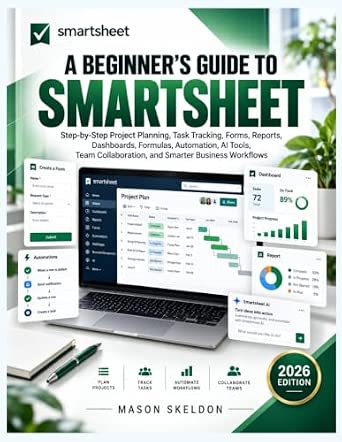 | Best for Beginners Building Team Workflows | Platform: Smartsheet | Level: Beginner | Planning topics: Project planning and task tracking | VIEW LATEST PRICE | See Our Full Breakdown |
| Excel with AI: The Intelligent Spreadsheet | 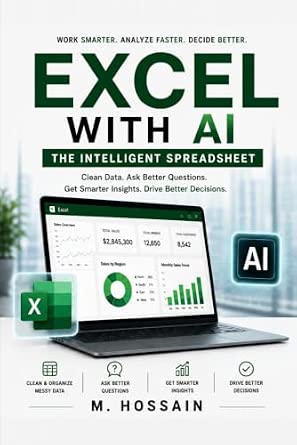 | Best for Buyers Seeking a Broad AI-and-Excel Introduction | Named platform: Excel | Stated topic: AI and intelligent spreadsheets | Description supplied: None | VIEW LATEST PRICE | See Our Full Breakdown |
| From Excel to AI Tools: Use AI to Analyze Data, Write Reports, and Automate Your Workflow (From Spreadsheets to Code Series, Book 6) |  | Best for Spreadsheet Users Expanding into AI Workflows | Series: From Spreadsheets to Code | Book number: 6 | Topics: AI-assisted data analysis, report writing, and workflow automation | VIEW LATEST PRICE | See Our Full Breakdown |
| Claude for Finance Automation |  | Best for Finance Workflows | Tool: Claude AI | Topics: Spreadsheets, reports, forecasts, expense reviews, invoice workflows, financial analysis | Spreadsheet focus: Spreadsheet automation | VIEW LATEST PRICE | See Our Full Breakdown |
| Learning Generative AI Tools for Excel |  | Best for Comparing AI Tools | Platform: Microsoft Excel | Topics: Microsoft Excel, Copilot, ChatGPT, and generative AI tools | Use focus: Speeding up everyday Excel tasks | VIEW LATEST PRICE | See Our Full Breakdown |
| Claude AI for Excel: A Beginner’s Guide to Cleaning, Analyzing, and Reporting Data |  | Best for Beginner Excel Tasks | Tool: Claude AI | Platform: Microsoft Excel | Audience: Beginners | VIEW LATEST PRICE | See Our Full Breakdown |
| Excel with AI: Copilot & Prompting QuickStudy Laminated Reference Guide |  | Best for Quick Reference | Format: Laminated reference guide | Series: QuickStudy | Topics: Excel with AI, Copilot, and prompting | VIEW LATEST PRICE | See Our Full Breakdown |
| The Complete Microsoft 365 and Copilot Handbook, Volume I: Mastering Core Apps and AI-Enhanced Workflows |  | Best for Microsoft 365 Workflows | Subject: Microsoft 365 and Copilot | Volume: I | Coverage: Microsoft 365 core apps | VIEW LATEST PRICE | See Our Full Breakdown |
| AI spreadsheet automation tool | Topics | Format | Platform | ASIN |
|---|---|---|---|---|
| Learn Claude Code for Excel: A | Formulas, reports, and data analysis | — | Microsoft Excel | — |
| AI-Powered Accounting with Exc | — | Book | — | — |
| A Beginner’s Guide to Smartshe | — | — | Smartsheet | — |
| Excel with AI: The Intelligent | — | — | — | — |
| From Excel to AI Tools: Use AI | AI-assisted data analysis, report writing, and workflow automation | — | — | — |
| Claude for Finance Automation | Spreadsheets, reports, forecasts, expense reviews, invoice workflows, financial analysis | Not specified | — | B0HJ7RJ15S |
| Learning Generative AI Tools f | Microsoft Excel, Copilot, ChatGPT, and generative AI tools | Not specified | Microsoft Excel | 1098190173 |
| Claude AI for Excel: A Beginne | Data cleaning, analysis, and reporting | Not specified | Microsoft Excel | B0HMJQ81MX |
| Excel with AI: Copilot & Promp | Excel with AI, Copilot, and prompting | Laminated reference guide | Microsoft Excel | 1423253760 |
| The Complete Microsoft 365 and | — | Not specified | — | B0G4FVBY3K |
More Details on Our Top Picks
Learn Claude Code for Excel: Automate Formulas, Reports, and Data Analysis
Claude Code in an existing Excel workflow is the focus here, with guidance spanning formulas, reports, and data analysis rather than a single spreadsheet task. Its four-step delegation protocol gives readers a repeatable way to hand work to an AI tool, while the no-VBA approach lowers the barrier for Excel users who do not write macros. Compared with From Excel to AI Tools, this guide is more specific about Claude Code and Excel; the latter takes a broader view of AI-assisted analysis and workflow automation. That focus is also the main limitation: readers working mainly in Smartsheet or Power BI will get less direct help. It is described as suitable for any Excel skill level, but the available details do not establish how much depth it offers for advanced users.
Pros:- Covers formulas, reports, and data analysis in one Excel-focused guide.
- Uses a four-step delegation protocol to give AI-assisted work a repeatable structure.
- Does not require VBA.
- Aims to serve readers across Excel skill levels.
Cons:- The guidance is centered on Microsoft Excel rather than cross-platform spreadsheet work.
- The Claude Code focus is narrower than the multi-tool approach described for AI-Powered Accounting with Excel and Power BI.
Best for: Excel users who want to delegate formula, reporting, and analysis tasks to Claude Code without learning VBA.
Not ideal for: People whose main spreadsheet workflow is in Smartsheet or Power BI, or readers seeking coverage of several AI tools rather than a Claude Code focus.
- Platform:Microsoft Excel
- AI tool:Claude Code
- Topics:Formulas, reports, and data analysis
- Method:Four-step delegation protocol
- VBA required:No
- Skill level:Any Excel level
Our verdict“Choose this guide if you want a structured, no-VBA way to use Claude Code for recurring Excel work.”
AI-Powered Accounting with Excel and Power BI
Finance-focused AI workflow coverage sets this book apart from the more general spreadsheet automation titles. It brings Excel and Power BI together and references real-world cases involving Claude and Copilot, which gives finance readers a clearer use case than the broad task coverage in From Excel to AI Tools. That combination may help readers connect spreadsheet work with reporting and data analysis across tools, rather than treating Excel as the whole workflow. The tradeoff is its accounting and finance emphasis: people automating general office spreadsheets may find less directly relevant guidance. The supplied details also do not specify a skill level, particular accounting tasks, or a step-by-step method, so buyers who need a defined learning path should compare it with A Beginner’s Guide to Smartsheet, which explicitly targets beginners.
Pros:- Connects AI use with both Excel and Power BI.
- Includes real-world finance cases.
- Covers examples involving Claude and Copilot.
- Focuses on finance workflows rather than generic spreadsheet tasks.
Cons:- Its accounting and finance scope may be too specialized for general spreadsheet automation.
- The available product details do not identify a skill level or a specific teaching method.
Best for: Accounting and finance professionals who want to explore AI-assisted workflows using Excel, Power BI, Claude, and Copilot.
Not ideal for: Readers automating general-purpose spreadsheets who do not work with finance, or buyers seeking a clearly specified beginner curriculum.
- Format:Book
- Primary focus:AI-powered accounting
- Workflow topics:Finance workflows
- Spreadsheet platform:Excel
- Analytics platform:Power BI
- AI tools referenced:Claude and Copilot
Our verdict“Pick this book if your spreadsheet automation needs center on accounting or finance and you also work with Power BI.”
A Beginner’s Guide to Smartsheet
Beginner-friendly Smartsheet coverage makes this a broader workflow guide than the Excel-specific titles in the roundup. It spans project planning, task tracking, forms, reports, dashboards, formulas, automation, AI tools, and collaboration, so readers can connect spreadsheet-style information to team processes. Compared with Learn Claude Code for Excel, it puts less emphasis on automating Excel formulas and more on organizing work in Smartsheet. That is a meaningful distinction for teams managing projects, but a limitation for anyone whose priority is advanced Excel analysis or a particular AI coding assistant. The stated beginner level is useful for newcomers; the broad topic list may still mean less depth on any one automation feature than a narrowly focused guide provides.
Pros:- Covers project planning and task tracking alongside spreadsheet-style features.
- Includes forms, reports, and dashboards for team workflows.
- Addresses formulas, automation, and AI tools.
- Designed for beginner readers.
Cons:- The guidance is specific to Smartsheet rather than Microsoft Excel.
- Its wide topic range may provide less depth on individual automation features.
Best for: New Smartsheet users who need to coordinate projects and tasks while learning the platform’s reporting, automation, and AI features.
Not ideal for: Excel specialists seeking Claude Code or Copilot instructions, and experienced Smartsheet users looking for advanced automation depth.
- Platform:Smartsheet
- Level:Beginner
- Planning topics:Project planning and task tracking
- Data collection:Forms
- Reporting:Reports and dashboards
- Automation topics:Formulas, automation, and AI tools
- Collaboration topics:Team collaboration and business workflows
Our verdict“Choose this guide if you are new to Smartsheet and want to connect task management, reporting, and automation in team workflows.”
Excel with AI: The Intelligent Spreadsheet
The title signals an AI-and-Excel focus, which makes this a possible match for readers seeking a general introduction to intelligent spreadsheet work. However, the supplied product information gives no description, feature list, skill level, or named AI tools. That leaves less to judge than with Learn Claude Code for Excel, which specifies its automation tasks and delegation method, or AI-Powered Accounting with Excel and Power BI, which names its finance use case and tools. I would treat this as a lower-confidence choice until the listing clarifies what workflows it teaches. Its apparent Excel focus may suit readers who want to stay in that environment, but the available details do not support claims about automation methods, examples, or compatibility.
Pros:- The title explicitly pairs Excel with AI.
- Appears aimed at intelligent spreadsheet use rather than a non-spreadsheet workflow.
- May appeal to readers seeking a broad Excel-and-AI topic rather than finance-specific coverage.
Cons:- The available product data does not describe its methods, examples, or specific topics.
- No AI tool or skill level is identified, making it harder to match to a particular workflow.
Best for: Excel users who are considering an AI-focused spreadsheet guide and can confirm from the full listing that its coverage matches their needs.
Not ideal for: Buyers who need confirmed instructions for a specific AI tool, automation task, or skill level before choosing a guide.
- Named platform:Excel
- Stated topic:AI and intelligent spreadsheets
- Description supplied:None
- Specific AI tool supplied:Not specified
- Skill level supplied:Not specified
- Automation topics supplied:Not specified
Our verdict“Consider this title only if its full listing confirms the Excel AI topics and level of detail you need.”
From Excel to AI Tools: Use AI to Analyze Data, Write Reports, and Automate Your Workflow (From Spreadsheets to Code Series, Book 6)
Data analysis, report writing, and workflow automation give this book a wider remit than a guide built around one assistant or platform. As book six in the From Spreadsheets to Code series, it is positioned for readers interested in moving beyond spreadsheet-only work toward AI tools. Compared with Learn Claude Code for Excel, it is less narrowly tied to Claude Code and Excel; that breadth may suit users exploring several AI-assisted tasks, but the available details do not name specific tools or a learning level. Readers who need finance examples and Power BI coverage may prefer AI-Powered Accounting with Excel and Power BI. The series connection is useful context, though the supplied information does not explain whether earlier books are needed.
Pros:- Covers data analysis, report writing, and workflow automation.
- Frames AI as a way to extend work beyond spreadsheets.
- Belongs to a series focused on moving from spreadsheets to code.
Cons:- The supplied description does not identify which AI tools are covered.
- No skill level or specific automation method is provided.
- The available details do not say whether prior books in the series are needed.
Best for: Spreadsheet users who want to apply AI to data analysis, report writing, and workflow automation while exploring a path toward code-oriented tools.
Not ideal for: Readers who need instructions for a named AI assistant, a specified skill level, or a specialized finance-and-Power-BI workflow.
- Series:From Spreadsheets to Code
- Book number:6
- Topics:AI-assisted data analysis, report writing, and workflow automation
- Approach:Using AI tools to extend spreadsheet workflows
- Specific AI tools supplied:Not specified
- Skill level supplied:Not specified
Our verdict“Choose this book if you want a broad introduction to AI-assisted analysis, reporting, and workflow automation beyond spreadsheet-only tasks.”
Claude for Finance Automation
Claude for Finance Automation is the most finance-focused pick in this group, tying spreadsheet automation to reporting, forecasting, expense reviews, invoice workflows, and financial analysis. That breadth may help finance teams connect spreadsheet tasks to the work around them, rather than treating Excel as an isolated tool. Compared with Claude AI for Excel: A Beginner’s Guide to Cleaning, Analyzing, and Reporting Data, this guide covers more finance processes, while the beginner guide puts its emphasis on practical Excel data tasks and prompting. The tradeoff is that the supplied details do not identify specific spreadsheet features, examples, or skill level, so readers seeking step-by-step Excel instruction may prefer the more focused beginner title. Its value depends on wanting Claude applied to several finance workflows, not only spreadsheet cleanup.
Pros:- Connects spreadsheet automation with several finance workflows
- Includes reporting and forecasting topics
- Covers expense reviews and invoice workflows
- Pairs financial analysis with Claude AI
Cons:- The supplied details do not specify particular spreadsheet techniques or examples
- Its broad finance scope may be less direct for readers focused only on Excel
- The guide’s format and intended skill level are not specified
Best for: Finance professionals who want to explore Claude for spreadsheets alongside forecasting, expense reviews, invoices, and reporting.
Not ideal for: Excel beginners who need clearly described, step-by-step instruction in cleaning and analyzing spreadsheet data.
- Tool:Claude AI
- Topics:Spreadsheets, reports, forecasts, expense reviews, invoice workflows, financial analysis
- Spreadsheet focus:Spreadsheet automation
- Finance focus:Financial analysis and operational workflows
- ASIN:B0HJ7RJ15S
- Format:Not specified
Our verdict“Choose this guide if you want Claude ideas spanning finance operations and spreadsheets, rather than a narrowly focused Excel tutorial.”
Learning Generative AI Tools for Excel
Learning Generative AI Tools for Excel stands out for covering Copilot, ChatGPT, and other generative AI tools alongside Microsoft Excel. That makes it a useful fit for readers deciding which AI approach might speed up routine spreadsheet work, rather than committing to one assistant from the start. Compared with Claude AI for Excel: A Beginner’s Guide to Cleaning, Analyzing, and Reporting Data, this title has a broader tool mix; the Claude guide offers a more focused path through cleaning, analysis, reporting, and prompts. The tradeoff is that a multi-tool survey may offer less depth on any one product, and the supplied description does not name specific tasks or lessons. Choose it for a cross-tool view of everyday Excel productivity, not for a dedicated Copilot or Claude manual.
Pros:- Covers multiple generative AI tools in an Excel context
- Includes both Copilot and ChatGPT
- Targets faster everyday Excel tasks
- Can help readers compare approaches before settling on one tool
Cons:- The broad tool coverage may mean less depth on each assistant
- The provided description does not identify specific spreadsheet workflows
- The format and skill level are not specified
Best for: Excel users who want to compare Copilot, ChatGPT, and other generative AI tools for everyday spreadsheet tasks.
Not ideal for: Readers who already know which AI assistant they use and want detailed instruction for that specific tool.
- Platform:Microsoft Excel
- Topics:Microsoft Excel, Copilot, ChatGPT, and generative AI tools
- Use focus:Speeding up everyday Excel tasks
- AI coverage:Multiple generative AI tools
- ASIN:1098190173
- Format:Not specified
Our verdict“Pick this title if you want a multi-tool introduction to AI-assisted Excel work rather than a single-assistant tutorial.”
Claude AI for Excel: A Beginner’s Guide to Cleaning, Analyzing, and Reporting Data
Claude AI for Excel: A Beginner’s Guide earns its place by tying prompting to familiar spreadsheet jobs: cleaning, analyzing, and reporting data. For a newcomer, that task-first framing can make AI feel more practical than a broad tour of tools. Compared with Learning Generative AI Tools for Excel, this guide is more focused on Claude and specific data tasks, while the other title spans Copilot, ChatGPT, and additional tools. That focus is also its limitation: readers looking to compare assistants or apply Claude across invoices, expenses, and forecasting may get more relevant coverage from Claude for Finance Automation. The supplied information does not specify format, length, or examples, so buyers cannot judge how much hands-on instruction it provides. It is best suited to beginners who want a targeted entry point, not a broad reference.
Pros:- Targets practical spreadsheet tasks: cleaning, analysis, and reporting
- Designed for beginners
- Explains prompting for spreadsheet work
- Keeps its focus on Claude and Excel rather than a broad productivity suite
Cons:- The provided details do not specify the guide’s format or length
- The description does not identify advanced automation topics
- Its Claude-specific scope offers less tool comparison than Learning Generative AI Tools for Excel
Best for: Excel beginners who want to learn how prompts can assist with spreadsheet data cleaning, analysis, and reporting.
Not ideal for: Experienced users seeking advanced automation detail, or readers who want a comparison of several AI tools.
- Tool:Claude AI
- Platform:Microsoft Excel
- Audience:Beginners
- Topics:Data cleaning, analysis, and reporting
- Method:Prompting for spreadsheet work
- ASIN:B0HMJQ81MX
- Format:Not specified
Our verdict“Choose this guide for a beginner-oriented introduction to using Claude prompts on everyday Excel data tasks.”
Excel with AI: Copilot & Prompting QuickStudy Laminated Reference Guide
Excel with AI: Copilot & Prompting QuickStudy Laminated Reference Guide is the lineup’s reference-style option: its laminated format is designed for a handy, durable surface to consult while working. Its stated topics—Excel AI, Copilot, and prompting—make it more of a quick reminder than a guided course. Compared with Learning Generative AI Tools for Excel, it appears narrower, centering on Excel AI and Copilot rather than naming several assistants. It may suit users who want a compact prompt-side aid, but the supplied details do not specify its dimensions, exact contents, or how much instruction it includes. That makes it harder to judge whether it covers a reader’s particular workflow. Skip it if you need worked examples or a structured path through spreadsheet automation.
Pros:- Laminated format offers a durable reference surface
- Covers Excel with AI and Copilot
- Includes prompting as a stated topic
- Reference format may be easier to consult during spreadsheet work than a longer handbook
Cons:- The supplied details do not specify dimensions or exact contents
- The amount of instruction and practical examples is unknown
- Its stated scope is narrower than Learning Generative AI Tools for Excel
Best for: Excel users who want a durable, quick-reference aid for Copilot and prompting while working at their desk.
Not ideal for: Learners who need detailed explanations, practice exercises, or a clearly described guide to end-to-end spreadsheet automation.
- Format:Laminated reference guide
- Series:QuickStudy
- Topics:Excel with AI, Copilot, and prompting
- Platform:Microsoft Excel
- Dimensions:Not specified
- ASIN:1423253760
Our verdict“Choose this if you want a durable Copilot-and-prompting reference, not a full instructional guide to spreadsheet automation.”
The Complete Microsoft 365 and Copilot Handbook, Volume I: Mastering Core Apps and AI-Enhanced Workflows
The Complete Microsoft 365 and Copilot Handbook, Volume I takes the broadest productivity-suite approach in this group, covering Microsoft 365 core apps and AI-enhanced workflows. For spreadsheet automation, that wider frame may help readers connect Excel tasks to work across other Microsoft apps, rather than treating every workflow as a standalone sheet. Compared with Excel with AI: Copilot & Prompting QuickStudy Laminated Reference Guide, this handbook promises a broader treatment of apps and workflows, while the QuickStudy guide is a compact reference centered on Excel AI, Copilot, and prompting. The tradeoff is focus: buyers seeking direct instruction on spreadsheet cleaning, analysis, or formulas may find a suite-wide handbook less targeted than Claude AI for Excel: A Beginner’s Guide. The supplied description does not list specific Excel techniques or the volume’s format.
Pros:- Covers Microsoft 365 core apps, not only Excel
- Includes Copilot and AI-enhanced workflows
- Addresses productivity workflows across a wider software suite
- Volume I designation clearly identifies it as part of a multi-volume work
Cons:- The broad app coverage may offer less depth on spreadsheet automation
- The supplied details do not specify particular Excel workflows or techniques
- Format and volume length are not specified
Best for: Microsoft 365 users who want to explore Copilot workflows across core apps, including spreadsheet-related productivity.
Not ideal for: Excel learners seeking a focused, step-by-step guide to spreadsheet automation or data analysis.
- Subject:Microsoft 365 and Copilot
- Volume:I
- Coverage:Microsoft 365 core apps
- Workflow focus:AI-enhanced workflows
- Automation focus:Advanced AI automation
- ASIN:B0G4FVBY3K
- Format:Not specified
Our verdict“Pick this handbook if your automation needs span Microsoft 365 apps, but choose a focused Excel guide for spreadsheet-specific instruction.”

How We Picked
I ranked these titles by how directly their stated focus supports practical spreadsheet automation: creating or improving formulas, cleaning and analyzing data, producing reports, and connecting AI to repeatable workflows. I also weighed audience fit, breadth versus depth, and whether a title appears designed for a specific tool such as Claude, Excel Copilot, Power BI, or Smartsheet. The ranking favors resources with a clear spreadsheet-centered use case over broader references, while preserving places for specialized needs.
These products are books and learning materials, not automation platforms, so I did not treat them as interchangeable software. A beginner guide, a finance-focused workflow book, and a laminated prompt reference can each be useful, but they answer different buyer questions. Where a title’s scope reaches beyond Excel, I ranked it for that broader use rather than assuming it offers the same depth as a focused Excel resource.
| AI spreadsheet automation tool | Platform | Topics | Format |
|---|---|---|---|
| Learn Claude Code for Excel: A | Microsoft Excel | Formulas, reports, and data analysis | — |
| AI-Powered Accounting with Exc | — | — | Book |
| A Beginner’s Guide to Smartshe | Smartsheet | — | — |
| Excel with AI: The Intelligent | — | — | — |
| From Excel to AI Tools: Use AI | — | AI-assisted data analysis, report writing, and workflow automation | — |
| Claude for Finance Automation | — | Spreadsheets, reports, forecasts, expense reviews, invoice workflows, financial analysis | Not specified |
| Learning Generative AI Tools f | Microsoft Excel | Microsoft Excel, Copilot, ChatGPT, and generative AI tools | Not specified |
| Claude AI for Excel: A Beginne | Microsoft Excel | Data cleaning, analysis, and reporting | Not specified |
| Excel with AI: Copilot & Promp | Microsoft Excel | Excel with AI, Copilot, and prompting | Laminated reference guide |
| The Complete Microsoft 365 and | — | — | Not specified |
Factors to Consider When Choosing AI Spreadsheet Automation Tools
Choosing among AI spreadsheet automation guides starts with the work you want to automate, not the word “AI” on the cover. I’d match the resource to your spreadsheet platform, experience level, and need for step-by-step instruction versus a quick reference. These decisions can prevent buying a broad guide when you need a specific workflow—or a specialist book that does not match your software.
Start With the Spreadsheet Work You Need to Automate
List the tasks that consume time before choosing a guide: formula writing, data cleanup, recurring reports, or financial analysis. Those tasks call for different instruction, even when they happen in the same workbook. A guide focused on analysis may not explain how to turn a manual process into a repeatable workflow. A common mistake is choosing by the broadest feature list instead of the task you want to improve first. Pick one recurring job and look for a resource that names that job in its scope. You can expand to wider AI workflows once you know what the first resource needs to teach.
Match the Material to Your Software Access
Check whether you can use the tools discussed in the guide, including the relevant Excel features, Claude capabilities, Copilot access, or Power BI setup. AI features and account requirements can vary, so a workflow described in a book may not be available in every version or organization. Before buying, check the publisher’s description for the apps and tools covered, then compare that list with your own setup. If your workplace restricts external AI services, a Claude-centered resource may not translate directly into your daily process. Conversely, a Microsoft 365 guide may be a better fit when your organization has standardized on Microsoft apps. Tool compatibility is a more useful filter than a general promise of AI coverage.
Choose Depth or Breadth Deliberately
A specialized guide can spend more attention on one workflow, while a broad reference may connect spreadsheets with reporting, finance, coding, or other office apps. Neither format is automatically better; the right choice depends on whether you need to solve a defined problem or survey several possible approaches. Buyers often mistake a wide scope for deeper instruction, so check whether the title names practical spreadsheet tasks rather than only a broad topic. If you need one reliable process, prioritize a focused resource. If you are still deciding where AI fits into your work, a wider guide may help you compare approaches, though you may need additional material for implementation.
Account for Your Starting Skill Level
Beginners often benefit from explicit explanations of spreadsheet concepts and guided examples, while experienced users may prefer workflow patterns or compact prompting references. A resource labeled for beginners can reduce the effort of translating AI suggestions into spreadsheet actions, but it may spend less time on advanced automation. More technical or finance-specific instruction can be productive if you already understand the underlying work. Avoid selecting a book based only on the word “beginner” or “complete”; look for clues about the tasks and tools it actually covers. If you are unsure, choose the resource that explains the process behind an AI-generated result, not just the prompt that produces it. Understanding the steps makes it easier to catch errors.
Treat Verification as Part of Automation
AI can produce plausible formulas, summaries, and classifications that still contain errors, so a useful learning resource should help you review outputs rather than simply generate them. Think about how you will validate totals, test formulas against known cases, and protect sensitive data. The risk rises when a workbook feeds financial decisions or recurring reports, where a small error can carry forward unnoticed. A fast prompt guide may help with recall but may not replace instruction on checking results. Before adopting any automated workflow, keep a human review step and compare its output with a trusted source. That habit matters as much as the choice of AI assistant.
Decide Whether You Need a Course-Like Guide or a Desk Reference
Longer learning materials are better suited to building a mental model over time, while a compact reference can help when you already know the task and need a prompt or reminder nearby. These formats support different habits: reading through a guide can establish a process, while quick-reference material can reduce repeated searching. A common mismatch is expecting a laminated reference to teach complex workflows from scratch. On the other side, a full handbook may be more material than you need if you only want help recalling Copilot prompts. Choose based on how you plan to learn and when you expect to consult the material. That practical fit can matter more than the number of topics listed.
Frequently Asked Questions
Are these AI spreadsheet automation tools software I can install?
No. The ten products in this roundup are books and reference guides about spreadsheet and AI workflows, not standalone automation applications. They can help you learn how to use tools such as Excel, Claude, Copilot, Power BI, or Smartsheet, but they do not automate a workbook by themselves. Check each title’s stated scope and your access to the related software before choosing. If you need a working automation platform rather than instruction, this list is not a software comparison.
Which guide should I choose if I mainly want Claude to work with Excel?
Start by identifying the job you want Claude to support. Learn Claude Code for Excel is the broadest match among these titles for formulas, reports, and data analysis, while Claude AI for Excel specifically frames its instruction around cleaning, analyzing, and reporting for beginners. Claude for Finance Automation is a closer fit when your spreadsheets support finance processes. These titles are not interchangeable, so compare their stated focus with your actual tasks and technical comfort. Also confirm that your intended Claude features and workplace policies support the workflows you want to learn.
Is a Copilot guide still useful if I already know Excel?
It can be, especially if your main gap is learning how to use Copilot prompts or connect AI features to familiar spreadsheet tasks. The laminated Excel with AI: Copilot & Prompting QuickStudy guide is positioned as a quick reference, so it may suit someone who knows the spreadsheet basics and wants reminders at hand. For broader instruction across Microsoft apps, the Complete Microsoft 365 and Copilot Handbook covers a wider set of workflows. Check whether the guidance matches the Copilot features available in your version and account. Experienced Excel users may gain more from workflow examples than from another overview of basic spreadsheet functions.
Should I choose an Excel guide or the Smartsheet guide for team workflows?
Choose based on where the team’s work actually lives. Excel-focused AI guides make more sense when you need to analyze tabular data, build formulas, or produce spreadsheet reports; A Beginner’s Guide to Smartsheet is the more relevant title when your team needs help learning Smartsheet. A guide to Smartsheet should not be treated as a substitute for Excel automation instruction simply because both involve rows and columns. If your process moves between project tracking and spreadsheet analysis, you may need different learning materials for each part. Map the workflow first, then choose the guide for the tool that handles the work you want to improve.
What should I use to learn AI for financial spreadsheets?
Look for a resource whose scope names both finance work and the tools you use. Claude for Finance Automation is the most directly finance-oriented title here, while AI-Powered Accounting with Excel and Power BI points toward accounting workflows that involve reporting across those applications. A general Excel AI guide may help with formulas and analysis but may not address finance-specific review practices. Check whether the material matches your accounting process, reporting needs, and software access. For work with financial consequences, plan to verify AI-generated figures and keep a clear review trail rather than relying on generated output alone.
Conclusion
For a focused starting point, I recommend Learn Claude Code for Excel as the best overall choice because its stated scope covers formulas, reports, and data analysis. Learning Generative AI Tools for Excel is my best value in breadth for readers who want an Excel-centered overview, while The Complete Microsoft 365 and Copilot Handbook, Volume I is the best premium-style choice for readers seeking instruction across core Microsoft apps as well as AI workflows. Beginners should compare Claude AI for Excel and A Beginner’s Guide to Smartsheet based on whether they need Excel task guidance or Smartsheet onboarding. For specific needs, choose Claude for Finance Automation or AI-Powered Accounting with Excel and Power BI for finance-oriented work, and the laminated Excel with AI: Copilot & Prompting QuickStudy for quick reminders. The best fit is the guide whose tools, depth, and workflow match what you can actually use.