
To decide between NAS, DAS, and external SSDs, consider your priorities for security, accessibility, cost, and portability. If you need centralized management and multi-user access, NAS offers robust features but at a higher cost. For portable, simple storage, external SSDs are affordable and lightweight. DAS fits moderate needs for direct device connection without the complexity. Understanding these factors guarantees you pick the most suitable option for your specific situation — and there’s more to explore if you keep going.

Get business pricing on tech for your team
- Business-only prices and quantity discounts
- Tax-exempt purchasing
- Multiple users, one account, clear invoices
Key Takeaways
- Consider security needs: NAS offers centralized control with advanced security, while DAS and external SSDs are more isolated and less vulnerable.
- Assess data sharing requirements: NAS enables multi-user access, whereas DAS and external SSDs are suitable for single-device use.
- Evaluate budget and costs: External SSDs are generally cheaper upfront, with NAS costing more for features and ongoing maintenance.
- Determine portability needs: External SSDs are ideal for mobility, while NAS and DAS are better for fixed, home or office setups.
- Match durability and reliability: Choose devices based on long-term durability and proper handling to prevent data loss over time.
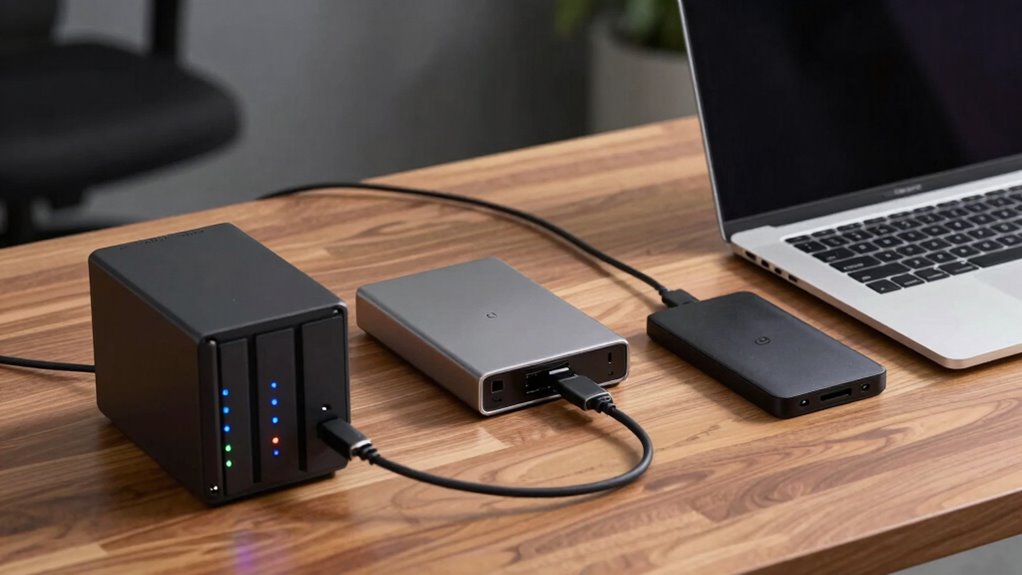
Are you overwhelmed by the many storage options available today? It’s understandable, given the variety of choices like Network-Attached Storage (NAS), Direct-Attached Storage (DAS), and external SSDs. Deciding which one suits your needs depends on a few key factors, including data security and cost considerations. Each option has its strengths and weaknesses, so knowing what to prioritize will help you make an informed decision.
Choosing the right storage depends on your priorities for security, cost, and accessibility.
If data security is your main concern, NAS often stands out. Because NAS devices are connected to your network and can be configured with multiple user permissions, they provide a centralized and controlled environment for data management. You can implement advanced security measures, such as encryption and regular backups, to protect sensitive information. However, keep in mind that NAS systems can be more vulnerable to network breaches if not properly secured, so investing in good security practices is essential. DAS and external SSDs, on the other hand, are generally more isolated—connected directly to one device—reducing the attack surface. But this isolation could also mean less control over access and sharing, especially if multiple users need to access files regularly. Additionally, cultural significance of storage devices, such as the traditional craftsmanship seen in Indonesian masks, highlights how careful selection and maintenance are essential for preserving value over time. Proper storage and handling practices are crucial for maintaining the longevity and integrity of physical storage devices, much like preserving cultural artifacts. Moreover, understanding security measures and their implementation can significantly influence your choice of storage solution. When considering long-term data preservation, it’s also vital to evaluate the reliability and durability of your storage devices to prevent data loss over time. Recognizing the physical durability of storage options can help in selecting devices that withstand environmental factors and usage wear.
When it comes to cost considerations, the choice can be quite clear. External SSDs tend to be less expensive upfront, especially if you’re looking for portable storage for personal use or light workloads. They don’t require network setup, making them an affordable and straightforward solution for small-scale storage needs. DAS options can be more cost-effective than NAS if you’re dealing with a single device or a few devices, as they typically involve a one-time purchase without ongoing maintenance costs. NAS systems, especially those with advanced features like redundancy, remote access, and multiple drive bays, can become costly over time. You need to consider not just initial investment but also ongoing expenses such as power, maintenance, and potential upgrades. In addition, understanding the contrast ratio of a storage device’s performance can help you evaluate its suitability for your specific needs, especially in terms of speed and responsiveness.
Ultimately, your decision hinges on how you weigh data security against cost and how you plan to access and share your data. If security and centralized management are top priorities, investing in a NAS could be worthwhile despite higher costs. If portability, simplicity, and affordability are more important, an external SSD might be the best fit. For moderate needs and budget-friendly options, DAS offers a middle ground. By evaluating these factors carefully, you’ll find the storage solution that aligns perfectly with your requirements.
As an affiliate, we earn on qualifying purchases.
Frequently Asked Questions
Can I Upgrade My NAS or DAS Easily Later?
Yes, you can often upgrade your NAS or DAS later, but it depends on your device’s hardware compatibility and network configuration. For NAS, choose models with expandable drive bays or RAM, making future upgrades easier. For DAS, verify it supports additional drives or faster interfaces. Check the manufacturer’s specifications and compatibility lists beforehand, so you don’t run into issues with hardware compatibility when upgrading later.
Which Storage Type Offers the Best Data Recovery Options?
While external SSDs are portable and convenient, NAS devices typically offer the best data recovery options. They incorporate advanced data recovery techniques and storage redundancy options like RAID, safeguarding your data even if one drive fails. DAS units have limited redundancy, making recovery more challenging. If data security is your priority, a NAS provides superior options, ensuring you can recover your files efficiently in case of hardware issues.
How Does Power Consumption Differ Among NAS, DAS, and SSDS?
Power consumption varies among NAS, DAS, and SSDs, with SSDs being the most energy-efficient due to their lack of moving parts. NAS devices often have better power management features, allowing you to set schedules or reduce energy use during idle times. DAS generally consumes more power than SSDs but less than some NAS setups, depending on their size and functionality. Your choice impacts energy efficiency and overall power management.
Are There Compatibility Issues With Different Operating Systems?
Imagine your data as a traveler steering through diverse landscapes; compatibility issues can block their journey. With cross-platform compatibility, most NAS, DAS, and external SSDs now support Windows, Mac, and Linux. However, file system limitations might cause hiccups—some devices favor NTFS, others exFAT or HFS+. To keep your data flowing smoothly, check each device’s supported file systems and verify they align with your operating systems.
What Are the Security Features Unique to Each Storage Type?
You’ll find that NAS devices prioritize security with advanced encryption protocols and robust access controls, allowing you to restrict user permissions and safeguard data. DAS storage often relies on physical security and straightforward access controls, making it suitable for local use. External SSDs typically offer basic encryption features and password protection but lack extensive access controls. Choose based on your security needs, balancing ease of use with data protection.
NAS network attached storage device
As an affiliate, we earn on qualifying purchases.
As an affiliate, we earn on qualifying purchases.
Conclusion
Ultimately, choosing between NAS, DAS, or external SSDs isn’t just a decision—it’s a gateway to transforming your digital universe. Imagine your data flowing faster than light, endlessly expandable, and as secure as Fort Knox. With the right storage, you won’t just keep up with your digital life—you’ll dominate it, wielding the power of technology like a true king or queen of data. So pick wisely, and let your storage elevate you to legendary status!
As an affiliate, we earn on qualifying purchases.
As an affiliate, we earn on qualifying purchases.
Fall Picks
fall essentials
As an affiliate, we earn on qualifying purchases.