
To accelerate your website, focus on optimizing images with the right compression techniques. Use lossless methods like PNG or ZIP-based algorithms for logos and detailed graphics to preserve quality. For photographs and less detailed images, lossy compression such as JPEG can considerably reduce file sizes without noticeable quality loss. Combining these methods and fine-tuning settings ensures fast load times while maintaining visual appeal. Keep exploring to discover more practical tips for effective image optimization.
Key Takeaways
- Use lossy compression like JPEG for photographs to significantly reduce file sizes with minimal perceptible quality loss.
- Apply lossless compression methods such as PNG or ZIP for logos and text-heavy images to preserve clarity.
- Optimize images by resizing to display dimensions before compression to avoid unnecessary data.
- Combine lossy and lossless techniques strategically to balance image quality and load speed.
- Utilize modern formats like WebP and AVIF, which offer superior compression efficiency for faster website load times.

Image compression techniques are essential for reducing the size of digital images without substantially sacrificing quality. When you optimize images for faster load times, you need to understand the difference between lossless compression and lossy optimization.
Lossless compression preserves every bit of image data, allowing you to reduce file size without losing any quality. This approach is ideal when image detail matters, such as for logos, technical diagrams, or images with text. Techniques like PNG compression or ZIP-based algorithms analyze patterns within the image data, eliminating redundancies while maintaining the original quality. As a result, your images stay crisp and clear, making lossless compression perfect for scenarios where fidelity is non-negotiable.
Lossless compression maintains image quality, ideal for logos, technical diagrams, and text-heavy images.
However, lossless compression typically achieves smaller reductions in file size compared to lossy optimization. Lossy compression, on the other hand, intentionally discards some image data to considerably decrease file size, often with minimal visible impact. This method works well for photographs or images where slight quality loss isn’t noticeable.
When you apply lossy optimization, algorithms like JPEG compression analyze the image and remove details that are less perceptible to the human eye. This process reduces color information and detail in a way that’s difficult to detect, enabling you to dramatically improve load times without a perceptible drop in visual quality.
Choosing between these two methods depends on your specific needs. If maintaining original quality is critical—say, for high-resolution artwork or important documents—lossless compression is your best bet. But if you’re aiming for quicker website loading and can accept minor quality compromises, lossy optimization offers substantial benefits.
It’s also worth noting that many modern tools allow you to fine-tune the balance between quality and compression, giving you control over the final image size and appearance. Additionally, understanding projector technology can help optimize image display for various devices and environments.
In practice, effective image compression involves understanding your audience’s priorities and the type of images you’re working with. Compressing images too aggressively with lossy techniques can sometimes result in visible artifacts, undermining your goal of faster load times without sacrificing user experience.
Conversely, sticking strictly to lossless methods mightn’t provide enough reduction for large images or high-traffic sites. By leveraging both lossless compression and lossy optimization intelligently, you can streamline your website’s performance, reduce bandwidth costs, and ensure your images load quickly and look great across all devices.
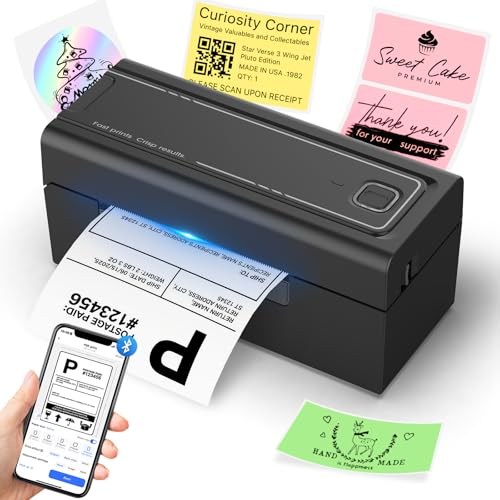
Hoorola Bluetooth Thermal Label Printer, Wireless 4x6 Shipping Label Printer for Small Business & Shipping Packages, Support iPhone, Android, Windows, macOS, Work for Amazon, Ebay, Shopify, Etsy, USPS
High-Speed & Cost-Saving Printing - The Hoorola thermal label printer prints up to 72 crisp 4x6 shipping labels...
As an affiliate, we earn on qualifying purchases.
Frequently Asked Questions
How Do Compression Techniques Affect Image Quality?
Compression techniques can impact your image quality by introducing compression artifacts, which are unwanted visual distortions. As you reduce file size, you might notice a loss of visual fidelity, making images appear blurry or pixelated.
To balance quality and speed, you should choose compression methods carefully, aiming to minimize artifacts while maintaining acceptable visual fidelity. This way, your images load faster without sacrificing too much detail or clarity.
Which Image Formats Are Best for Compression?
Imagine your website as a sleek, fast-moving car; choosing the right image format is like selecting the best engine. Vector formats, like SVG, excel at compression without losing clarity, making your graphics crisp at any size. They also support transparency, adding depth and flexibility.
For photos, compressed JPEGs or WebP offer smaller file sizes. But if transparency matters, PNGs or WebP are your best bets for maintaining quality while reducing load times.
Can Compression Cause Visual Artifacts?
Yes, compression can cause visual artifacts and distortion. When you compress images aggressively, you risk creating compression artifacts, which appear as blocky areas or blurring.
These distortions reduce image quality and may make details less clear. To avoid this, you should find a balance between file size and visual quality, using appropriate compression settings that minimize artifacts while still reducing load times.
Is Lossy Compression Suitable for All Images?
Lossy compression isn’t suitable for all images, especially those needing high detail. Studies show that over 60% of web images use lossy methods. However, high-resolution images with rich color depth often lose quality and clarity when compressed this way.
If your image has intricate details or demands accurate color representation, lossless compression preserves quality better. For simpler images or web use, lossy can save significant space without noticeable quality loss.
How Does Compression Impact Website SEO?
Compression can positively impact your website’s SEO by improving load times, which search engines favor. When you use compression tools comparison, you find the best method that maintains image quality while reducing size.
Don’t forget to optimize alt text as well, since it enhances accessibility and search relevance.
Faster pages boost user experience and rankings, so balancing compression and proper alt text optimization is key for maximizing SEO benefits.

SanDisk 640GB PRO-Cinema CFexpress Type B - Up to 1700MB/s Read Speeds, 8K Video Capture, CFexpress Type B Card - SDCFEC-640G-GN4NN
For professional film makers using cinema cameras with CFexpress technology
As an affiliate, we earn on qualifying purchases.
Conclusion
By now, you see how mastering image compression can substantially boost your website’s speed. Using the right techniques helps reduce load times and improve user experience. Remember, “A picture is worth a thousand words,” but a compressed picture is worth even more when it loads instantly. Keep experimenting with different methods to find what works best for you. In this fast-paced digital world, quick load times aren’t just nice—they’re essential.

Bluetooth Thermal Shipping Label Printer: 4x6 Wireless Label Maker with Tape for Small Business - Compatible with iPhone, Android, Windows & Mac, Widely Used for USPS UPS Ebay Amazon Shopify Etsy
Multi-Label Size Support: Supports thermal labels with a width of 1.57" to 4.3", Compatible with 4x6, 3x2, and...
As an affiliate, we earn on qualifying purchases.

KNAON Bluetooth Thermal Shipping Label Printer, 4x6 Portable Thermal Address Label Printer for Small Business, Compatible with iPhone,Android,Windows,Mac–Works with Etsy Shopify USPS&More, White
Bluetooth Wireless Connection: KNAON Bluetooth shipping label printer enables wireless printing. For iOS and Android users, need to...
As an affiliate, we earn on qualifying purchases.