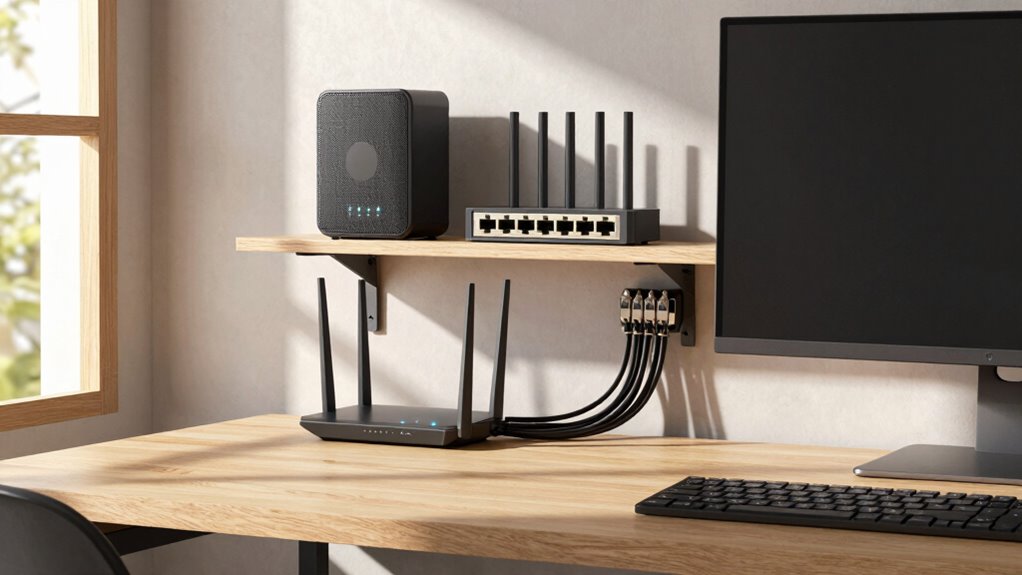

To build a scalable home office network, start with a strong router or mesh system that supports the latest standards and QoS features to prioritize work traffic. Create separate segments for work, personal use, and IoT devices using VLANs or multiple SSIDs to isolate and secure your network. Regularly update firmware and monitor device connections to maintain performance and security. Keep expanding hardware like switches as your needs grow, and explore detailed strategies to optimize your setup further.
Key Takeaways
- Invest in scalable routers or mesh Wi-Fi systems supporting latest standards and QoS features.
- Segment networks using VLANs or multiple SSIDs for work, personal, and IoT devices.
- Regularly update firmware and hardware to accommodate increasing device and traffic demands.
- Implement network management tools for real-time monitoring, troubleshooting, and expansion planning.
- Enhance security with VPNs, firewalls, and periodic vulnerability assessments to support growth safely.

Are you ready to transform your home office into a reliable, scalable network that can grow with your needs? Building a home office network that adapts to your evolving requirements isn’t just about adding more devices. It’s about designing a system that’s secure, manageable, and flexible enough to support future growth. Start by prioritizing wireless security; a strong Wi-Fi password, WPA3 encryption, and regular updates are your first lines of defense against unauthorized access. Consider setting up a guest network for visitors or IoT devices, so your main network remains protected from potential vulnerabilities. This way, you can keep sensitive work data safe while still offering internet access to others.
Next, focus on network segmentation. Instead of letting all your devices share the same network, create separate segments for different types of devices or activities. For instance, keep your work devices on one segment, personal devices on another, and IoT gadgets on a third. This approach not only enhances security by isolating potentially risky devices but also improves network performance. If one segment experiences high traffic or a security breach, it doesn’t compromise the entire system. Implement VLANs (Virtual Local Area Networks) if your router supports them, or set up multiple SSIDs for different segments to keep things organized and secure. Additionally, understanding wireless security best practices helps protect your network from intrusions and vulnerabilities. Regularly reviewing your network setup ensures you stay ahead of potential threats and maintain optimal performance. Incorporating network management tools can further streamline the process of monitoring and maintaining your network’s health. Moreover, staying informed about cybersecurity threats and mitigation techniques can help you proactively defend your network from emerging risks. Incorporating security protocols such as VPNs or firewalls can further bolster your network defenses.
As your needs grow, invest in a robust router or mesh Wi-Fi system that can handle increased traffic and multiple devices. Look for models with advanced features like Quality of Service (QoS), which prioritizes work-related traffic, and support for the latest Wi-Fi standards to ensure fast, reliable connections. As your network expands, consider adding network switches to connect multiple wired devices, which are generally more stable and faster than wireless connections. This setup is especially useful for desktop computers or network-attached storage (NAS) devices that require consistent bandwidth.
Finally, plan for scalability by regularly reviewing your network setup. Keep firmware updated, monitor device connections, and adjust your segmentation as needed. Document your network architecture so you can troubleshoot or expand efficiently. With these strategies—focusing on wireless security, network segmentation, and scalable hardware—you’ll be able to build a home office network that not only meets your current demands but also adapts seamlessly as your work and technology evolve.
mesh Wi-Fi router with QoS support
As an affiliate, we earn on qualifying purchases.
As an affiliate, we earn on qualifying purchases.
Frequently Asked Questions
How Do I Future-Proof My Home Office Network?
To future-proof your home office network, focus on adopting a flexible network topology like star or mesh, which easily scales as you add devices. Invest in a robust, manageable router and switches that support device management features, ensuring you can monitor and control network performance. Regularly update firmware and plan for high bandwidth; this keeps your network reliable and ready for new devices or increased traffic down the line.
What Security Measures Are Essential for Scalable Networks?
You might think security slows down your network, but it’s essential. Enable network segmentation to isolate sensitive data and create a guest network for visitors, preventing unauthorized access. Use strong, unique passwords, and keep firmware updated to patch vulnerabilities. Implement WPA3 encryption and consider a VPN for remote access. These measures protect your scalable home office network, ensuring safety without sacrificing performance or growth potential.
How Can I Optimize Wi-Fi Coverage Across Multiple Rooms?
To optimize Wi-Fi coverage across multiple rooms, you should use wireless extenders to boost signal strength in dead zones. However, for seamless connectivity and better scalability, consider investing in a mesh system. Mesh systems create a unified network with multiple nodes, ensuring strong, consistent Wi-Fi throughout your home. This setup minimizes buffering and dead spots, making your home office experience smoother and more efficient.
What Are the Cost Considerations for Expanding a Home Network?
Expanding your home network involves costs like installing network cabling or upgrading to mesh Wi-Fi systems, which can vary widely. You should also consider power management devices to guarantee stable performance and protect your equipment. Budget for additional routers or switches if wiring isn’t feasible. Remember, investing in quality network cabling and power management can save you money long-term by reducing maintenance and improving reliability.
How Do I Prioritize Bandwidth for Different Devices?
Think of your network as a busy highway. To prevent traffic jams, you need to prioritize bandwidth for essential devices like your work laptop and video conferencing tools. Use device prioritization settings on your router to assign higher bandwidth to critical devices, while allocating less for streaming or smart home gadgets. This way, your essential tasks stay smooth, even when multiple devices compete for bandwidth.
As an affiliate, we earn on qualifying purchases.
Conclusion
With a solid, scalable home office network, you’re laying down a sturdy foundation for your digital workspace—like planting a strong tree whose branches extend effortlessly. As your needs grow, your network can stretch and adapt, supporting multiple devices, streaming, and video calls without a hitch. Imagine a seamless web of connectivity, wrapping around your home, ensuring every corner is lit with reliable, fast internet. This isn’t just a setup—it’s your digital backbone for success.
As an affiliate, we earn on qualifying purchases.
As an affiliate, we earn on qualifying purchases.