
🔍 Read the full analysis: 9 WiFi 7 Routers To Consider For AI Speed And Coverage In 2027 on ThorstenMeyerAI.com

Get business pricing on tech for your team
- Business-only prices and quantity discounts
- Tax-exempt purchasing
- Multiple users, one account, clear invoices
TL;DR
A buyer’s guide published by ThorstenMeyerAI.com compares nine WiFi 7 routers for different home layouts and budgets, naming the TP-Link Archer BE600 as its general-use pick. The recommendations are the publisher’s editorial assessments, not independently documented test results; actual benefits depend on compatible devices, home layout, internet service and router specifications.
ThorstenMeyerAI.com’s WiFi 7 router guide compares nine models for household use, gaming and larger homes, recommending the TP-Link Archer BE600 as its general-purpose choice. The guide also points to the ASUS ROG Rapture GT-BE98 Pro for users seeking high throughput and the TP-Link Deco BE25 for mesh coverage. However, the supplied article does not provide dated prices or independently verifiable benchmark results.
ThorstenMeyerAI.com says its rankings weigh throughput consistency, coverage efficiency and ecosystem integration, rather than relying only on advertised peak speeds. The guide describes the Archer BE600 as a balance of tri-band performance, usability and size, while acknowledging that it is not the most powerful model in the list, as discussed in other WiFi 7 router recommendations. These are the guide’s editorial conclusions; the supplied material does not provide test measurements or enough methodological detail to reproduce them.
The guide’s supplied text names eight distinct products: the TP-Link Archer BE600, ASUS ROG Rapture GT-BE98 Pro, TP-Link Deco BE25, TP-Link Archer BE230, ASUS RT-BE82U, NETGEAR Nighthawk RS700S, TP-Link Archer BE400 and NETGEAR Nighthawk RS90. Although the guide promises nine recommendations, it does not identify the ninth model in the material provided.
ThorstenMeyerAI.com’s central buying distinction is between standalone routers and mesh systems. The guide presents mesh as a way to extend coverage across large or multi-story homes, while noting that node placement can affect performance. It also advises buyers to check Ethernet port speeds: a fast wireless network does not remove a wired bottleneck if a router’s ports cannot match a multi-gigabit internet plan or local equipment.
The 9 picks
- 1
 ASUS ROG Rapture GT-BE98 Pro Quad-Band WiFi 7 Gaming RouterView on Amazon →
- 2
 NETGEAR Nighthawk WiFi 7 Router RS700S, Up to 3,500 sq ft, 19 GbpsView on Amazon →
- 3
 NETGEAR Nighthawk WiFi 7 Router, Up to 2,500 sq ft, 9.3 GbpsView on Amazon →
- 4
 Deco 7 Dual-Band BE5000 WiFi 7 Mesh Wi-Fi System 4-Stream 5 Gbps, 240 MHzView on Amazon →
- 5
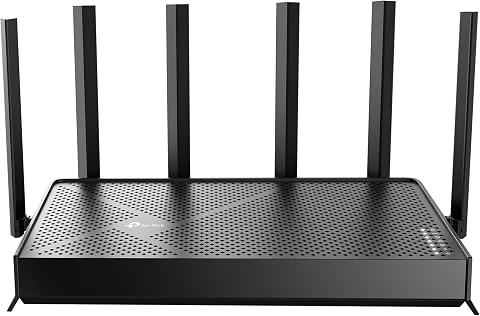 TP-Link Tri-Band BE9700 WiFi 7 Router (Archer BE600)View on Amazon →
- 6
 ASUS RT-BE82U Dual-Band Wi-Fi 7 RouterView on Amazon →
- 7
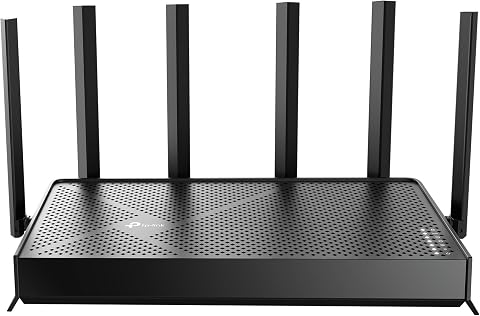 TP-Link BE6500 Dual-Band WiFi 7 Router (BE400)View on Amazon →
- 8
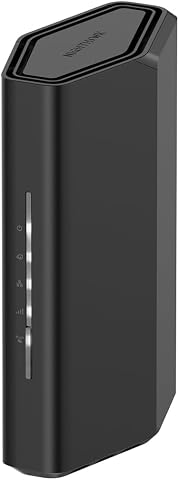 NETGEAR Nighthawk WiFi 7 Router RS90, Up to 2,000 sq ft, 3.6 GbpsView on Amazon →
- 9
 TP-Link Dual-Band Wi-Fi 7 Router, Archer BE230View on Amazon →
Choosing Between Speed and Coverage
The guide highlights a practical issue for buyers: a router’s advertised WiFi generation alone does not determine whether it will improve a household network. Home layout, device compatibility and wired port capacity can matter as much as headline speed. ThorstenMeyerAI.com says a mesh system may address dead zones that a single unit cannot, while adding expense and possible wireless backhaul limitations.
The guide says WiFi 7 features such as Multi-Link Operation and 320 MHz channels require compatible client devices to deliver their intended benefits. Older WiFi devices can still connect, but, according to the article, they will not use those newer capabilities. The recommendations should be treated as a starting point, not a promise of a particular speed or coverage result.
Products Worth Considering

LG UltraGear 32GX850A-B 32-inch 4K UHD Glossy OLED Gaming Monitor

LG UltraGear 34GX90SA-W 34-inch WQHD Curved OLED Gaming Monitor

LG UltraGear 32GS60QC-B 32-inch Curved QHD Gaming Monitor (180Hz, 1ms, 1000R, AMD FreeSync, HDR10)
As an affiliate, we earn on qualifying purchases.
WiFi 7 Features and Practical Limits
ThorstenMeyerAI.com’s guide says WiFi 7 adds features including Multi-Link Operation (MLO), 4096-QAM and support for wider 320 MHz channels in the 6 GHz band. The article argues that tri-band models can use 6 GHz spectrum alongside 2.4 GHz and 5 GHz, while dual-band models such as the Archer BE230 do not include 6 GHz access. It says quad-band hardware may suit especially demanding networks but is unnecessary for many homes.
The guide distinguishes theoretical capability from real-world results, noting that walls, floors, interference, client hardware and mesh-node location affect performance. Although the article refers to a “real-world” comparison, the supplied text gives no measured speeds, testing locations, device list or price snapshot. Its rankings and value claims are therefore the publisher’s assessments, not independently established outcomes.
Missing Pick and Test Details
The ThorstenMeyerAI.com guide’s title promises nine router recommendations, but the supplied material identifies only eight distinct models. It does not state when the guide was published, provide product prices or identify the missing router. The ninth pick cannot be inferred from the other recommendations.
Important performance claims are difficult to verify from the supplied text. The guide describes evaluation criteria but includes no benchmark figures, controlled test conditions or comparative coverage measurements. Product availability and specifications can also change, particularly for a guide framed around 2027. The supplied material includes no vendor statements or independent expert quotations.
Verify Models Before Buying
Readers considering an upgrade should confirm the exact model and its current specifications, including band configuration, Ethernet port speeds and mesh compatibility. They should compare those details with their internet plan, floor plan and the WiFi capabilities of household devices. As the guide notes, node placement and the availability of wired backhaul may influence results in larger homes.
A complete nine-model comparison would need to identify the missing router, date its prices and provide comparable test results. Until then, ThorstenMeyerAI.com’s recommendations are best treated as an editorial shortlist, not a guarantee that a particular model will deliver the same coverage or speeds in every home.
Key Questions
Which router does the guide recommend for most households?
ThorstenMeyerAI.com names the TP-Link Archer BE600, describing it as a balance of tri-band performance and user-friendly setup. This is the guide’s assessment, not a conclusion supported by published benchmark data in the supplied material.
Which model is suggested for a large home?
The guide recommends the TP-Link Deco BE25 mesh system for larger homes and dead zones. It also notes that mesh performance depends on node placement and may involve added cost or wireless backhaul latency.
Does the source actually identify all nine routers?
No. The supplied ThorstenMeyerAI.com material names eight distinct models. It does not identify the ninth product, so a complete nine-router list cannot be confirmed.
Will older phones and laptops benefit from WiFi 7?
The guide says older devices can connect because WiFi 7 routers are backward compatible, but they will not use features such as MLO or 320 MHz channels unless the client device supports them. The size of any upgrade benefit depends on the devices and network conditions.
What should buyers check before choosing a router?
Compare the router’s bands, Ethernet port speeds, coverage approach and current price with your internet plan and home layout. As the guide cautions, a multi-gigabit plan may be constrained by slower ports, while a single router may not cover a multi-story home reliably.
Source: ThorstenMeyerAI.com