

Use this guide to create a review-ready piece of content with an AI writing tool, from choosing a tool and setting a clear brief to checking facts and editing the draft. It is for beginners who can use a web app or document editor and want a practical workflow for articles, product descriptions, emails, or social posts. Expect to spend 45-90 minutes, depending on the length of the content and how much research it needs. AI output is a draft, not a substitute for your judgment: you are responsible for accuracy, originality, privacy, and fit for your audience.

Get tech for your team delivered free — and shop member deals
- Fast, free delivery on millions of items
- Access to Prime Big Deal Days deals on October 6–7
- Prime Video, Amazon Music and more included

500 Free AI Tools: A Practical Guide to the Best AI Tools for Writing, Video Editing, Voice Over, Image Generation, Coding, SEO,…
- ✔ Format: Guide/book
- ✔ Number of tools: 500, as stated in the title
- ✔ Writing coverage: Included
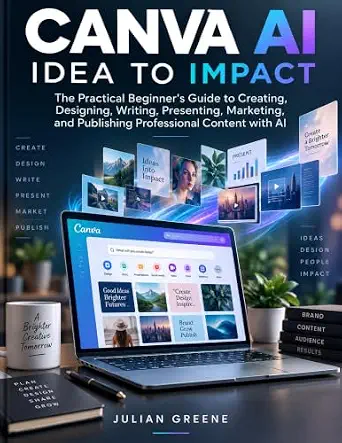
Canva AI Idea to Impact: The Practical Beginner’s Guide to Creating, Designing, Writing, Presenting, Marketing, and Publishing Pr…
- ✔ Format: Beginner’s guide/book
- ✔ Primary platform: Canva AI
- ✔ Audience: Beginners

500 AI Video Generation Prompts: Create Viral Videos for YouTube, Instagram, Ads & Content Creation Using Runway, Pika, Sora & Mo…
- ✔ Format: Book, AI Creator Hub Book 1
- ✔ Number of prompts: 500, as stated in the title
- ✔ Compatible tools: Runway, Pika, Sora, and more
Difficulty: Beginner | Time: 45-90 minutes
What You’ll Need
Tools & Materials:
- A reputable AI content generation tool with a text-generation feature
- A computer or phone with internet access
- A document editor for saving and revising the draft
- Reliable reference material for checking claims
Knowledge:
- Basic ability to use a website or app
- A general understanding of the audience and purpose of the content
- Access to any brand, style, or factual requirements the content must follow
Allow 45-90 minutes for a short article or comparable piece; longer or specialized work can take more time. Check the tool’s current terms, privacy settings, and commercial-use rules before entering information or publishing its output. Do not paste passwords, private customer details, confidential business information, or personal data unless you are authorized and the service is approved for that use. For medical, legal, financial, or other high-impact material, arrange review by a qualified person.
500 Free AI Tools: A Practical Guide to the Best AI Tools for Writing, Video Editing, Voice Over, Image Generation, Coding, SEO,…
When we are still deciding what kind of AI-assisted workflow to build, 500 Free AI Tools has the broadest stated remit in this group. Its coverage includes writing, video editing, voice-over, image generation, coding, SEO, and productivity, so it may help us connect content production with tasks around it—such as polishing a draft, making a visual, or improving discoverability. That makes it a stronger first-stop directory than the Canva-focused book or the video prompt collection for readers who have not settled on one format.The breadth is also the key limitation. A reference listing many tools can help us explore, but it cannot by itself establish which option currently performs best or fits our workflow. AI products change rapidly, and the provided description does not include a publication update policy, sample entries, or verified tool-by-tool details. Compared with Canva AI Idea to Impact, this guide appears wider but less centered on a single beginner-friendly creation journey; compared with the video book, it is less immediately specific about prompts for producing a particular asset. We should treat it as a discovery map and confirm current capabilities independently.This pick makes the most sense for curious creators who want to survey categories before choosing a platform. It is less compelling for someone who already knows they need a step-by-step Canva workflow or a focused set of video prompts. The title’s emphasis on free tools may also be useful to budget-conscious readers, but availability and access conditions can change, so we should check each tool rather than assume every listing remains free.
Pros:
- Covers multiple content and supporting-workflow categories, from writing to SEO.
- A broad discovery approach can help readers identify tools beyond their current format.
- Its stated focus on free tools suits readers trying to limit initial software commitments.
Cons:
- Tool listings may become outdated as products and access terms change.
- The available description does not verify the quality, depth, or currency of individual entries.
Best for: Creators and small teams exploring AI options across several content formats before committing to a particular workflow.
Not ideal for: Readers seeking detailed instruction in one specific platform, verified current tool comparisons, or a deep video prompting curriculum.
Bottom line: Choose this guide for wide-ranging AI tool discovery, while checking every recommendation for current capabilities and access terms.
“Choose this guide for wide-ranging AI tool discovery, while checking every recommendation for current capabilities and access terms.”
Canva AI Idea to Impact: The Practical Beginner’s Guide to Creating, Designing, Writing, Presenting, Marketing, and Publishing Pr…
Canva AI Idea to Impact stands out for readers who want to think beyond generating a single image or paragraph. Its stated scope runs from creating and designing through writing, presentations, marketing, and publishing, giving beginners a useful end-to-end frame for turning an idea into shareable content. That workflow orientation is more focused than the broad directory in 500 Free AI Tools, and less specialized than the video prompt guide.For a new creator, the practical advantage is the connection between stages: content needs a format, presentation, and route to an audience, not just an AI-generated first draft. The book is described as guidance for using Canva AI, so readers interested in that ecosystem have a clearer starting point here than in the other two picks. However, the supplied information also flags a lack of detailed technical instructions, specific examples, and advanced-feature coverage. We should therefore see it as an introductory guide rather than a comprehensive manual or a substitute for current product documentation.Compared with the cross-category book, this title gives us a more coherent beginner journey but a narrower tool perspective. Compared with the video prompt collection, it appears more useful for mixed-format content and publishing tasks, but it does not promise a ready-made library of prompts for a particular output. Choose it when workflow and accessibility matter more than exhaustive tool research. Skip it if we need advanced controls, evidence-rich case studies, or instruction that is not centered on Canva.
Pros:
- Connects several stages of content creation rather than focusing on generation alone.
- Explicitly targets beginners who need an accessible entry point.
- Covers writing, design, presentations, marketing, and publishing in one guide.
Cons:
- The stated coverage does not include detailed technical instruction or advanced features.
- Specific examples and case studies are not established in the available description.
Best for: Beginners who want a guided overview of using Canva AI across writing, design, presentations, marketing, and publishing.
Not ideal for: Experienced creators seeking technical depth, advanced AI workflows, detailed case studies, or a broad comparison of non-Canva tools.
Bottom line: Pick this as an approachable Canva-centered workflow guide, not as an advanced technical reference.
“Pick this as an approachable Canva-centered workflow guide, not as an advanced technical reference.”
500 AI Video Generation Prompts: Create Viral Videos for YouTube, Instagram, Ads & Content Creation Using Runway, Pika, Sora & Mo…
If our main bottleneck is deciding what to ask a video generator to make, 500 AI Video Generation Prompts is the most narrowly targeted option here. It states that it contains 500 prompts for tools including Runway, Pika, and Sora, with use cases spanning YouTube, Instagram, advertising, and general content creation. This specificity gives it a more direct fit for video-first creators than either the broad tool directory or the Canva workflow guide.A prompt collection can reduce the blank-page problem: instead of starting from nothing, we can adapt an idea to a platform or campaign. That is a different kind of help from 500 Free AI Tools, which is framed around discovering tools, and from Canva AI Idea to Impact, which covers a wider creation-to-publishing process. The tradeoff is that prompts are not a complete video strategy. We may still need to revise outputs, learn each generator’s controls, and shape the result for our audience. The supplied information does not include sample prompts or evidence that the collection’s instructions remain aligned with changing tool behavior.This makes the book a specialist resource, not our best general introduction to AI content. Its value depends on whether its prompts are adaptable and useful in practice, something we cannot verify from the available description. Because video platforms evolve quickly, we should expect to tailor examples rather than copy them unchanged. Choose it when video ideation is the clear need; choose the broader directory when we are still exploring formats, or the Canva guide when our priority is an end-to-end beginner workflow.
Pros:
- States a focused collection of 500 video-generation prompts.
- Names several prominent video-generation tools, including Runway, Pika, and Sora.
- Targets multiple publishing and commercial contexts, including social platforms and ads.
Cons:
- The available information does not verify the quality or adaptability of the prompts.
- Prompt usefulness may shift as supported tools and their capabilities evolve.
Best for: Video creators who want a large starting collection of prompt ideas for social content, ads, and AI-generated video.
Not ideal for: Readers seeking a general AI tool directory, a broad content-publishing course, or verified examples and tool-specific technical guidance.
Bottom line: Choose this focused prompt book when video ideation is the priority, but plan to adapt prompts to current tools and goals.
“Choose this focused prompt book when video ideation is the priority, but plan to adapt prompts to current tools and goals.”
As an Amazon Associate we earn from qualifying purchases.
Before You Start
Decide what you are making and what the finished content needs to do. A useful brief names the audience, purpose, format, key facts, desired tone, length, and any boundaries. Gather trusted sources for facts the draft will need. Separate facts you can verify from opinions, examples, and claims that must not be invented. If you are using the tool through an employer or client, follow its rules on disclosure, data handling, and AI use.
Step-by-Step Instructions
Step 1: Choose a tool for the task
Select a tool that supports the format you need, such as article drafting, email writing, or social captions. Check whether it can accept your instructions, revise an existing draft, and export or copy the result. Review its privacy and usage terms, including whether submitted text may be stored or used to improve the service. Start with an account or plan you are permitted to use; do not assume that free access includes the same features or rights as a paid plan.
Tip:For a one-off draft, a general-purpose text assistant may be enough. For repeat work, compare tools using the same sample brief and assess editability, privacy controls, export options, and cost.
Check: You can access the tool, identify the feature for generating text, and confirm that its data rules are suitable for the material you plan to submit.
Step 2: Write a specific content brief
Write a short brief before prompting. Include the topic, reader, purpose, format, approximate length, tone, required information, and anything to avoid. Add verified facts or approved source links when the tool can use them. State what the reader should do after reading. For example: “Write a 500-word onboarding email for new customers. Use a friendly, plainspoken tone. Explain the three setup steps listed below, do not promise results, and end with a sentence directing readers to the support page.” Keep private or identifying information out of the brief.
Tip:Use concrete constraints rather than labels alone. “Clear, direct language for first-time users” gives more direction than “make it engaging.”
Check: Your brief specifies who the content is for, what it must accomplish, which facts it may use, and what form the draft should take.
Step 3: Prompt the tool to create a draft
Open a new generation in the tool and paste your brief. Ask for one draft, not a finished or publication-ready answer. Tell it to flag missing information rather than inventing details, and to use only the material you provide for specific factual claims. If you need citations, ask for source links or references, but treat every citation as unverified until you open it yourself. Generate the draft and save a copy in your document editor.
Tip:Do not treat confident wording, precise numbers, quotations, or citations as proof. Language models can produce plausible details that are false or unsupported.
Check: You have a saved draft that follows the requested format and covers the main points in your brief.
Step 4: Check the draft against your brief
Read the draft from the audience’s point of view. Compare it with each requirement in your brief: purpose, format, length, tone, required points, and prohibited claims. Mark missing information, repetition, vague wording, unsupported promises, and content that does not suit the reader. If a section is weak, ask the tool for a targeted revision and state exactly what to change. Keep the original draft so you can compare versions and recover useful wording.
Tip:Change one issue at a time when a broad rewrite could remove useful material. For example, ask the tool to shorten the introduction without changing the product details.
Check: You can point to where the draft meets each requirement, and any gaps or questionable passages are marked for correction.
Step 5: Verify facts, sources, and permissions
Check every factual claim that could affect a reader’s decision, including dates, prices, statistics, names, quotations, product features, and instructions. Open cited sources and confirm they support the specific claim. Replace unsupported statements with verified information or remove them. Check that examples, images, and quoted material are yours, licensed for your use, or otherwise permitted. Follow your organization’s rules for AI disclosure and attribution; do not present generated text as a human quotation or firsthand experience.
Tip:Give extra attention to claims about health, law, money, safety, and current events. A source link that exists may still be irrelevant, outdated, or misrepresented.
Check: Each important claim is supported by a reliable source you have checked, or has been removed or clearly qualified.
Step 6: Edit and prepare the final version
Edit the draft in your document editor for clarity, accuracy, and a natural voice. Remove repeated points, filler, awkward phrases, and generic statements. Confirm names, links, spelling, formatting, and any required calls to action. Read the text aloud or use a read-aloud feature to catch unclear sentences. Apply the requested house style, add approved headings or metadata, and save the final file with a clear version name. Obtain the required human or subject-matter review before publishing high-impact content.
Tip:Do not accept a revision merely because it sounds smoother. Check that the edit keeps the correct meaning and does not add a new claim.
Check: The final version is readable, accurate against your checked sources, formatted for its destination, and approved by the appropriate reviewer.
Common Mistakes to Avoid
- Giving the tool a vague prompt, then expecting a targeted result. — Specify audience, purpose, format, length, tone, required facts, and boundaries in the brief. Revise the prompt when the draft misses a requirement.
- Publishing generated facts or citations without checking them. — Open cited sources and verify important claims against authoritative material. Remove claims you cannot substantiate.
- Submitting private or confidential information to a public tool. — Review the service’s data rules and your organization’s policy. Use approved tools and remove identifying details unless you have permission.
- Accepting fluent output that does not fit the audience or brand. — Edit for the intended reader, apply the relevant style guide, and check every section against the brief before sharing.
Troubleshooting
Problem: The draft is generic or misses important details.
Solution: Add audience-specific context, the intended outcome, approved facts, and a clear structure to the prompt. Request a revision of the weak section rather than asking for a vague improvement.
Problem: The tool gives made-up details, references, or quotations.
Solution: Do not use them as written. Check each claim with a reliable source, supply source text the tool is allowed to use, or remove the claim. Never cite a reference you have not opened.
Problem: The output is too long, too short, or in the wrong format.
Solution: Restate the target length and format in measurable terms, such as three short paragraphs or five bullets. Ask for a focused rewrite, then review whether any required information was lost.
Problem: The service will not accept your prompt or stops generating.
Solution: Check your connection, sign-in status, usage limits, and prompt length. Remove confidential details, split a long brief into smaller sections, and retry. Save any usable text before refreshing.
What Success Looks Like
The task is complete when you have a saved piece of content that meets the brief, suits its intended audience and format, and has been edited by a person. Important factual claims are supported by sources you checked; unsupported details, confidential information, and unapproved quotations are absent. Required review, attribution, and disclosure steps are complete, and the file is ready for its intended destination.
Next Steps
Save the final content and its source notes in the approved location, then record which tool and prompt produced the draft if your team tracks AI-assisted work. Submit it for any remaining editorial, legal, or subject-matter review before publishing. After publication, correct errors promptly and update time-sensitive information when it changes. For future pieces, reuse and refine the brief, but verify facts and review each new draft independently.
Frequently Asked Questions
Can I publish AI-generated content without editing it?
That is risky. Generated text can contain false claims, unsuitable wording, repetition, or content that conflicts with your brand. Review, fact-check, and edit it before publication, and follow any disclosure or approval rules that apply.
What should I include in a prompt?
Include the audience, purpose, content format, approximate length, tone, required points, verified source material, and limits on what the tool may claim. Tell it to flag missing facts rather than fill gaps with guesses.
Are AI-generated citations reliable?
Not automatically. A citation can be fabricated, out of date, or unrelated to the claim. Open the source, check its authority and date, and confirm that it supports the wording before using it.
Is it safe to paste company or customer information into an AI tool?
Only if your organization permits that tool and the service’s data handling meets your requirements. Do not submit confidential, personal, or identifying information to an unapproved service. Remove details or use an approved environment when needed.
How do I make the output sound less generic?
Give the tool specific audience needs, examples of the preferred tone, approved facts, and a clear structure. Then revise the draft yourself for natural phrasing, useful detail, and consistency with your style guide.
Halloween Picks
halloween
As an affiliate, we earn on qualifying purchases.