

Choosing an AI content tool is less about whether it can draft a paragraph and more about how reliably it fits the work around that paragraph. ChatGPT and Jasper can both help create marketing copy, but they serve different needs: ChatGPT is a flexible assistant for writing and many other tasks, while Jasper is built around repeatable marketing production, brand guidance, and team workflows. ChatGPT is the stronger starting point for individuals and teams that want versatility and lower-cost access. Jasper makes more sense when a marketing group needs shared controls and a structured process across many campaigns. The central tradeoff is flexibility and value versus specialized workflow and governance.

Get business pricing on tech for your team
- Business-only prices and quantity discounts
- Tax-exempt purchasing
- Multiple users, one account, clear invoices
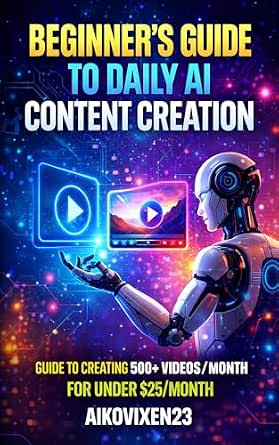
AI Content Creation for Beginners – How to Create 500+ AI Videos for TikTok, Instagram, YouTube & X Using Simple Tools (Under $25…
- ✔ Resource type: Guide
- ✔ Audience: Beginners
- ✔ Main content type: AI-assisted videos

AI Content Creation for Beginners 2026: How to Use ChatGPT, Canva, Video Tools, Scripts, Prompts, and Simple Workflows to Create…
- ✔ Resource type: Book
- ✔ Audience: Beginners
- ✔ Publication year: 2026

500 Free AI Tools: A Practical Guide to the Best AI Tools for Writing, Video Editing, Voice Over, Image Generation, Coding, SEO,…
- ✔ Resource type: Practical guide
- ✔ Stated catalog size: 500 AI tools
- ✔ Tool access framing: Free tools, according to the title and description
At a Glance
| Criteria | ChatGPT | Jasper | Winner |
|---|---|---|---|
| Primary use | General-purpose assistant for writing, research support, analysis, and more | Marketing-focused platform for campaign and content teams | Depends |
| Writing flexibility | High; adapts to many formats and tasks through instructions | Broad writing support shaped around marketing use cases | A |
| Marketing workflow | Flexible prompting, with fewer marketing-specific workflow conventions | More purpose-built structure for recurring marketing production | B |
| Brand consistency | Can follow supplied examples and guidance; consistency depends on setup and review | Brand guidance and controls are central to its team-oriented positioning | B |
| Team collaboration | Useful for shared work, with features depending on plan and workspace setup | Designed for organized team use; available controls depend on plan | B |
| Ease of starting | Low friction for individuals familiar with chat interfaces | More setup may be needed to establish brand and team workflows | A |
| Value | Often the better entry-value choice, especially for mixed-use needs | Higher spend can pay off when specialized workflows reduce coordination work | A |
AI Content Creation for Beginners – How to Create 500+ AI Videos for TikTok, Instagram, YouTube & X Using Simple Tools (Under $25…
This is the most focused pick for readers whose main goal is publishing AI-assisted video on social platforms. Its stated process runs from concept to publishing, and it names TikTok, Instagram, YouTube, and X, giving beginners a clearer path than the broad tool directory. The emphasis on simple tools and a constrained monthly tool budget also gives the guide a practical angle for creators who want to explore without building a complicated production setup.That focus is also its limit. The description centers on video ideas, templates, and social publishing; it does not promise broad instruction in writing, image generation, coding, or SEO like 500 Free AI Tools. Compared with the 2026 faceless-content guide, it gives a more explicit multi-platform video brief, while the other guide signals a wider mix of ChatGPT, Canva, scripts, and prompts. The under-$25 framing is part of the guide’s stated approach, not a reliable promise of what tools cost today. We should verify current plans and whether free tiers or features have changed.For a newcomer who wants a defined video project, this is the strongest match in the lineup. Buyers looking for in-depth instruction on one specific video editor, advanced production techniques, or verified current software recommendations may find the supplied description too general to establish that level of detail.
Pros:
- Describes a step-by-step process from concept to publishing.
- Names TikTok, Instagram, YouTube, and X as target platforms.
- Centers simple tools and beginner accessibility.
- Includes more than 500 stated video ideas and templates.
Cons:
- Video is the main focus, so it is less suited to readers seeking a wide range of content formats.
- The budget framing can age as software plans and features change.
- The description does not identify specific tools or establish how deeply each workflow is covered.
Best for: Beginners who want a guided route to planning and publishing AI-assisted short-form or channel video across the named social platforms.
Not ideal for: Readers seeking a broad survey of AI writing and design tools, advanced video-production instruction, or independently verified current software prices.
Bottom line: We rank this first for its direct, beginner-oriented social video workflow, while recommending that readers confirm current tool details before adopting its budget assumptions.
“We rank this first for its direct, beginner-oriented social video workflow, while recommending that readers confirm current tool details before adopting its budget assumptions.”
AI Content Creation for Beginners 2026: How to Use ChatGPT, Canva, Video Tools, Scripts, Prompts, and Simple Workflows to Create…
When we want more than a video idea pipeline, this beginner guide points toward a flexible creation routine: use ChatGPT and prompts for writing, Canva for visual work, and video tools as part of simple workflows. Its defining angle is creating without appearing on camera, which makes it relevant to people building narrated, illustrated, or otherwise faceless content. The description names practical workflow ingredients rather than claiming to cover every AI category.That makes it a useful middle ground between the video-specific first pick and the expansive 500-tool directory. It suggests a broader set of content tasks than the video guide, but does not identify target social platforms or a specific publishing sequence. The directory offers far more stated breadth across disciplines; this guide instead appears oriented around joining a few familiar tools into a repeatable creator process. Buyers should not infer particular features, templates, or depth beyond what the listing describes.We would choose it if faceless publishing and a blend of scripts, prompts, design, and video matter more than a platform-by-platform tutorial. Its beginner positioning may leave experienced creators wanting advanced production or strategy. The description also does not specify format details such as length, and named services can change; we should check that the workflows still fit the versions and access terms available to us.
Pros:
- Brings together ChatGPT, Canva, video tools, scripts, and prompts.
- Explicitly addresses making content without appearing on camera.
- Emphasizes simple workflows that beginners can assess against their needs.
- Covers a broader mix of creation tasks than the video-focused guide.
Cons:
- The beginner focus may not meet advanced production needs.
- The description does not name specific social platforms or explain a publishing workflow in detail.
- Format and length are not specified in the supplied details.
Best for: New creators who want to combine AI-assisted writing, visual design, and video in a faceless content workflow.
Not ideal for: Experienced producers seeking advanced instruction, or buyers who need a clearly specified platform-by-platform publishing plan.
Bottom line: We place this second for its useful faceless, multi-tool creator angle, with less platform-specific detail than the video guide.
“We place this second for its useful faceless, multi-tool creator angle, with less platform-specific detail than the video guide.”
500 Free AI Tools: A Practical Guide to the Best AI Tools for Writing, Video Editing, Voice Over, Image Generation, Coding, SEO,…
This guide is the widest-ranging resource here. Its stated catalog spans writing, video editing, voice over, image generation, coding, SEO, productivity, and more, with tools organized by category and practical usage tips. For a reader who has a content task but has not yet chosen software, that breadth can help surface options beyond the familiar writing assistant or video editor. Its cross-discipline scope also makes it more of a reference shelf than a single creator playbook.That distinction explains its third-place ranking for this roundup. The social video guide offers a clearer route from idea to publishing, while the faceless-content title connects a smaller set of named tools and workflow elements. By comparison, this book’s large tool count promises discovery, but the description itself cautions that individual entries may have limited depth. We should treat the catalog as a starting point for research, then confirm that any tool still exists, fits our use case, and has terms that work for us.The breadth is valuable when our needs range across media, but it can become a burden if we want one dependable workflow for a specific output. The title’s free-tool framing may also become dated as providers adjust access, limits, or features. Choose this guide when exploration matters more than a stepwise course; skip it when we already know we need a targeted social video or faceless publishing process.
Pros:
- Covers multiple areas, including writing, video, voice, and image generation.
- Organizes tool listings by category for easier browsing.
- The description says it includes practical usage tips and examples.
- Useful for discovering options beyond a single content format.
Cons:
- The broad scope may limit detail about any individual tool.
- Listings can become outdated as the AI software landscape changes.
- A directory does not by itself provide an end-to-end publishing workflow.
Best for: Creators, developers, and marketers who want a categorized starting point for discovering AI tools across several kinds of work.
Not ideal for: Beginners who want one tightly guided content workflow or readers who need detailed, current instructions for a particular tool.
Bottom line: We recommend it as a discovery reference for readers exploring many AI categories, while the other two guides are stronger for defined creator workflows.
“We recommend it as a discovery reference for readers exploring many AI categories, while the other two guides are stronger for defined creator workflows.”
As an Amazon Associate we earn from qualifying purchases.
Key Differences
The main difference is product focus. ChatGPT works as a general assistant, so a user can move from drafting a landing page to outlining a presentation or refining an email in the same interface. That range helps when content work is only one part of the day. Jasper centers its experience on marketing production, which can make recurring campaign tasks and shared brand direction feel more organized. The advantage is not that one can write and the other cannot; it is how much structure each brings around writing.
That structure matters most when several people create content for the same brand. Jasper’s marketing orientation can help teams establish repeatable ways of working and keep brand guidance visible. ChatGPT can also follow voice instructions, reference examples, and support collaborative work, but teams may need to define their own process and check that outputs remain consistent. In either case, AI drafts need human review for accuracy, audience fit, and claims that require evidence.
For an individual or small team, paying for a specialized platform may not add enough value if the primary need is occasional drafting. ChatGPT’s broader utility and lower-cost access make it a practical starting point. Jasper’s premium can be justified when marketing teams produce content frequently and benefit from centralized guidance, repeatable workflows, and team features. The better purchase depends on whether the bottleneck is generating text or coordinating production.
Detailed Comparison
Primary use (moderate difference)
ChatGPT wins for range: it can support marketing drafts alongside planning, editing, brainstorming, and non-writing tasks. Jasper is more tightly focused on marketing content, making its purpose clearer for teams with a steady campaign workload. This is a moderate difference. Choose based on the breadth of work you want one tool to handle.
Writing flexibility (ChatGPT wins — moderate)
ChatGPT has the edge for users who move between formats, audiences, and task types because it responds to detailed instructions in an open-ended conversation. Jasper also supports varied marketing copy, but its strongest fit is within that domain. The gap is moderate for mixed-use writers and minor for teams producing familiar marketing formats.
Marketing workflow (Jasper wins — moderate)
Jasper wins for repeatable marketing work. A platform shaped around campaigns and team production can give marketers more structure than a general chat interface, especially when the same kinds of assets are created regularly. The difference is moderate: occasional writers may not need that structure, while a busy content operation may value it every week.
Brand consistency (Jasper wins — moderate)
Jasper has the advantage when a team wants brand guidance integrated into its content process. ChatGPT can use voice rules and supplied examples, but consistency relies more on how well users configure prompts and review drafts. This is a moderate gap for multi-writer teams and a minor one for a single writer who can apply the same guidance consistently.
Team collaboration (Jasper wins — moderate)
Jasper is better suited to marketing teams that want shared processes and brand controls in a specialized environment. ChatGPT can also support shared work, though teams should check the capabilities of their chosen plan and set their own review practices. The difference is moderate when coordination is a recurring problem and minor for a small group that already works smoothly.
Ease of starting (ChatGPT wins — minor)
ChatGPT wins for a quick start: users can describe a task and refine the result in conversation without first designing a content system. Jasper may ask more of a team upfront as it puts emphasis on brand and workflow setup. This is a minor-to-moderate difference; setup can be worthwhile if it prevents repeated coordination later.
Value (ChatGPT wins — moderate)
ChatGPT is generally the stronger value for individuals and mixed-use users because its broad assistant role can serve needs beyond content marketing. Jasper can be better value for a marketing department if its workflow and team features save enough time to justify the higher spend. The difference is moderate and depends on usage frequency and the cost of coordination.
ChatGPT: Pros and Cons
Pros:
- Broad support for writing and non-writing tasks
- Flexible response to detailed instructions
- Lower-cost entry for many individual users
- Quick to use for one-off drafting and editing
Cons:
- Marketing workflows may need to be built by the team
- Brand consistency depends on clear guidance and review
- Less specialized for campaign production at scale
Jasper: Pros and Cons
Pros:
- Focused on marketing content production
- Brand guidance and team workflow are central strengths
- Better fit for repeatable campaign processes
Cons:
- Specialized focus may be unnecessary for occasional writers
- Higher spend needs to be justified by regular team use
- Setup and process decisions can take more effort
Who Should Choose What
Choose ChatGPT if:
- You are an individual creator or small team with varied writing and general assistant needs.
- You want to test AI-assisted drafting before investing in a specialized marketing platform.
- Your team can manage brand voice through shared guidelines and editorial review.
Choose Jasper if:
- Your marketing team produces content frequently across campaigns and needs a more structured process.
- Several writers need to follow shared brand guidance.
- Workflow coordination is a larger cost than the subscription premium.
Skip both if: Neither is a fit if your content requires fully verified specialist expertise and you cannot provide human review, approved sources, or subject-matter oversight.
Value for Money
ChatGPT usually offers better value for a solo user or a small group that needs one tool for many kinds of work. Its broader role means the subscription can serve beyond marketing drafts, so occasional content use does not leave a specialized platform sitting idle. Jasper’s higher cost is worth paying when a marketing team uses its workflow and brand features often enough to cut repeated setup, coordination, or revision effort. Estimate value against the work saved across the team, not simply the number of words generated. If you mainly need a first draft now and then, start with ChatGPT; if repeated production and shared controls are daily needs, Jasper’s premium can make sense.
Final Verdict
For most individuals and small teams comparing these two, ChatGPT is the better place to start: it is more flexible, easier to adopt, and offers value beyond marketing copy. Choose Jasper when marketing production is a team process rather than an occasional task, and when brand guidance and workflow structure address real coordination costs. The deciding factor is whether you need a versatile writing assistant or a specialized system for producing content together. Do not pay more for Jasper solely in expectation of better drafts; pay for it when its team workflow earns back the difference.
Frequently Asked Questions
Is ChatGPT or Jasper better for marketing copy?
ChatGPT is a strong choice for flexible drafting and varied tasks. Jasper is better suited to teams that want marketing workflows and brand guidance built into their process. The better option depends on whether individual flexibility or shared production structure matters more.
Does Jasper keep brand voice more consistent than ChatGPT?
Jasper is designed to make brand guidance a more central part of team content work. ChatGPT can follow voice instructions and examples, but users need to apply those consistently and review results. Neither removes the need for editorial checks.
Is Jasper worth the higher price?
It can be for a marketing team producing content regularly, especially if shared workflows reduce coordination and revision effort. For an individual or occasional writer, ChatGPT is often the better value.
Can ChatGPT replace Jasper for a content team?
It may be enough for teams that already have clear brand guidelines and a reliable editorial process. Teams that want a more specialized marketing workflow and centralized brand controls may prefer Jasper.